


Tolerance Test
339 downloads · 4 years ago · This test is very useful when you want to design hole and shaft to know what is the minimum clearanc
This model is restricted by licensing terms.
View license.
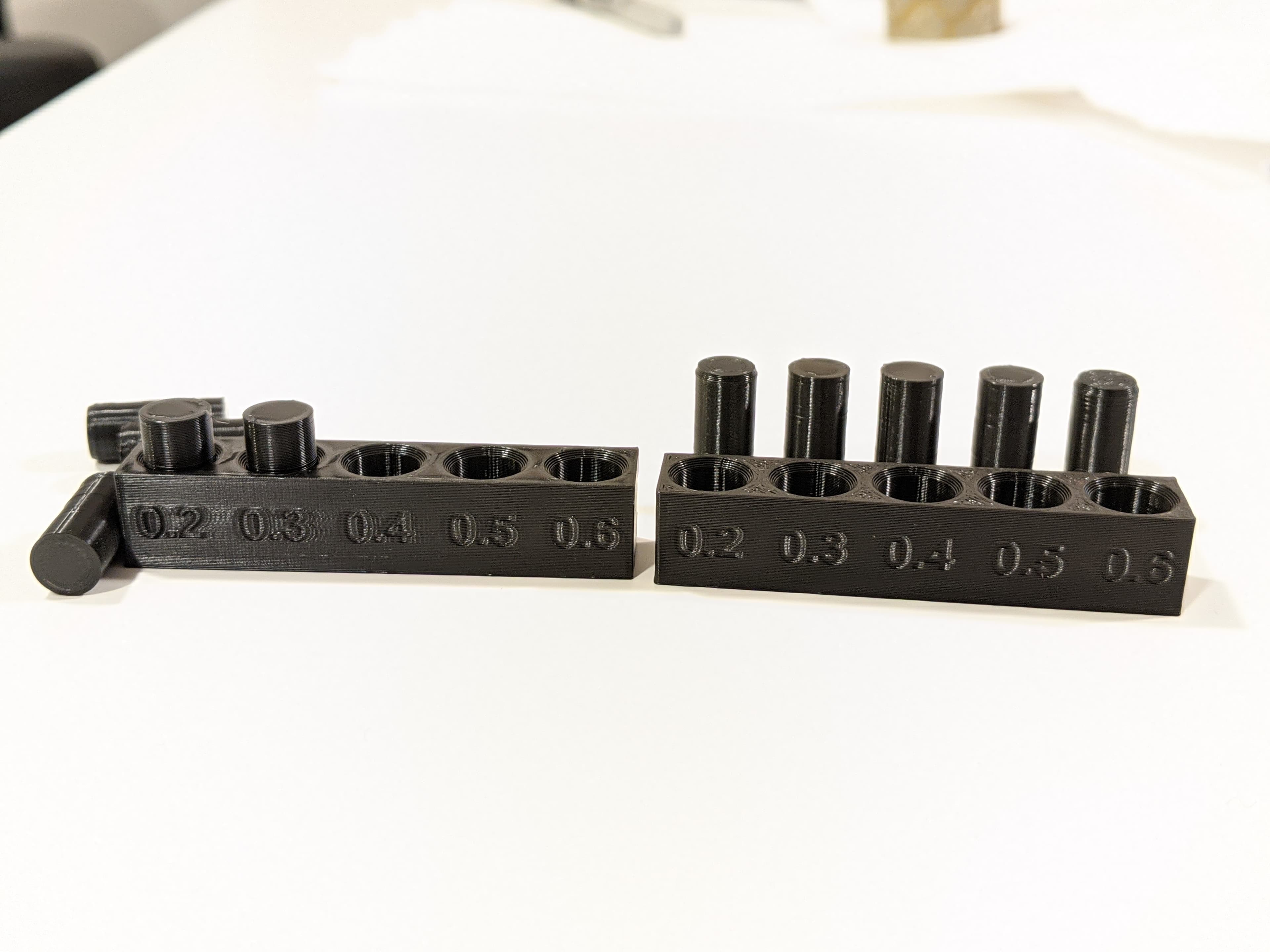
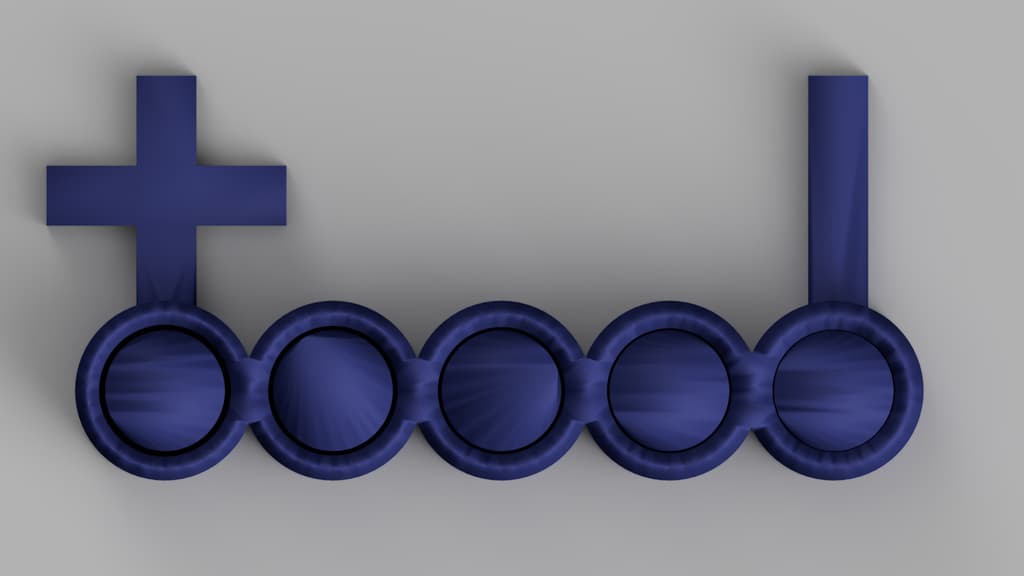
This test is very useful when you want to design hole and shaft to know what is the minimum clearance that our machine can print.
Just print the part and once you're done, try removing the shafts manually, the smallest measurement that can be removed will give you an idea of the minimum tolerance to which your machine can print a hole - shaft.
Tolerance: 0.2 - 0.3 - 0.4 - 0.5 - 0.6
Printing Conditions
- Nozzle Size : 0.4
- Layer Height : 0.2
- Initial Layer Height : 0.2
- Line Width : 0.4
- Wall Line Count : 3
- Top/Bottom Thickness : 0.8 mm
- Infill Density : 8%
- Fill Gaps Between Walls : Nowhere
Estimated printing Time = 1h ~ 1h15min
This model is restricted by licensing terms.
View license.

FREE Vaniso Basic tolerance test ring
Tolerance Test
Tolerence test square and circle
Screw Tolerance Test Kit + STEP FILE
Tolerance testing Small file
Filament Flow and Tolerance Testing Tile
.png&w=3840&q=75)
Tolerance test
Spinning tolerance test

Floramorph Tolerance Tests
.png&w=3840&q=75)
FDM Printer Dimensional Tolerance Test
Mini tolerance test

2:1 GEAR RATIO TOLERANCE TEST PRINT

clearance card tolerance test .4 to .1 mm calibration

Atria and Egg
Bundle

Giant Gyro with Display stand (includes tolerance texts)

Carrot egg

Baby Beetle Expansion pack

Baby Beetles and Box

Jam clicker and paperclip
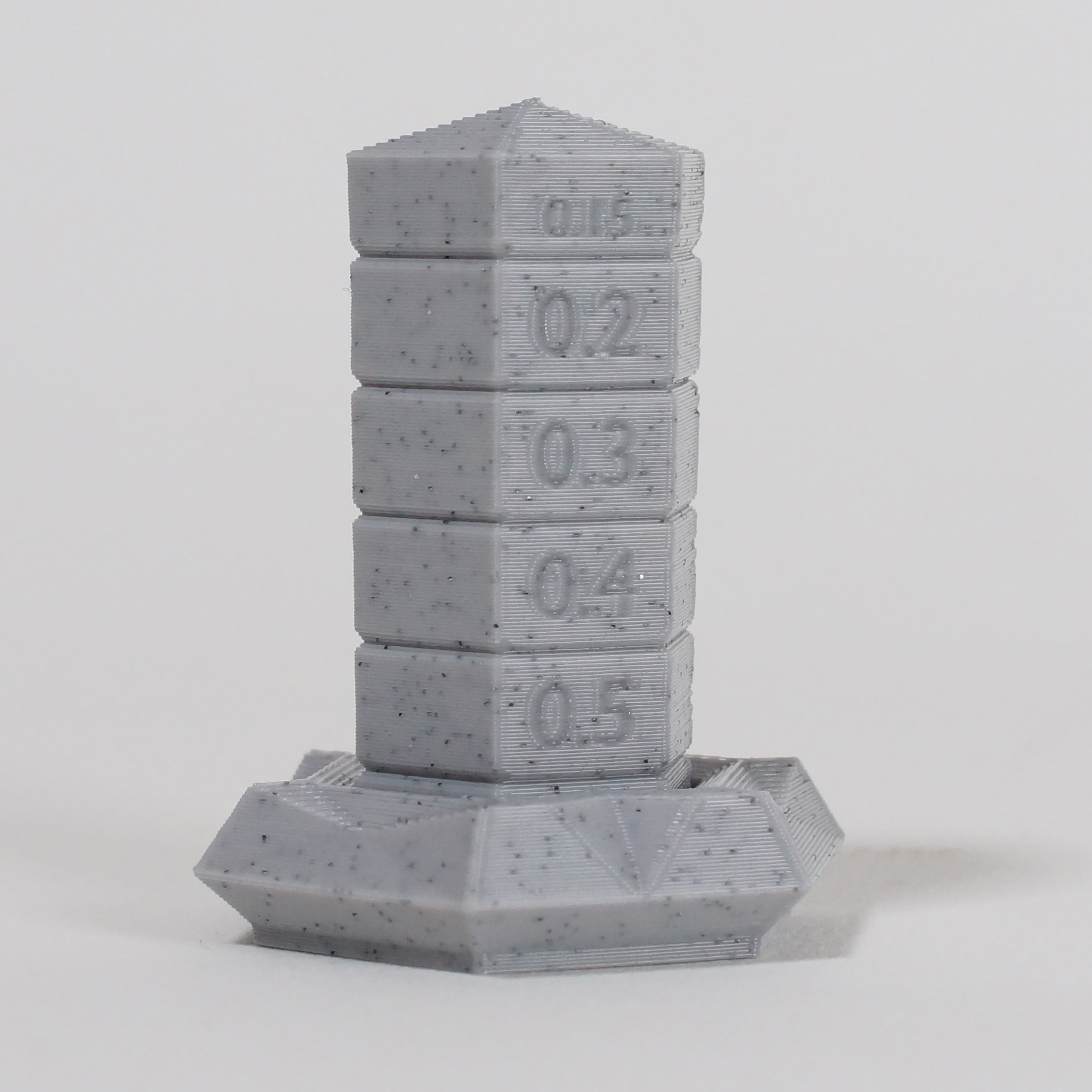
.3 and .4 move freely, but .2, .5, and .6 do not. I have no idea how to explain this. All of them could be loosened with force. The .2 was looser than the .6.