Select a membership plan

Model is included in this plan
Available now

Starter
$6.00
/ month

Explore the essentials.

3 Downloads each month.

Select and 3D print 3 unique Designs a month.

Select Annual Billing for 20% off.

Model is included in this plan
Available now

Supporter
$11.99
/ month

Expand your collection.

6 Downloads each month.

Select and 3D print 6 unique Designs a month.

Select Annual Billing for 20% off.

Model is included in this plan
Available now

Seller
$19.99
/ month

Sell physical prints.

20 Downloads each month.

$ Commercial License.

Select and 3D print 20 unique Designs a month that you can sell for profit.

Select Annual Billing for 30% off.

Model is included in this plan
Available now

Partner
$50.00
/ month

Scale your print business.

Full access Catalog.

$ Commercial License.

Select Annual Billing for 40% off.

Luca L
elleSTVDIO10K followers
Follow
elleSTVDIO
elleSTVDIO
|
Image 1 of 6
Mojave, desk lamp. 3d model
elleSTVDIO
elleSTVDIO
|
Image 1 of 6
Mojave, desk lamp. 3d model

Mojave, desk lamp.

Designed by us, 3D printed by you.

This is Mojave, a desk lamp.

A PDF with 3D printing settings is included.

Community Makes (1)
I tried to print following your instructions but the lampshade has these holes between some layers. I noticed this in the slicer but I thought I'd test it to see if it would really be like that. Do you have any idea how to fix this? I don't think this is really what the lampshade should look like, right? I tried increasing the layer thickness to 0.8 but the problem still occurred.


Community Makes (1)
I tried to print following your instructions but the lampshade has these holes between some layers. I noticed this in the slicer but I thought I'd test it to see if it would really be like that. Do you have any idea how to fix this? I don't think this is really what the lampshade should look like, right? I tried increasing the layer thickness to 0.8 but the problem still occurred.

Discussions
D
datdreamco

What sort of lighting are you using in these tall, skinny lights?

Parth T
nitrodude150

Also curious about what Lightbulb socket you used? Thanks.

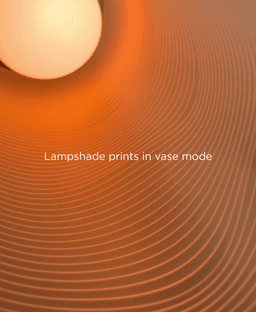
Side note: Printed on almost stock 0.2mm profile in vasemode on BambuX1C and it came out perfect!

Renato C
I tried to print following your instructions but the lampshade has these holes between some layers. I noticed this in the slicer but I thought I'd test it to see if it would really be like that. Do you have any idea how to fix this? I don't think this is really what the lampshade should look like, right? I tried increasing the layer thickness to 0.8 but the problem still occurred.
I tried to print following your instructions but the lampshade has these holes between some layers. I noticed this in the slicer but I thought I'd test it to see if it would really be like that. Do you have any idea how to fix this? I don't think this is really what the lampshade should look like, right? I tried increasing the layer thickness to 0.8 but the problem still occurred. 3d model
 3d model
 3d model
MaterialPLA
D
datdreamco

I'm not an expert and I don't use vase mode very often but this kinda look like poor layer adhesion/shifting. I don't have any info about your printer/settings but you could always try to kick up the temp by 10C and see if that helps?

Mojave, desk lamp.

265 downloads · 2 years ago in  and 
Luca L
elleSTVDIO10K followers
Follow