Introducing the Thangs Membership Migration Tool
Simplify member migration to Thangs from other platforms.

Dear Designers, we’re excited to announce a powerful new feature to help you bring your subscribers from other platforms to Thangs! Our spreadsheet-based migration tool makes it easy to invite your existing subscribers to join you on Thangs.
How it Works
- Upload your subscriber list: Create customized invitations to Thangs and schedule the delivery date.
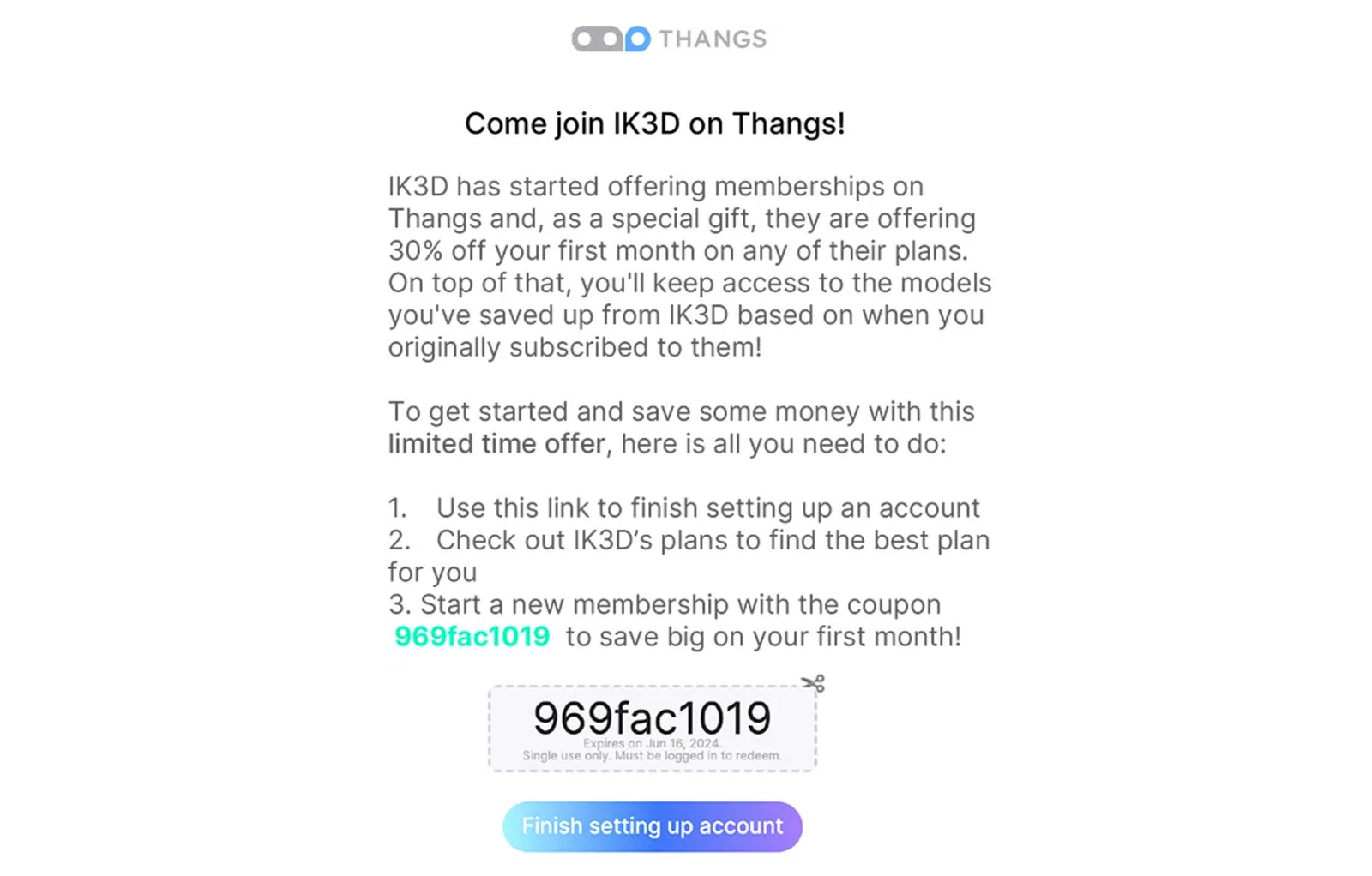
- One-time email invitation: The Membership Migration Tool sends a personalized email from your Thangs profile, including a migration offer and a customized discount code to join your Membership on Thangs.
Check out the invitation email:
Customize your Invitation
- Discounts: Thangs sponsors a 10% discount automatically, but you can offer up to 50% off! Direct customers to a Thangs membership plan that matches their current subscription.
- Loyal follower perks: Give access to past content for Chapter-based or Monthly subscriptions, based on when they started their subscription.
Get Started
Find the tool in your Thangs Settings under Monetization. Download the migration CSV template and upload your list. Subscribers will receive the invite about 24 hours later (or as scheduled). Note: At least one published Thangs Membership plan is required to use the Migration tool.
Start migrating your subscribers from other platforms today!