Create Amazing Membership Tiers Using Locking and Unlock-able Membership Plans
How to offer special, limited edition memberships to your fans.
3D Designers have asked us if there was a way for them to offer something very special to their members, but with the ability to limit the maximum number of membership plan members, since they don’t always have unlimited resources to support hundreds or thousands.
Well, you can kick start your new projects, with our new Locking and Unlock-able Membership Plan options starting today. Here’s how:
Publish Up to Five Membership Plans
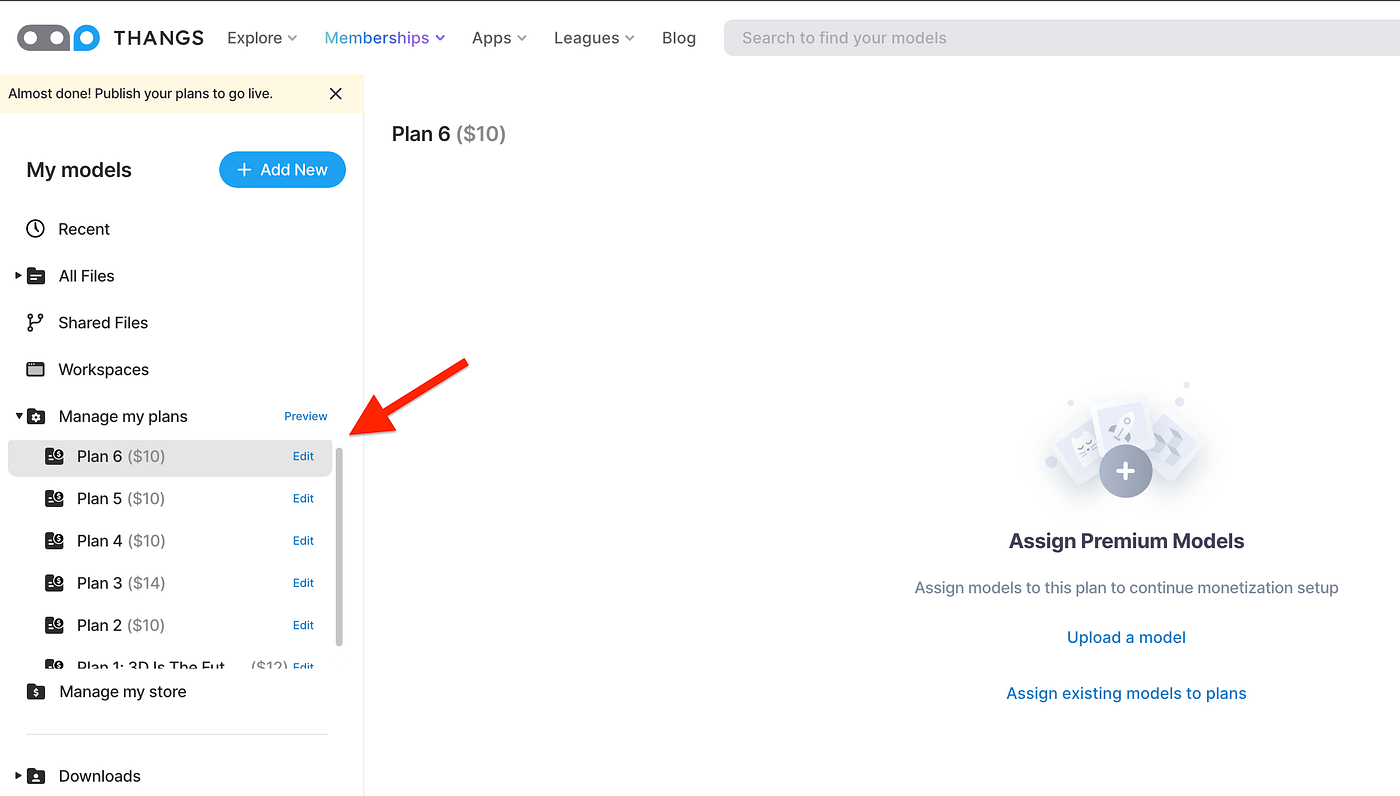
Simple un-publish your old plans and you will now see the “Add Plan” button appear again.
This update is helpful for a few other use cases such as:
- Research & Development Fund ️ (️️Great for ⭐️ Shoutouts & Credits ⭐️)
- Multicolor subscriptions
- Monthly exclusives
- Limited time offers
- and more
Learn more below.
Set Maximum Sales Limits per Plan
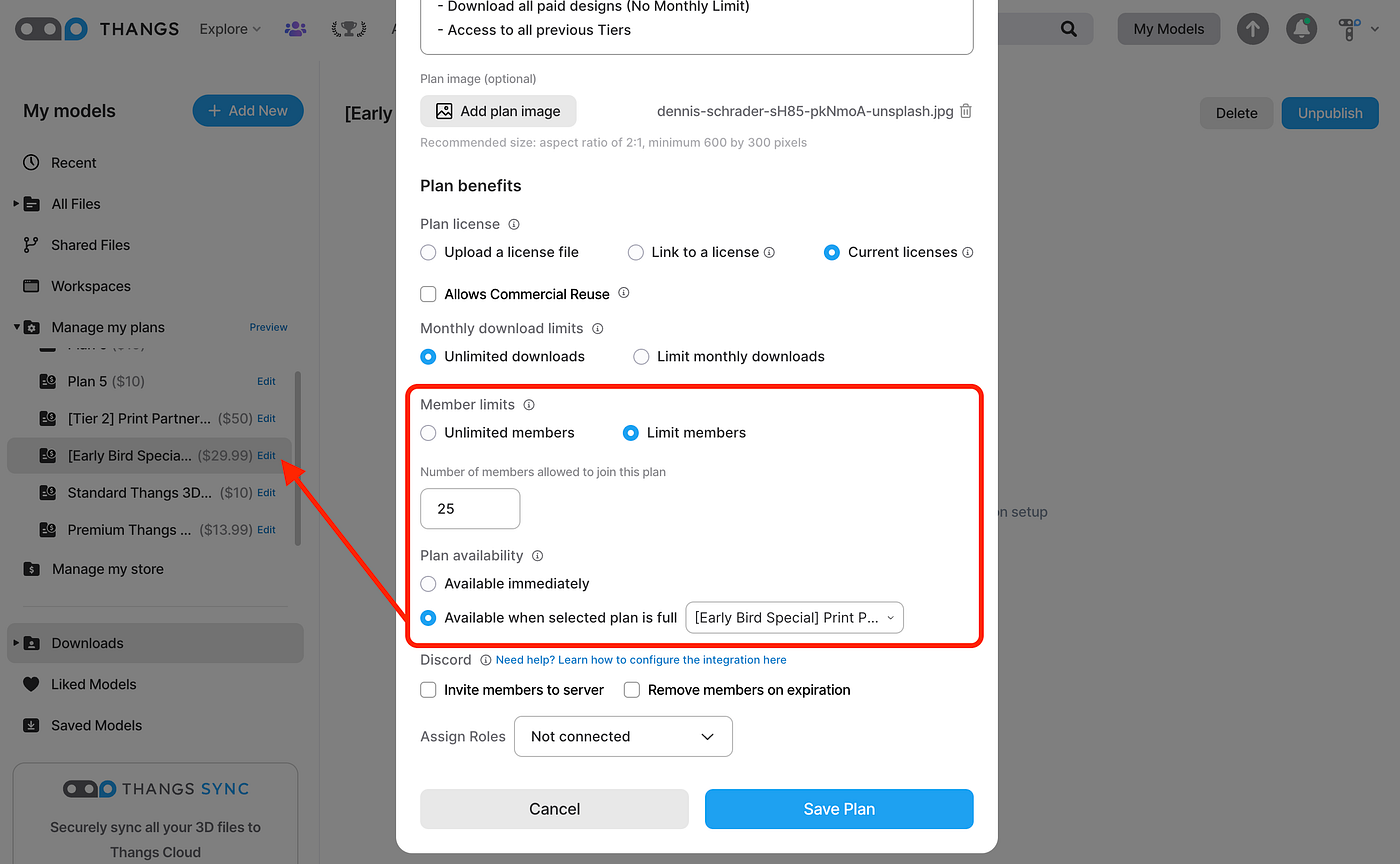
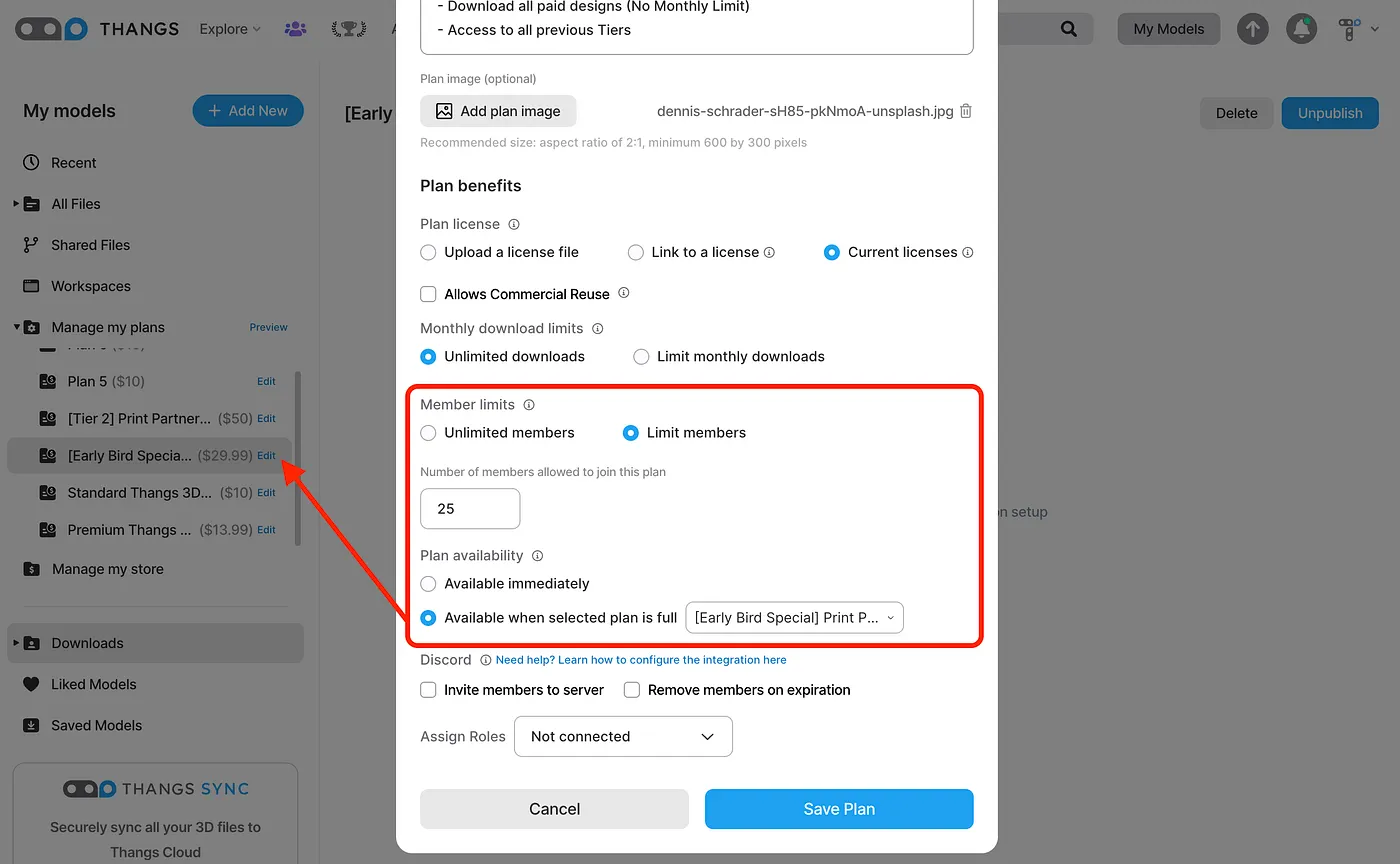
Now designers can set limits for member sales in any or all of their plans. Want to do a limited offer? Now you can!
How it works:
- Designers can designate a plan to be “locked” until another plan is full.
- That locked plan will become unlocked and available for sale once the “parent” has reached its member limit, and will lock again if the parent ever dips below that number.
- Designers can set up arbitrarily long links of plans in this way (up to our maximum published plan count of five).
Lock and Unlock-able Membership Benefits
Here’s some ideas of what to lock / unlock
- “Early bird discounts”
- Special, limited rewards that don’t scale
- Tier 1, Tier 2, Tier 3 unlocks
- Kick start a new Project, without impacting your existing plans
From all of us at Thangs. We’re looking forward to seeing what creativity you can bring to your members with these new offerings!
To get started, visit Workspace > click Manage My Plans > Edit to see the new options.
We at Thangs love hearing from you. Join is in our Thangs3D Discord Server, where we are building a community for 3D creators to grow!