Upload. Print. Done.
Upload a 3D file and get it professionally printed and shipped directly to you.
Upload and Print is the newest feature available to everyone on Thangs. This feature allows anyone to upload a 3D file and get it professionally printed and shipped directly. If you’re attending a convention, selling through your own site, or just want something awesome for yourself, we’ve got you covered.
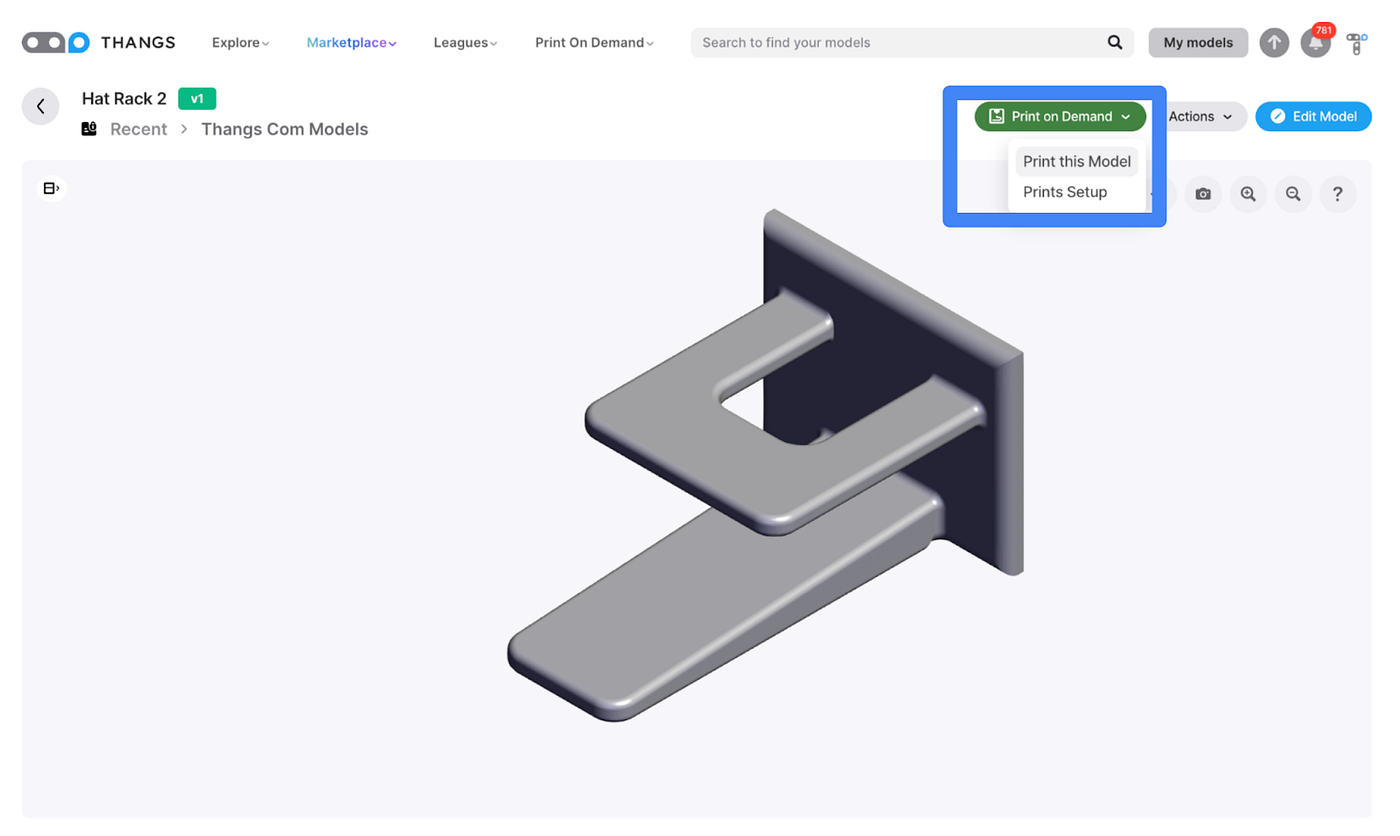
To begin, head to My Models, select a model, and select “Prints on Demand”. This process can be done within MyModels after selecting an uploaded model.
Once “Print on Demand” has been selected, then select “Print This Model”
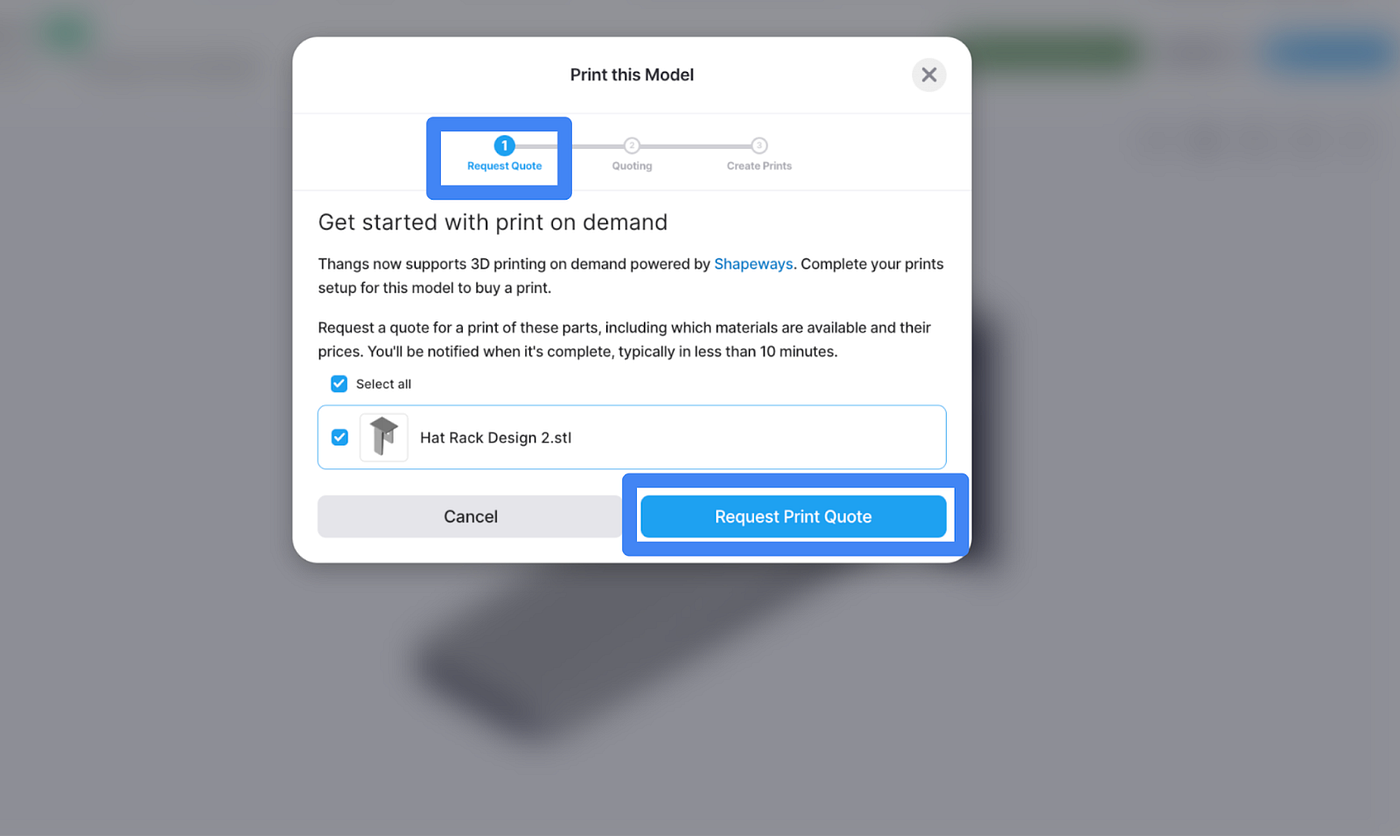
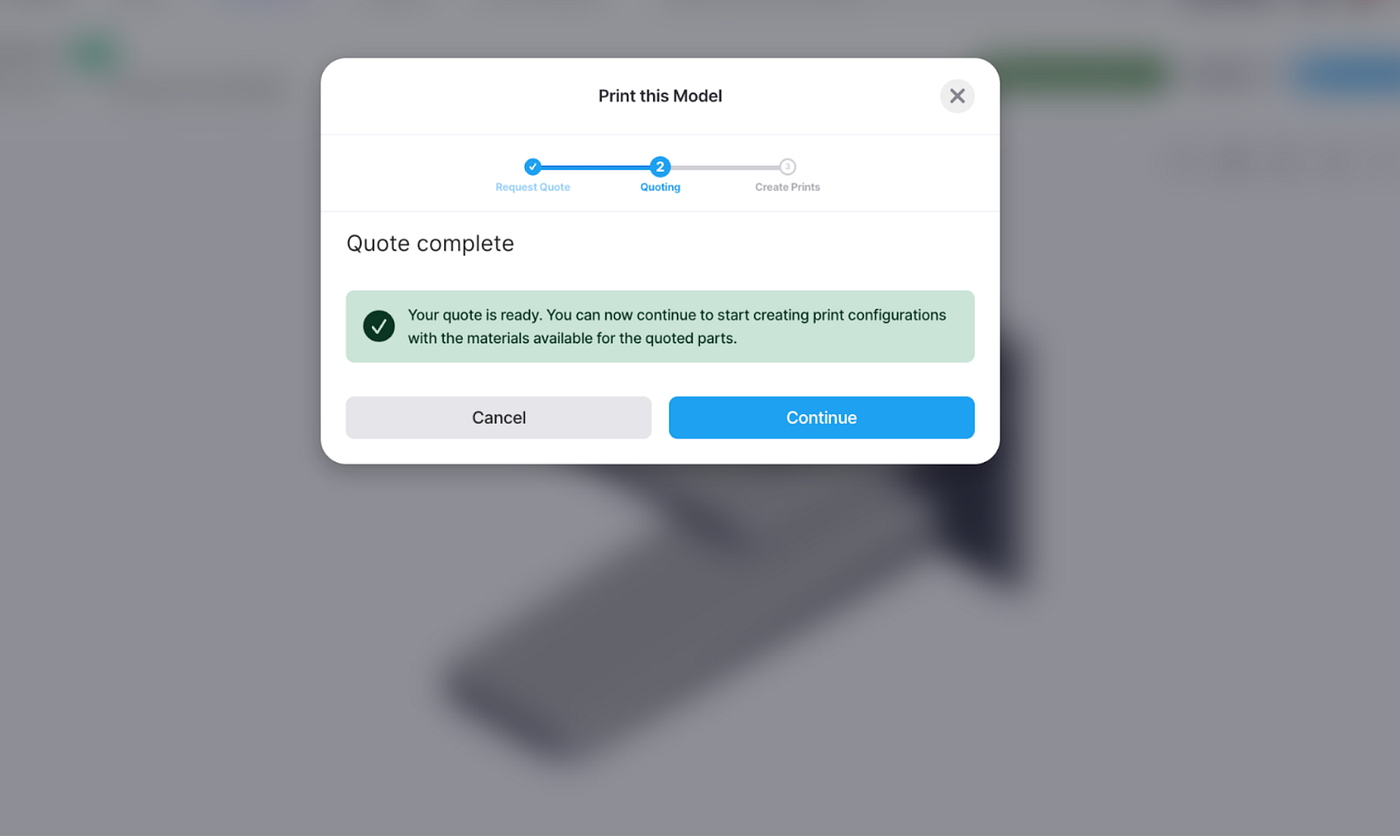
After following the prompts to “Request Print Quote”, a status bar popup will be shown (you do not need to wait and can exit out, but do not click cancel. Also, keep an eye out in the notification center for updates ( 🔔).
After preliminary printability review, the status will be updated and you may continue.
It’s now time to select the technology/ materials for your product.

Once the material groups and materials have been selected, click “Buy this Print.

Here, you can now enter your payment information, shipping information, and receive an estimated delivery day.
Turn your ideas into reality today; 👉get started withUpload and Print.