
Create what your Members are searching for with Creator Analytics
Thangs has introduced a range of membership research tools within Creator Analytics.
Need help to optimize your designs to grow your community? Much like how Google Analytics transformed website analysis, Thangs has introduced a range of membership research tools within Creator Analytics. We aim to equip you with comprehensive data on general membership purchases, enabling you to better serve your members based on how users are using Thangs.

Let’s explore all of these analytics tools below:
Model Performance
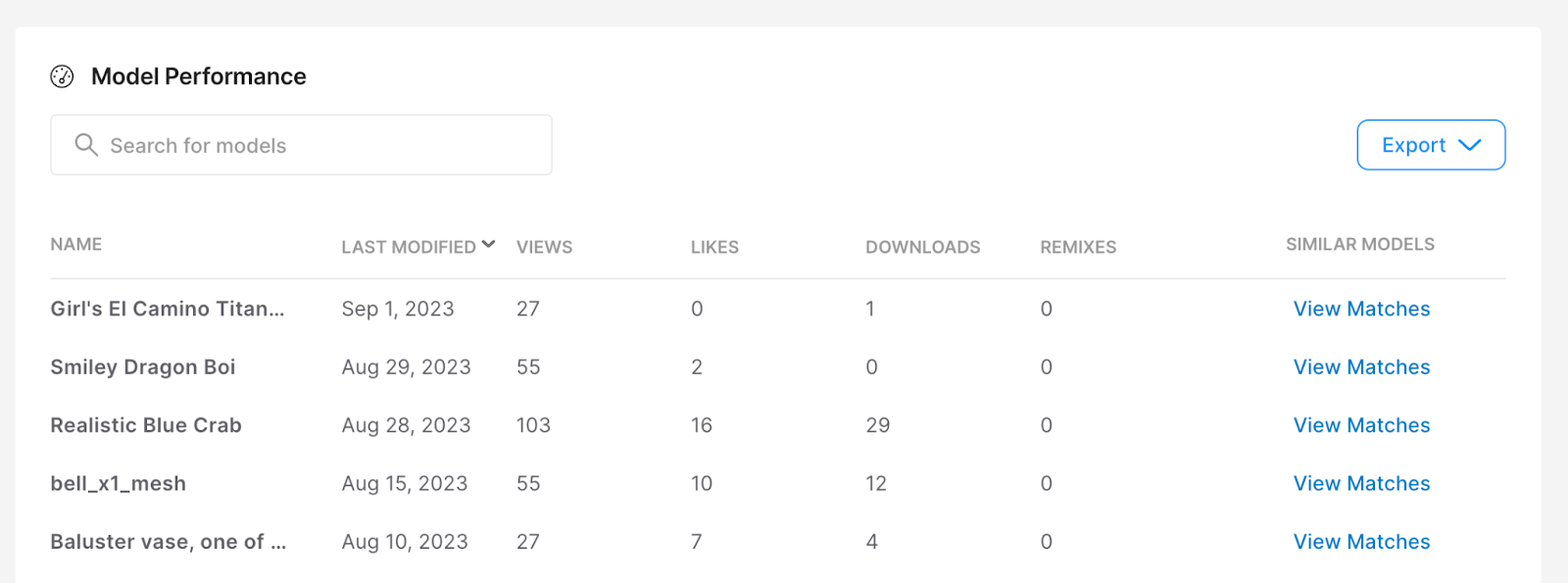
If you ever run into trouble deciding what to create next, the Model Performance analytics will help you understand which of your models perform best.
It might even lead you to discover new design opportunities you hadn’t considered before!
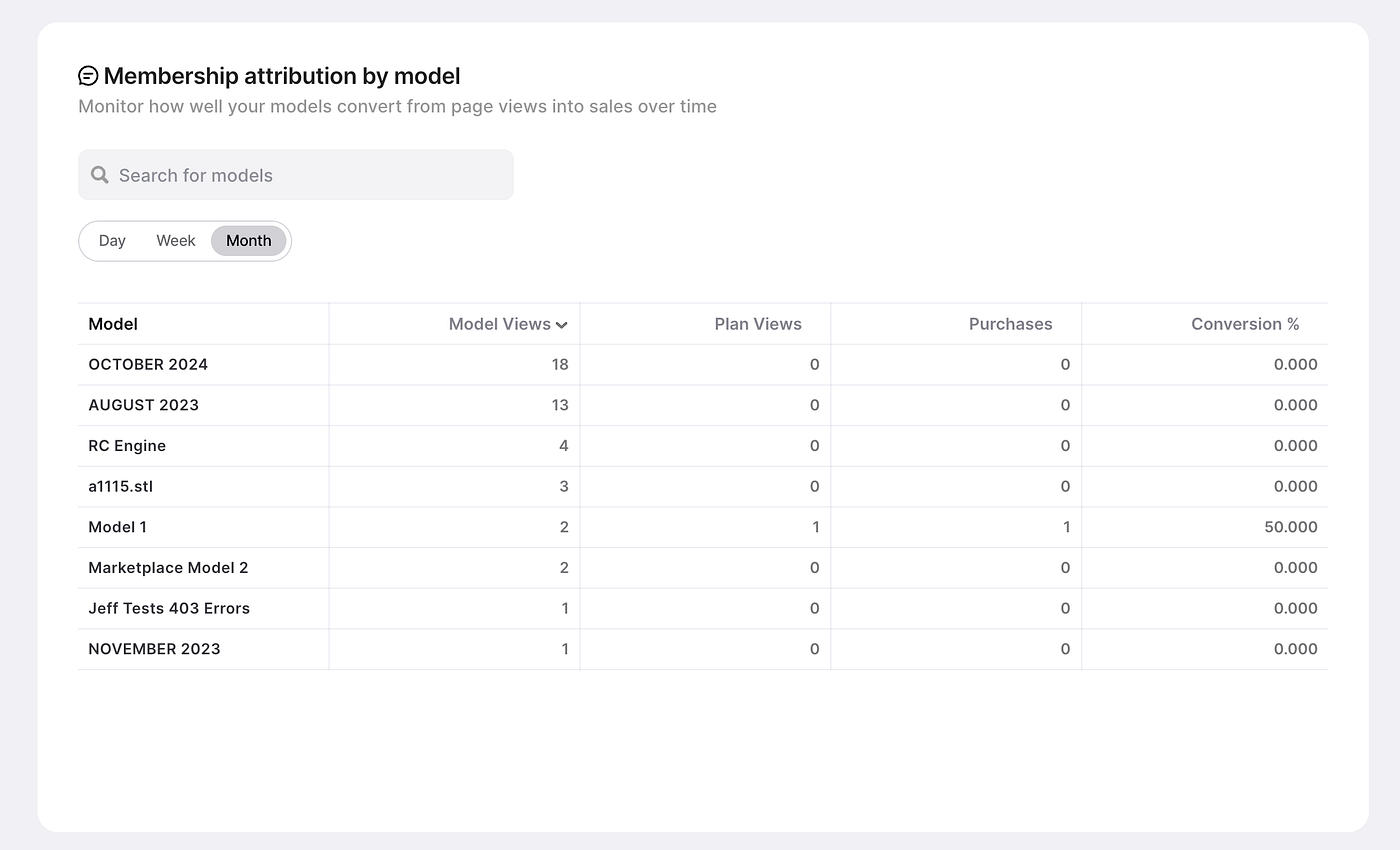
Scroll toMembership attribution by model to know which models are driving sales by Day, Week, and Month:
Audience Pulse

Discover or track trends in search, popular hashtags, top categories, and the most popular models on the platform.
Consider looking for trends and design ideas that you feel confident will perform well for your niche.
💡 Pro-tip: Remember to Tag your models with relevant Top Tags so users will more likely find your models!
Membership Analytics

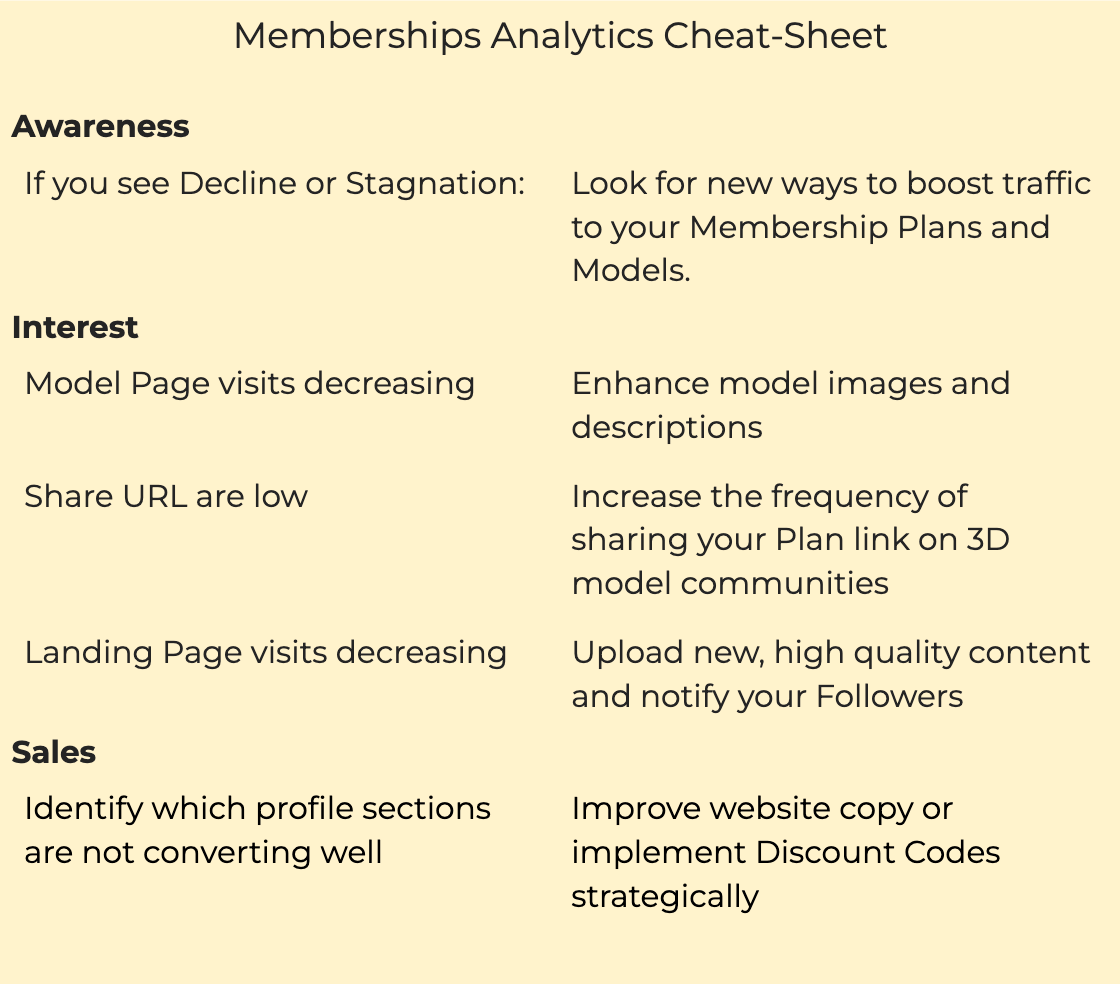
Membership Analytics is your Thangs Memberships “sales funnel.” This is where designers spend their time to build a marketing plan.
We’ve compiled the handy cheat sheet below on how to use it:
Ready to create content based on Creator Analytics?
Start exploring these analytics tools today!
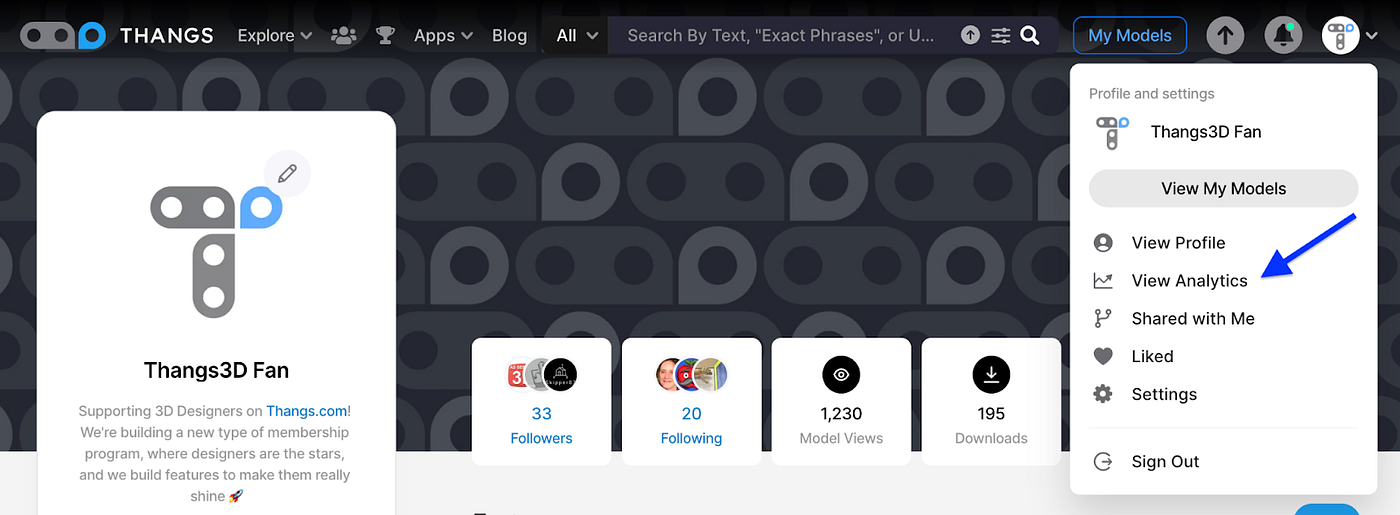
From Thangs, click your icon and then the View Analytics link.
Learn more about how to use analytics to support your shop in our tutorial.

.jpeg)


