New Feature Alert - Collections and Bundles on Thangs 3D!
An easy way to collect and organize groups of models, and to sell bundled models at a single, discounted price.
Two of the most requested features from the incredible Thangs community have been: An easy way to collect and organize groups of models, and to sell bundled models at a single, discounted price.
Collections allow Thangs users to easily select their favorite models, and curate and share their own groups. Easily compile themed collections, build model packs, organize multi-file sets, or create welcome or bonus content for loyal subscribers.
Bundles are one of the most popular ways to purchase 3D files- they’re a great tool to build engaging launches, and offer customers the biggest bang for their buck with bulk content at a single price, maybe even with a tasty discount.
This week we’ve launched both Collections and Bundles features on Thangs- Let’s get into detail!
Model Collections
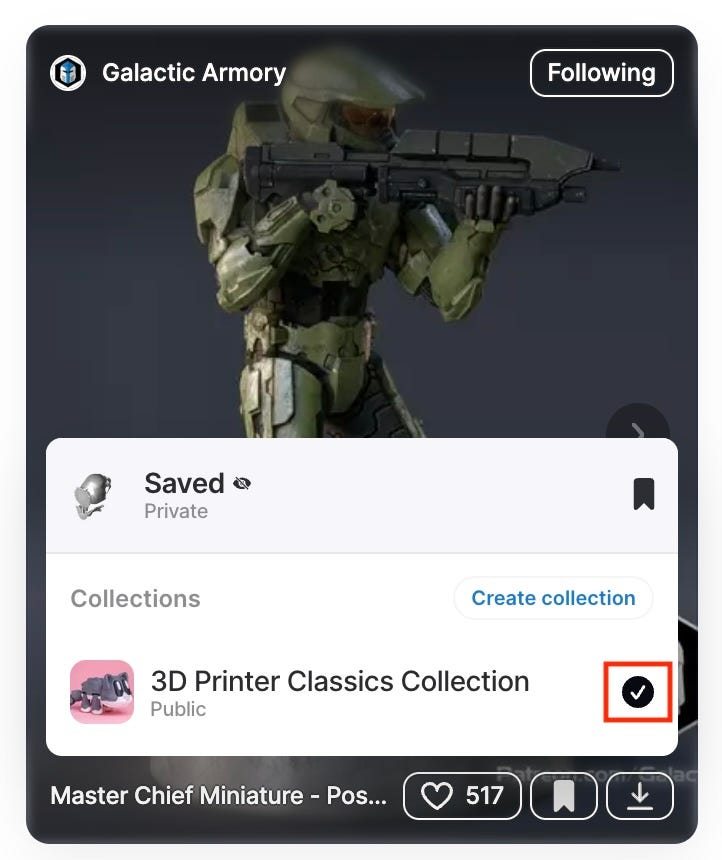
Every object in Thangs has a ‘Save’ icon on the thumbnail and model page. Now simply click save, and you’ve started adding to your Collections!
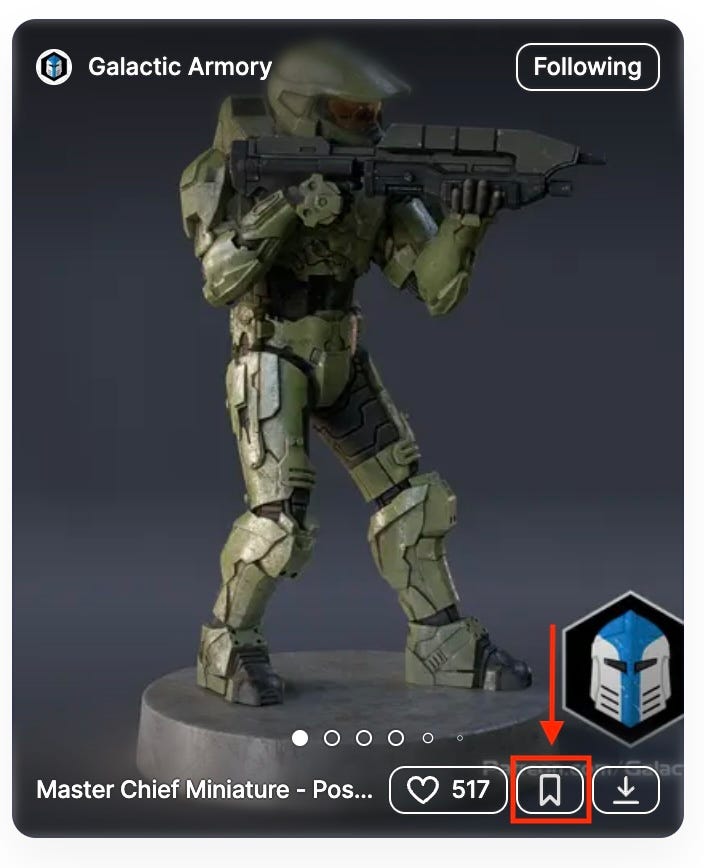
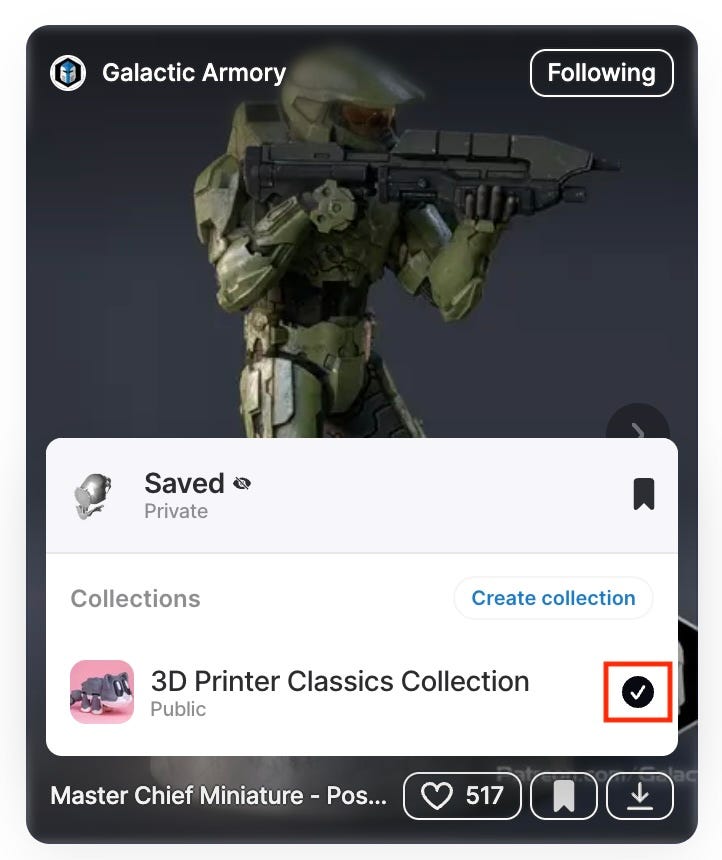
You can quickly organize models while browsing on the web or mobile, and publish collections on your Thangs profile.
If you are a Thangs3D Commercial Designer, Collections can be also added to Subscription Plans just like your other Thangs models. To make things even more exciting, designers can now sell collections of their models, with accompanying images, PDFs, or other files.
This brings us to our next big feature launched this week:
Sales Bundles
Packaging 3D content for sale into bundles is an excellent strategy. In summary, it offers advantages to both customers and sellers, providing value with transparent pricing and a seamless single-purchase experience. Simple!
Because bundles can include any file uploaded to Thangs, the packaging options are limitless. For instance, you could create a themed model pack supplemented with additional content such as instruction guides, reference images, 5e campaigns, story chapters, or simply more models to enrich the overall experience and value proposition. Perhaps this collection includes a highly sought-after ‘rare file’ that your customers have been requesting?
💡 Pro-tips for designers:
1. Collections and Bundles can be bulk edited in the Thangs workspace — everything in your upload library is selectable for quick creation of mixed content into collections.
2. Once models are collected, edits to the original content will propagate to the Collection & Bundle; theres no need to re-package the collection in order to make post-launch changes to a file. Efficient!
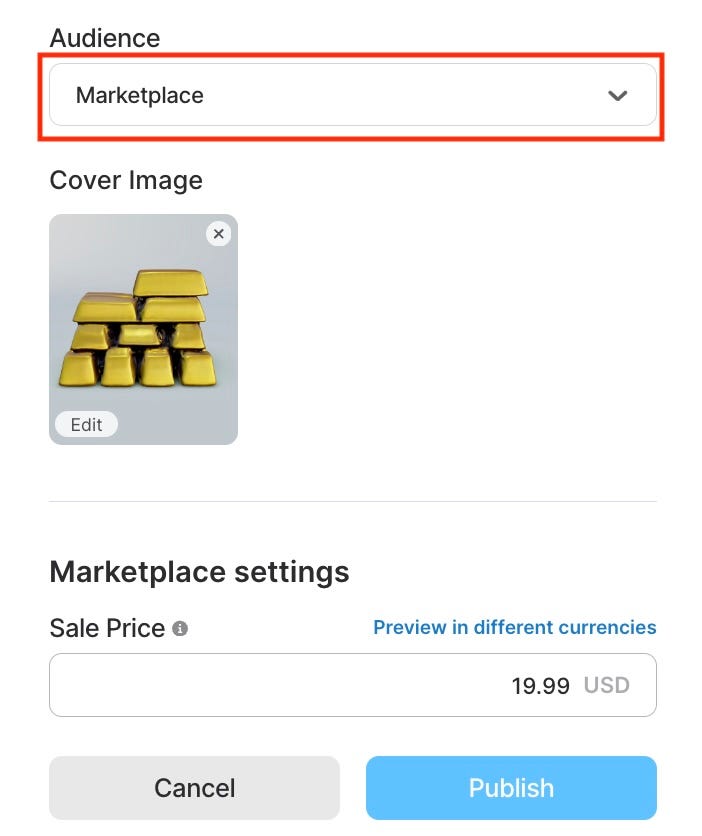
To get started, from the Collections editor, set your Audience setting to ‘Marketplace’ and enter the price. Press ‘Publish’.
You’ve got yourself a Bundle!
We truly look forward to see the creative ways Thangs designers will use Collections and Bundles to offer new types of products. Start clicking Save to create your Collections now, and get Bundling!
We at Thangs.com love hearing from you. Please use the Feedback form or join is in our Thangs3D Discord Server, where we are building a community for 3D creators to grow!