.jpeg)
Help people feel confident joining your memberships by enabling Marketplace Metrics!
Showcase your community numbers in public and grow.
Hi Designers,
We shipped a new feature this evening to help designers share their membership/sales stats with users called Marketplace Metrics.
This feature gives designers the ability to showcase their community numbers in public, which will result in their communities growing as well. Data shows that users feel more comfortable joining groups with visible, thriving engagement, so showing public membership stats will help people feel more confident joining your memberships!
We hope you’ll take advantage of it!
How it works
Marketplace Metrics can be displayed in two key areas:
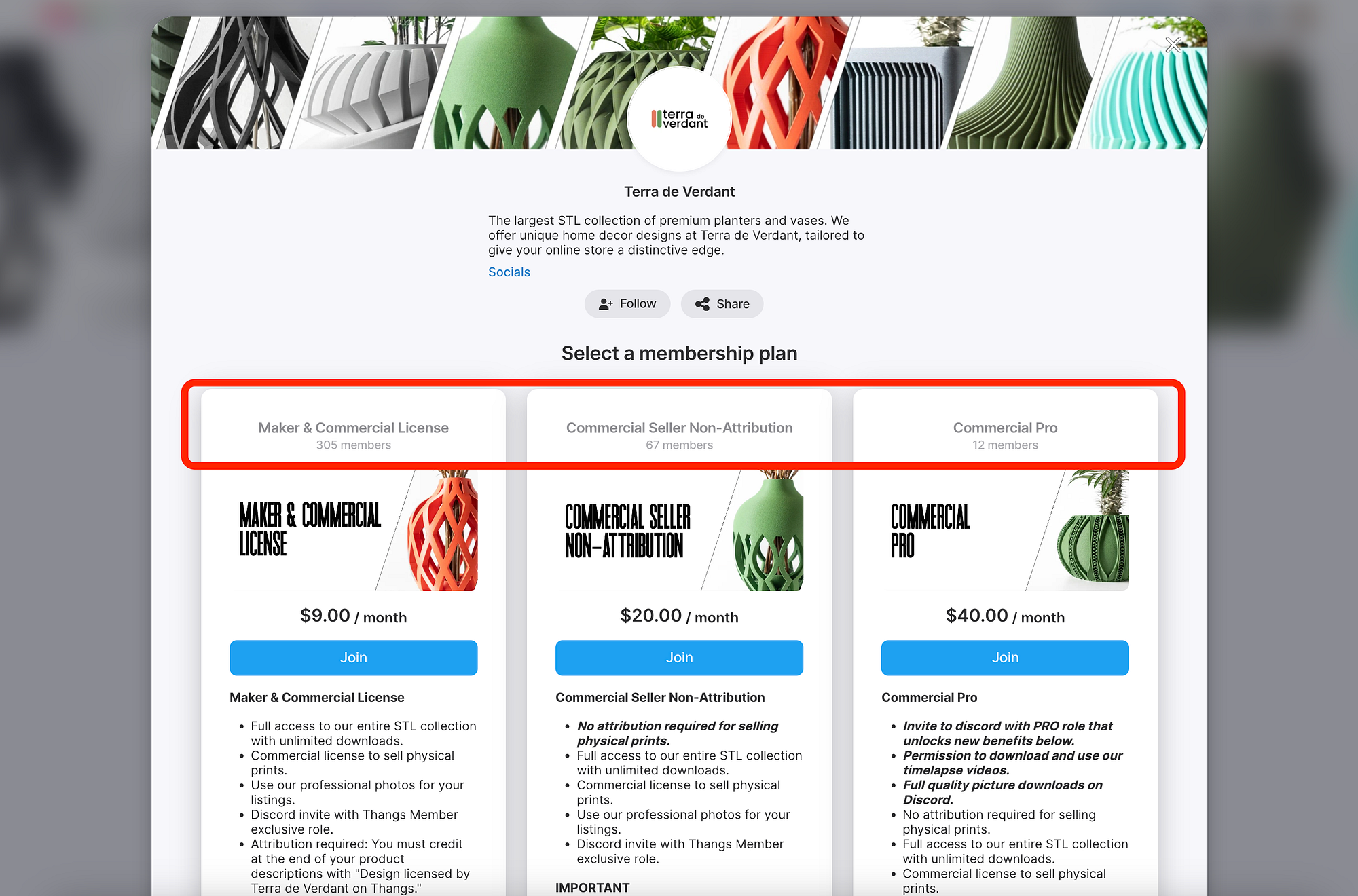
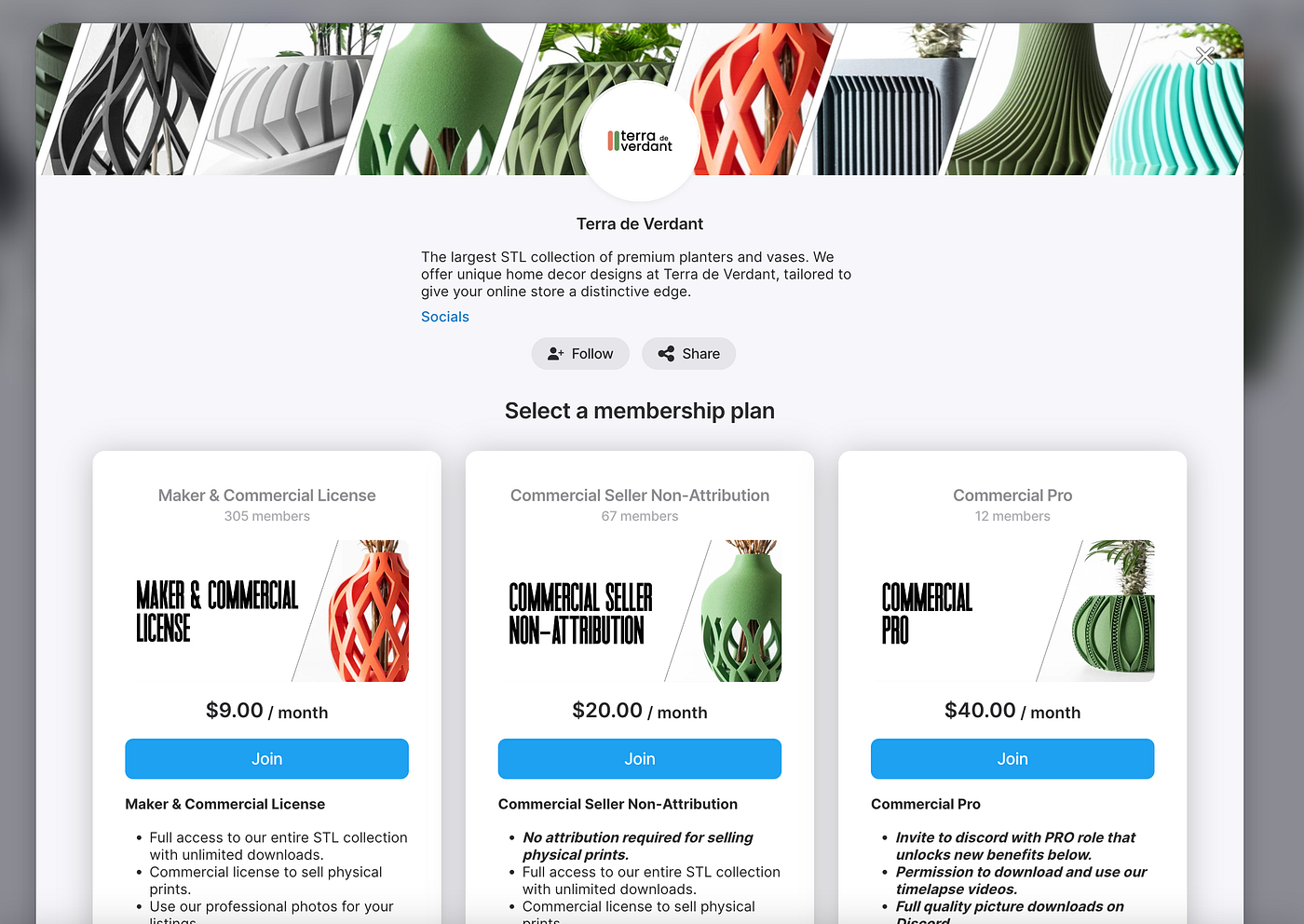
- Membership Plan Overlay: Shows how many subscribers are already enjoying your designs.
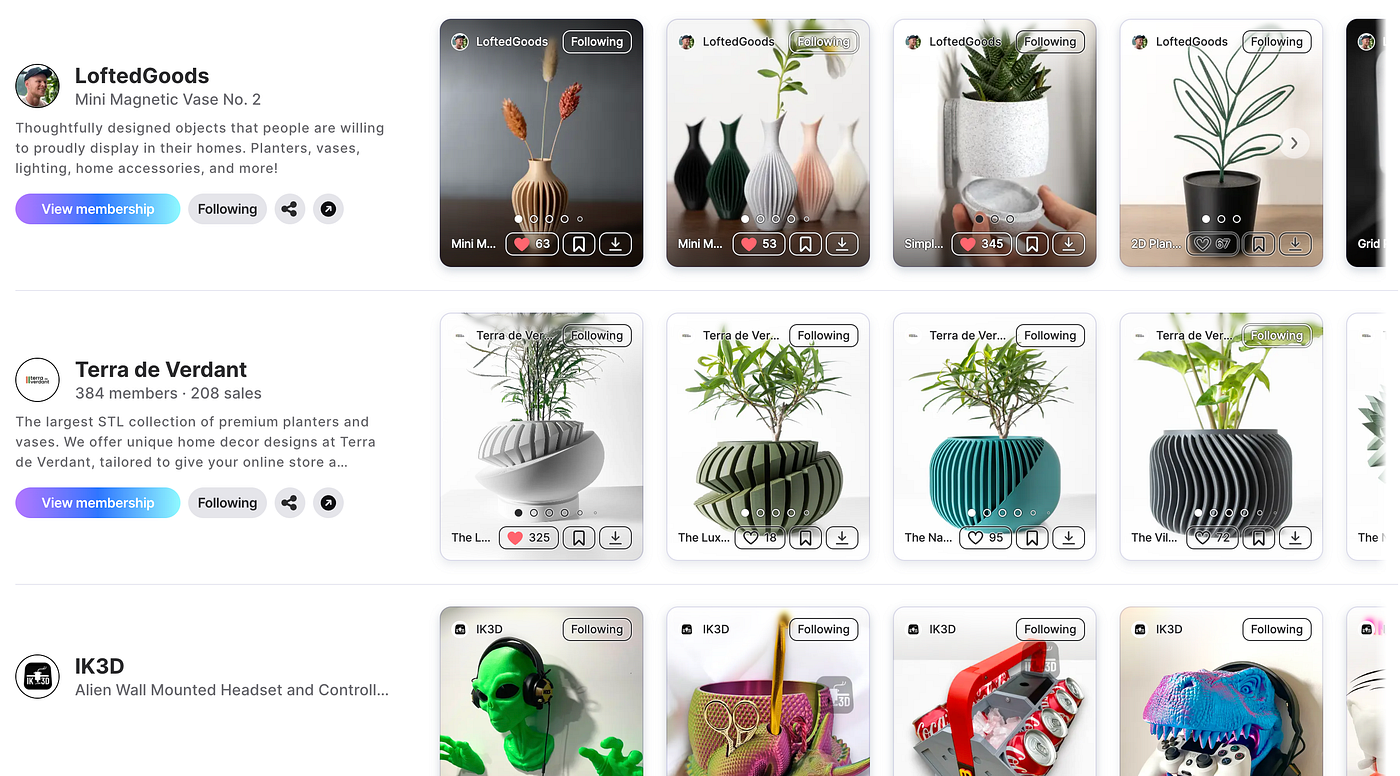
- Marketplace Discovery Page: Highlights your sales achievements to potential buyers.
Check out the screenshots below to see how these metrics appear live!
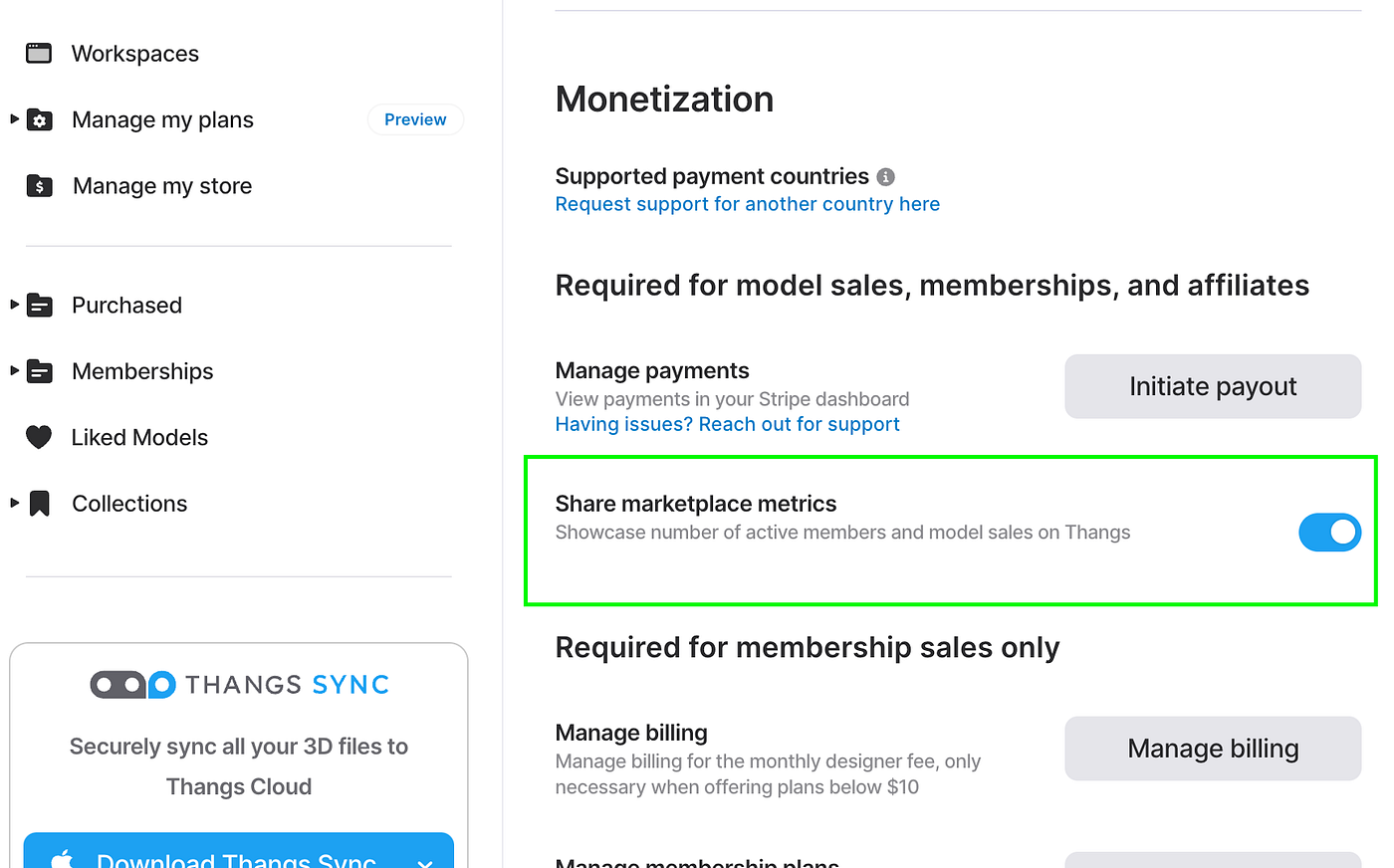
To enable it:
- Navigate to https://thangs.com/mythangs/settings
- Scroll to Monetization
- Toggle Share marketplace metrics
Connect with Fellow Creatives
Join our Thangs Discord community to meet other printers and designers, share feedback, and stay updated on the latest features.
Remember to tag us on Social Media!
Don’t forget to enhance your social media presence by tagging @Thangs3D in your posts for an automatic engagement boost from our marketing team.
Happy printing!

.jpeg)


