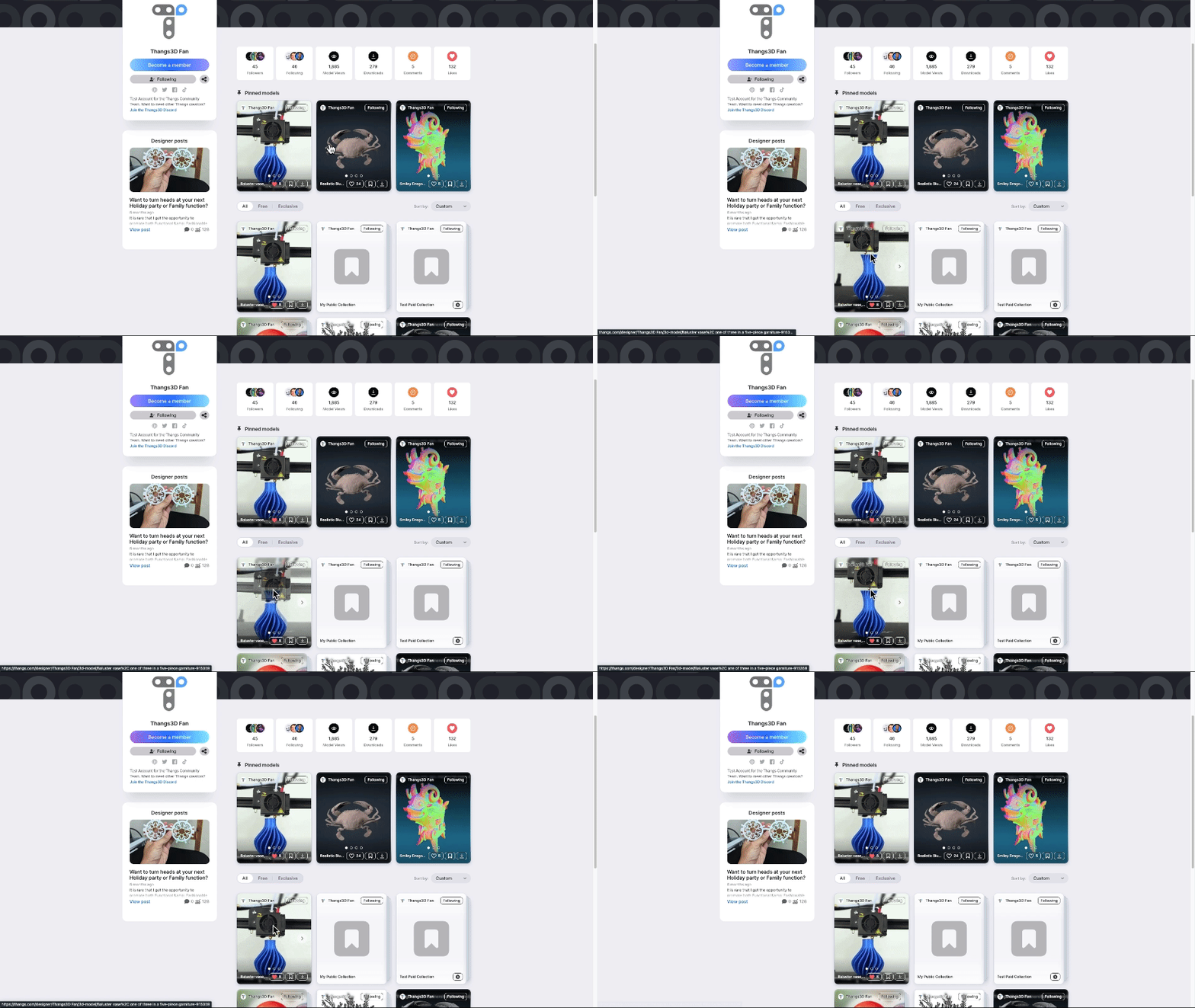
GIF Support is Now Available on Thangs!
Hey Designers,
We are thrilled to announce that GIF Support is now available on Thangs!

GIFs are a powerful tool for visually communicating motion and transitions. Whether you’re demonstrating the assembly of a complex model, highlighting the functionality of a mechanical part, or simply adding a touch of animation to your designs, GIFs bring a whole new dimension to your presentations. This addition is set to revolutionize how you showcase your 3D models, making your creations more dynamic and engaging than ever before.
How It Works
Uploading a GIF to Thangs is as easy as it gets. Just follow these 3 steps:
Prepare Your GIF: Create or convert animations of your design into GIF format. I’m uploading this blue vase! (Make sure the GIF is under 20MB to ensure it loads quickly for all users.)
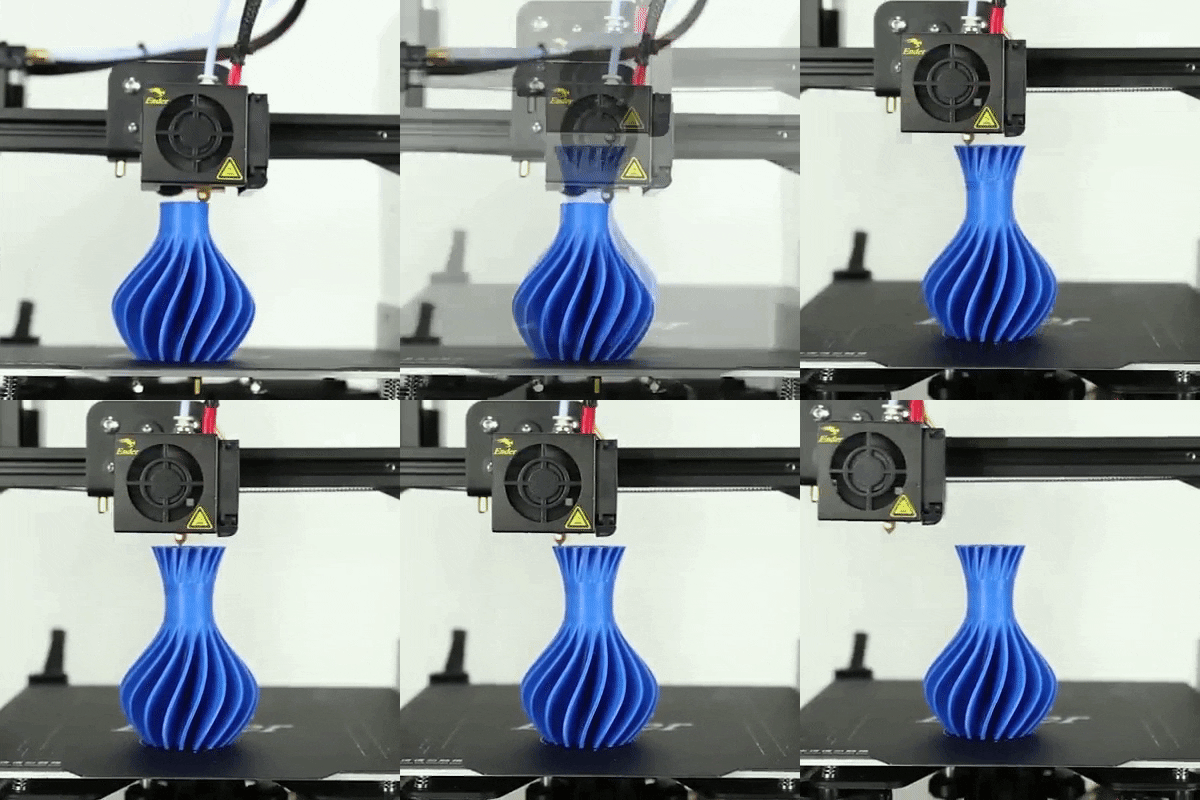
Upload: Log in to your Thangs account, upload a new model or navigate to edit a current one, and upload your GIF using the “Image” option. Be sure to place your GIF in the “Primary” slot if you’re uploading multiple visuals.
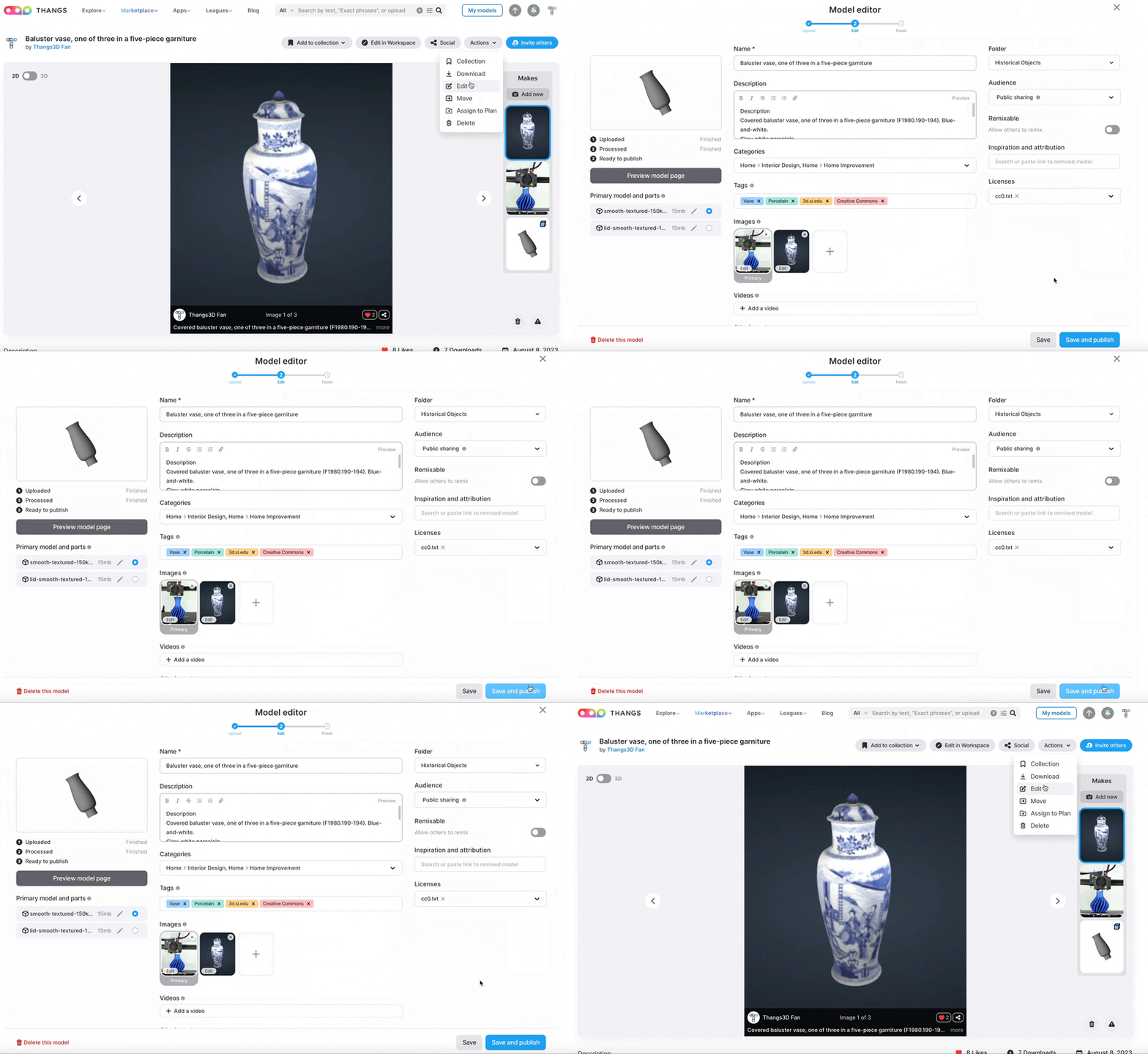
Showcase: Once uploaded, your GIF will be displayed as part of new uploads, your Profile Page, and the Thangs Landing Page. Your GIF will now animate on Hover!
In the next few weeks, GIFs will also be supported on:
- Marketplace
- Search (for Thangs models only)
- Your My Models page
Limitations:
- GIFs should be under 20MB to ensure it loads quickly for all users
Benefits of GIFs on Thangs
- Enhanced Visualization: GIFs allow you to show the movement and functionality of your models, providing viewers with a deeper understanding of your design.
- Increased Engagement: Animated content captures attention more effectively, making your projects stand out and attract more interactions.
- Better Communication: Demonstrate complex processes or features in a simple, visual manner, reducing the need for lengthy descriptions.
Don’t miss out on this exciting opportunity to elevate your Thangs projects. Start using GIFs today and see the difference they make in showcasing your creativity. We’re eager to see how you’ll use this new feature to bring your models to life…
Want to meet other Designers and Thangs?
Join our Thangs Discord community to connect and share your feedback.
Remember to tag us on Social Media!
As a reminder, include @Thangs3D in your social media posts! Posts with this tag receive an automatic boost from Thangs Marketing, enhancing your engagement at no extra cost.

.jpeg)


