


.png&w=256&q=75)
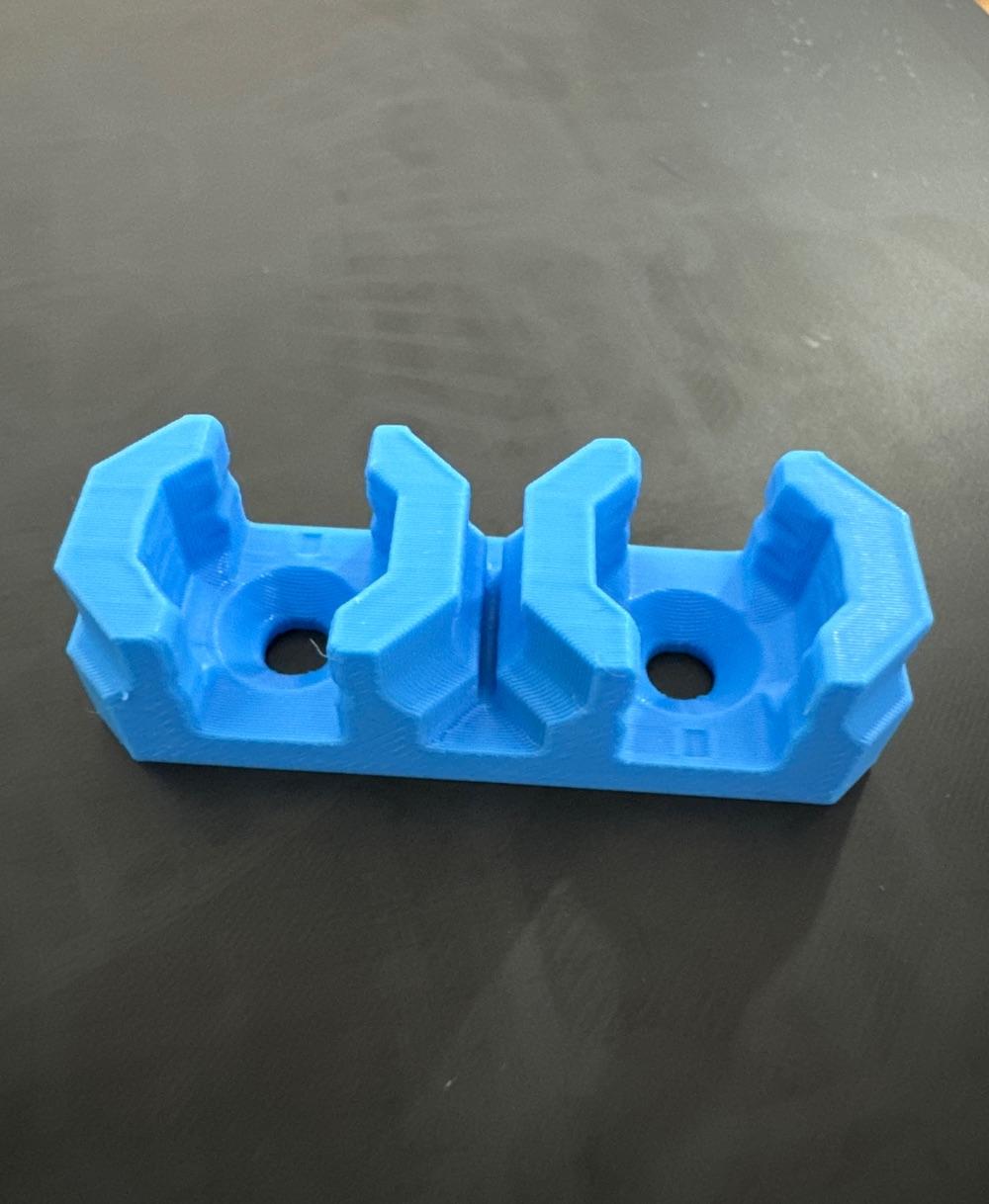
6.25 mm - Dual Offset Snaps (DS Part A)
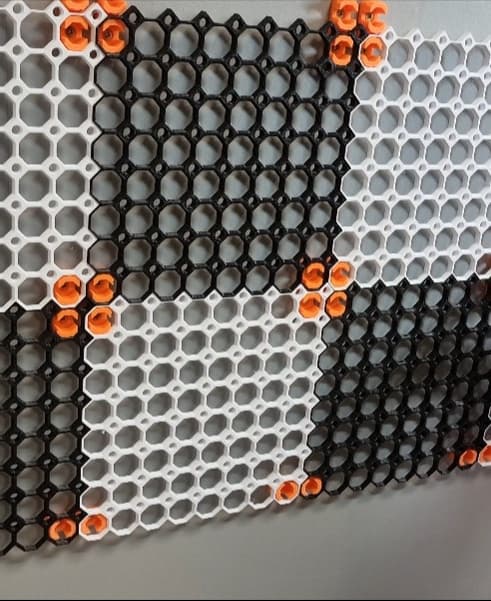
"6.25 mm Offset Snaps" screw onto a surface and attaches to a tile, creating a 6.25 mm gap. This part also connects two tiles together and usually goes on the outer edges of your board.
This is a "Part A" piece, and attaches to two Part B Snaps.
Learn more about this part at https://multiboard.io/knowledge-hub
Printing Guidelines:
Use 3 perimeter wall thickness, 0.2 mm layer height, 15% infill, and no supports. Apart from that, use your printer's default settings.
The printing orientation is as provided in the file. Make sure the downloaded files are .STL. This part has been designed with a tolerance of 0.25 mm. Your printer will need to be able to bridge gaps of up to 30 mm for some designs.
This object is part of Multiboard, a FREE and ridiculously modular organization system with thousands of parts to create the most adaptable workspace possible. Learn more and find ALL the parts at https://multiboard.io
6.25 mm - Dual Offset Snaps (DS Part A)

Fix Point to Countersink Adapter

Flush - Small Hole Center Marking Tool

6.25 Offset - Small Hole Center Marking Tool

12.5 Offset - Small Hole Center Marking Tool

2x6 MU - Right Support End - Modular Bolt-Locked Shelf

4x8 MU - Center - Modular Bolt-Locked Shelf

2x2 MU - Right Support End - Modular Bolt-Locked Shelf

2x6 MU - Left Support End - Modular Bolt-Locked Shelf

8x8 MU - Center - Modular Bolt-Locked Shelf

2x4 MU - Right Support End - Modular Bolt-Locked Shelf

4x6 MU - Center - Modular Bolt-Locked Shelf

2x8 MU - Left Support End - Modular Bolt-Locked Shelf

2x2 MU - Left Support End - Modular Bolt-Locked Shelf

8x2 MU - Center - Modular Bolt-Locked Shelf

8x4 MU - Center - Modular Bolt-Locked Shelf

2x4 MU - Center - Modular Bolt-Locked Shelf

2x8 MU - Right Support End - Modular Bolt-Locked Shelf

8x6 MU - Center - Modular Bolt-Locked Shelf

2x8 MU - Center Support - Modular Bolt-Locked Shelf

why are there two files? whats the difference? when should i use one over the other?
Hi, Newbie question here :) Any reason for not having a quad version of this part? It should also be a good piece to connect 2 (or even 4) panels at the same time as fixing them to the wall.
https://thangs.com/designer/Keep%20Making/3d-model/8%20mm%2C%20Cross%20Quad%20Offset%20Snap%20-%20DS%20Part%20A-993369
following benjamin comment, i'd be more inclined to sticking with the original orientation for the stronger part, it'd certainly give me more faith in putting weight on the multiboard knowing parts are less likely to fail.
I believe it is because this is meant to be printed on its side to improve layer strength when mounted vertically. To get a quad version, there would need to be a gap between the "rows" of the snap to fit over the tile cell walls. To print on its side you'd need support material that'd be difficult to remove.
That said, I don't know what the strength difference is between print orientation. Might be in the videos/documentation somewhere. Looks like there is already a remix with a quad.
Where is part B?
Can you PLEASE take your BS out of every god damned category, I am tired of scrolling past 10000 multiboard BS items before I get to anything else.......
Hi, I printed many of that offset part A, and part B as well. I have very hard time trying to connect both sides... Part B falls apart, sometimes even multiboard wall... And Yes, I know there is a little square to point the direction.. Any ideas?
The square boxes is an orientation indicator. The latest version of DS Part A and DS Part B have those squares so you know which direction to install them in for proper thread alignment. This should be in the description of the object, and not left for users to guess or watch all videos to glean this hidden info. @Multiboard
This is making me laugh. I must be setting my board up in a weird way. I feel like I need single snap with an 8 mm offset and I'm just having the hardest time. I keep finding 6.25 mm or I find 8mm but only in dual, triple or quad snaps. I'm thinking I just want a single snap with an 8mm offset so I can use that on the corner of the board to mount it to the wall. Am I crazy lol ?
Can this be done on a resin printer