

Skadis Modular Storage Organizer | Storage Box
9 downloads · 2 months ago · **Skadis Modular Storage Organizer | Storage Box** is a compact and customizable storage system for
This model is restricted by licensing terms.
View license.
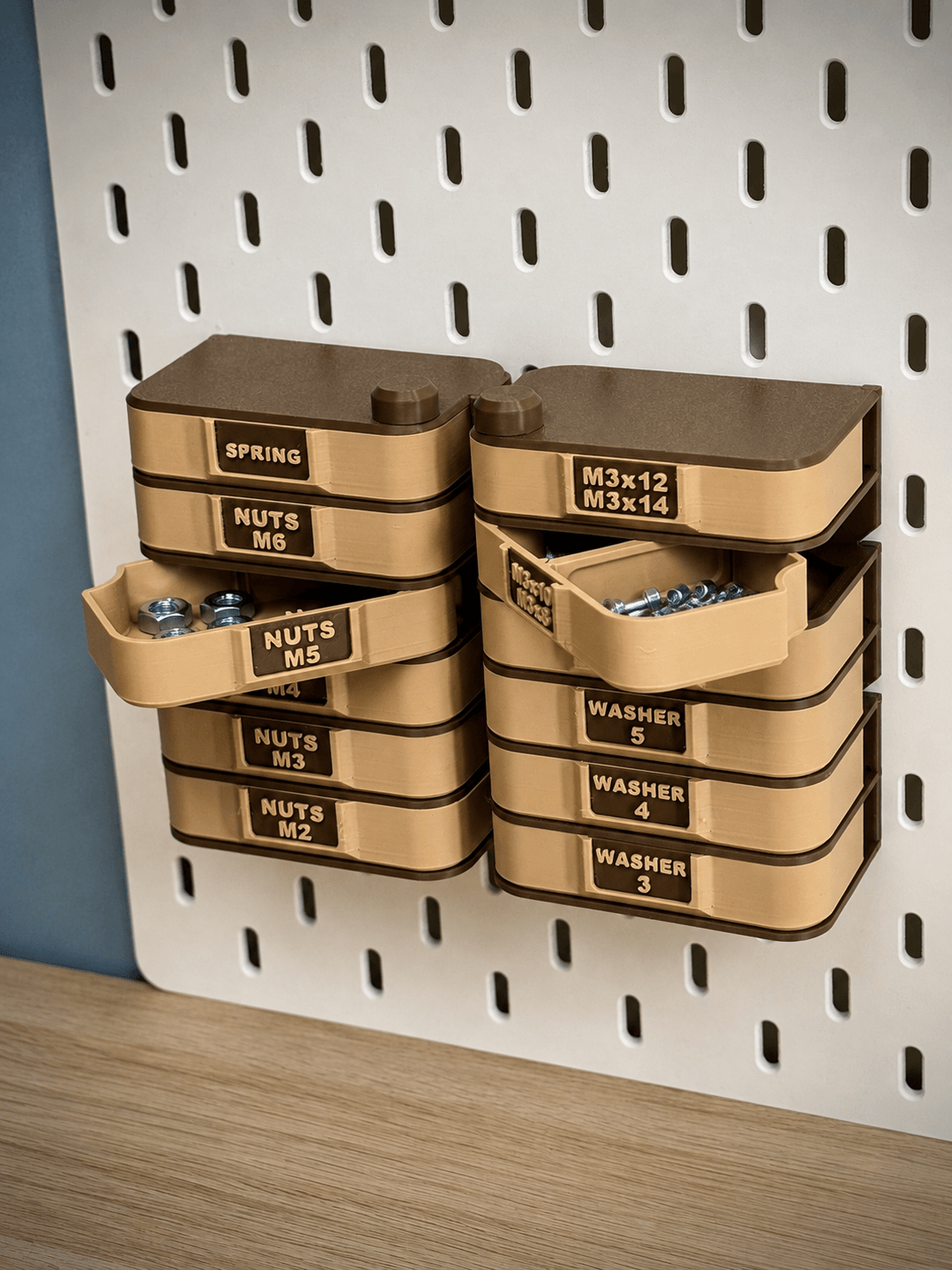
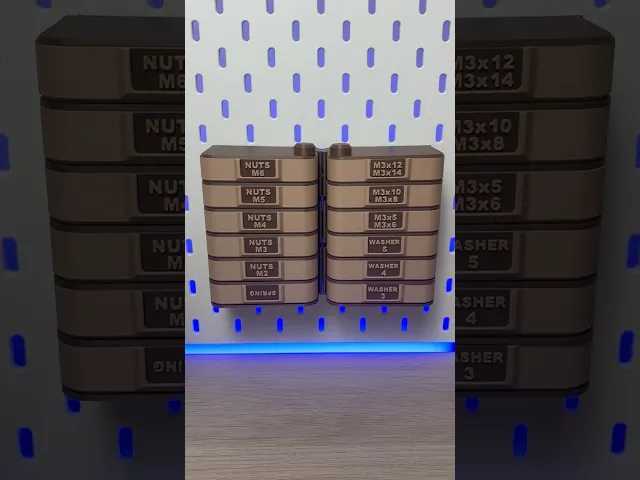
Skadis Modular Storage Organizer | Storage Box is a compact and customizable storage system for your IKEA Skadis board. Thanks to its modular design, you can build any tower height you need. Perfect for storing screws, nuts, washers, hardware parts, electronics components, craft items, office supplies or even jewelry 🔧. A clean, flexible way to keep all your small items organized. ✨
- Modular design – Build your storage tower as tall as you want. Each module adds two boxes.
- Left & right opening profiles – Choose between left-opening or right-opening boxes. Perfect for placing two rows side-by-side.
- Scadis-Storage_Tower-Left - left-opening boxes
- Scadis-Storage_Tower-Right - right-opening boxes
- Label or no-label box option 🔑 – Select boxes with labels (03_Box) for quick organization or without labels (03_Box-Without_Label) for a clean look. (Both variants can always be found in the print profile or in stl files)
- Box size: 89 × 55 mm 📦
- Easy assembly 🔧 – No glue needed. Everything simply screws together for a solid build.
- Optional box divider – Use the included 09_Box_Partition to divide a box into two separate compartments for even better organization.
🔧 How to Build the Main Tier
- Choose from two print profiles - Left/Right (L/R)
- Start with 01_Base (L/R) – this is always the foundation of your tower.
- Begin stacking: place 03_Box (L/R) on the base, then add 04_Partition on top of it. 03_Partition has a small latch that needs to be inserted into the rectangular cutouts in 01_Base.
- Place 03_Box (L/R) on 04_Partition
- Insert 06_Pivot through the center and screw it into the base to lock the whole tier together 🔩.
- Place 05_Roof(L/R) on the very top.
- Finish by attaching 07_Plug – screw it onto the Pivot to secure the entire organizer. I recommend tightening the 07_Plug slightly to eliminate the clearance between the 03_Box(L/R) parts — this prevents the boxes from opening on their own.
🔧 How to Add a Second Tier and Other...
- Instead of 01_Base, print 02_Base_Modular (L/R) for the next level!! (01_Base_Modular has a hole instead of a thread!)
- Place 02_Base_Modular directly on top of your completed first tier.
- For each additional tier, print again:
- 2× 03_Box (L/R)
- 1× 04_Partition
- 1× 06_Pivot
- Build it the same way as the main tier and close it with 05_Roof + 07_Plug on top.
🚀 Designed your own storage setup? Check out Storage Builder — my modular storage system configurator where you can generate custom storage towers and organizers exactly to your needs ✨
Pre-sliced .3mf print profile optimized for Bambu Lab printers
Skadis Modular Storage Organizer | Storage Box
9 downloads · 2 months ago in and
This model is restricted by licensing terms.
View license.

Rotating Organizer | Modular Storage Tower | Custom Labels

Modular Under Desk Drawer | MagSafe Module | Push-Push Lock
Modular Under Desk Drawer | 4×2 Gridfinity | Push-Push Lock
Cactus Bottle Drying Rack | Kitchen Organizer

Pill Box | Push & Turn | Pokemon
Cylinder Tambour Box | Roll top Storage | Organizer
.png&w=3840&q=75)
Cable Organizer - One-Sided Winding

Origami Box | Desk Organizer | Business Card Holder

Pill Dispenser | Fridge Magnet | Pokemon

Food Dispenser | Storage Container | Iris Mechanism
Roll Up Storage Box | Square Organizer

Spice Rack Organizer | Pull-Out Holder | 5 Jars

Modular Drawer System | Push-Push Lock

Roll Up Storage Box | Triangle Organizer
.png&w=3840&q=75)
Universal Clip Organizer | Multi-Purpose Storage | Flexible Holders

Safe | Money Bank | Lock | Piggy Bank
.png&w=3840&q=75)
Key Holder | Rotating Sign | Key Hanger

Capsule Tambour Box | Roll top Storage | Organizer

Magnetic Bin | Printer Accessory | Purge Bin
