






Pocket Blob Mushroom Forest - Mini Playset Art Toy with Latching Case
POCKET BLOB - MUSHROOM FOREST
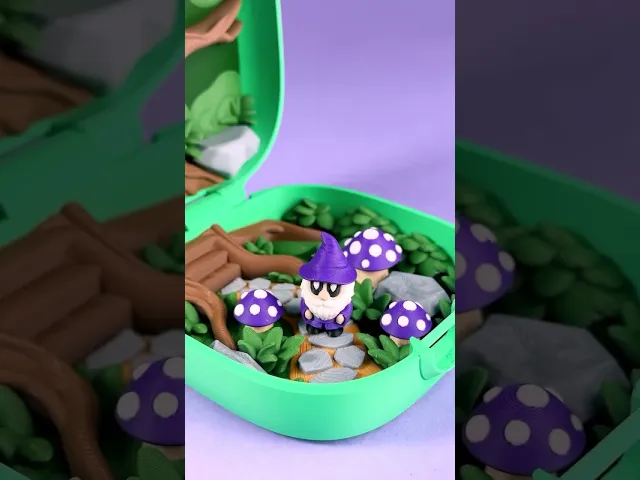
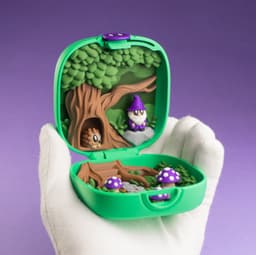
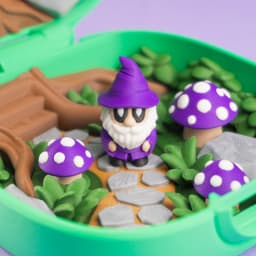
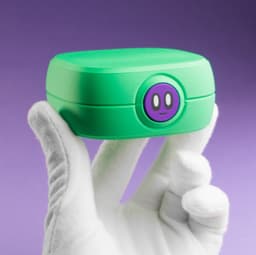
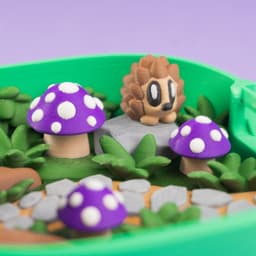
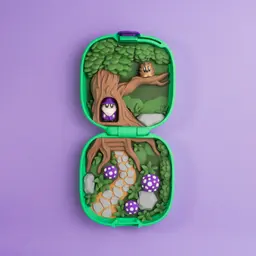
Mushroom Forest is an enchanted woodland scene complete with two forest friends. Create your own adventure story with the gnome and hedgehog. They can hang out amongst the mushrooms, take a nap up in the tree branch, or hide away in the trunk. Once you've finished your adventure, fold the case shut and take your Pocket Blob on the go.
Features
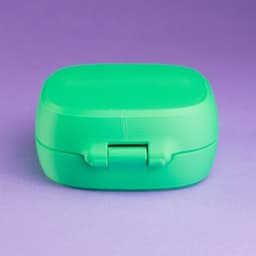
- folding case
- tree trunk home
- gnome and hedgehog print in multicolor
- forest scene prints in parts
- prints without supports
PERSONAL USE ONLY
Purchasing or downloading this file does not give you the right to sell physical prints of this design. Commercial license is available for this design by subscribing to patreon.com/bloblab
COPYRIGHT PROTECTED FILES
All Blob Lab designs are protected under copyright law. Your purchase does not give you the right to sell or distribute the digital files in any way.
FILAMENTS
If you'd like to purchase the same filaments used in this design, please check out the Blob Lab Amazon Storefront affiliate link amazon.com/shop/bloblab3d
PRINT INSTRUCTIONS
- .12mm layer height recommended especially for characters
- 3+ walls recommended on the case for added strength, if you have issues with defects - print with 2 walls and cooler at 210c hotend / 50 bed and slower with a 50mms outer wall
- print without supports
- remove custom support piece on the case latch
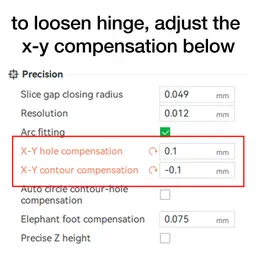
- gently close case to loosen up hinge, it should have a light friction fit to hinge upright, if the hinge is too tight adjust the x-y hole compensation to 0.1mm and the x-y contour compensation to -0.1mm
- glue on button to latch
- add a layer height color swap on the grass, leaves, and pathway for added detail
- test fit everything first, then glue parts together
- parts should fit in their respective areas and case should close shut, scale parts or adjust X-Y contour compensation if needed
- 3MF file is for color information only, print settings may need to be adjusted
- to optimize printing in parts vs multicolor, right click and select split to parts, then you can delete individual parts in the object panel as needed


Pocket Blob Mushroom Forest - Mini Playset Art Toy with Latching Case

Blob Sloth - Flexi Articulated Art Toy with Tree Display

Space Blob Moxi - Mini Playset Art Toy with Modular Box

Space Blob Noz - Mini Playset Art Toy with Modular Box

Space Blob Zeek - Mini Playset Art Toy with Modular Box

Blob Butterflies - Magnetic Modular Art Toy with Log Container
Zorbles - Ultimate Squishy Clicker Fidget with Carrying Case

Blob Octopus - Flexi Articulated Art Toy with Magnetic Ink Display and Crab

Blob Beetles - Mini Modular Art Toy with Log Container

Blob Plants - Desert Series - Mini Plant Collectible Art Toy with Skull Container

Blob Monkey - Flexi Articulated Art Toy with Magnetic Branch

Gingerbread Blobs - Mini Modular Articulated Art Toy

Snowblobs - Mini Modular Articulated Snowman Art Toy

Blob Snowflakes - Ornament Art Toy

Blob Plants - Mini Plant Collectible Art Toy with Pot Container

Blob Flowers - Mini Plant Collectible Art Toy with Watering Can

Blob Skeletons - Mini Modular Articulated Art Toy

Blob Rocks - Prehistoric Series - Mini Rock Blind Box Collectible Art Toy

Blob Mushrooms - Mini Mushroom Collectible Art Toy with Stump Holder
Blob Frog - Flexi Magnetic Fidget Art Toy
Thanks, just purchased. Any reason you didn't create a combined 3MF with all plates?
No reason in particular, but could be a good idea for the future.