Simona U
simiu11K followers
Follow
simiu
simiu
|
Image 1 of 6
KAPKIA lamp 3d model
simiu
simiu
|
Image 1 of 6
KAPKIA lamp 3d model
KAPKIA lamp video thumbnail
KAPKIA lamp 3d model

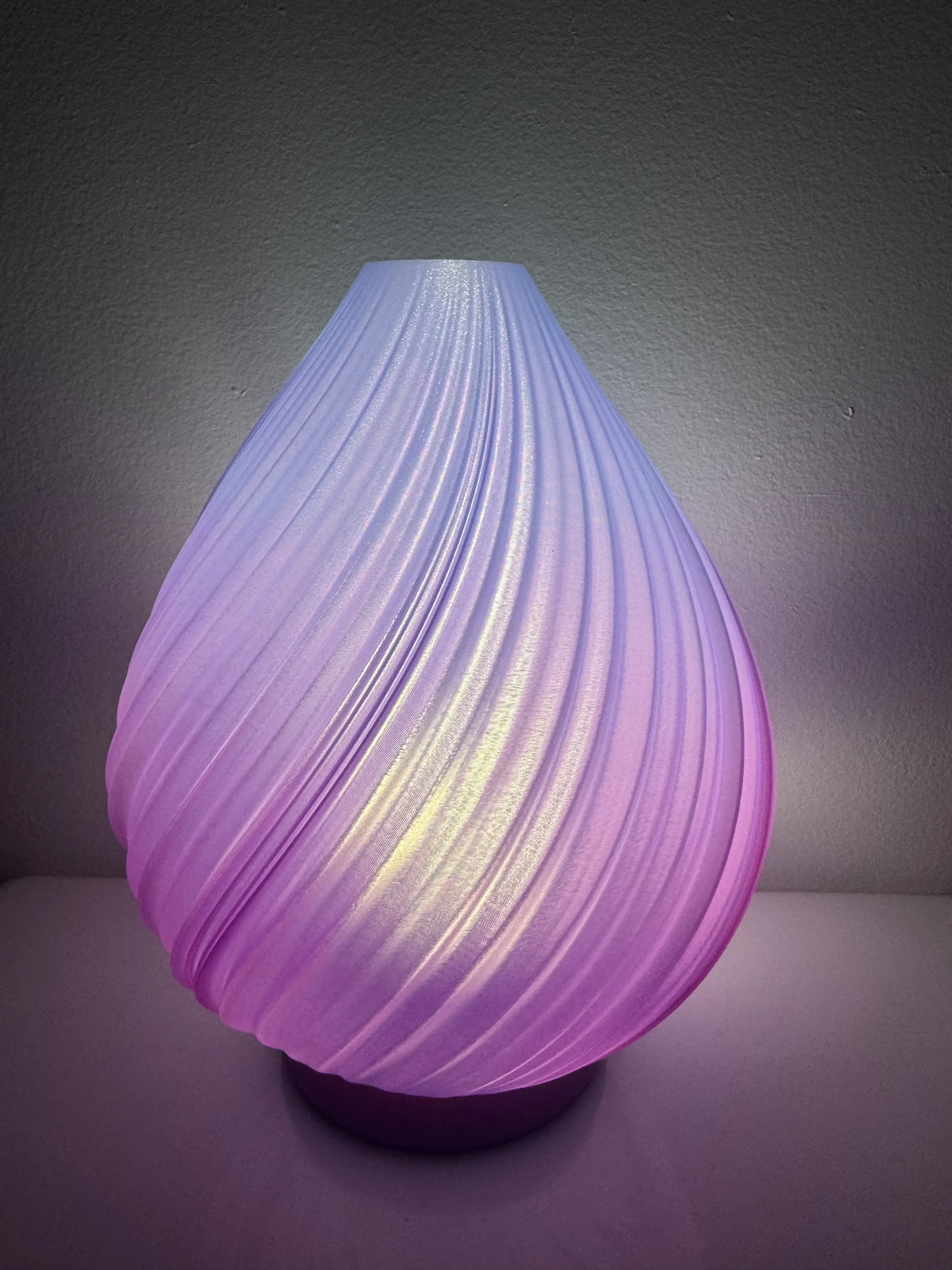
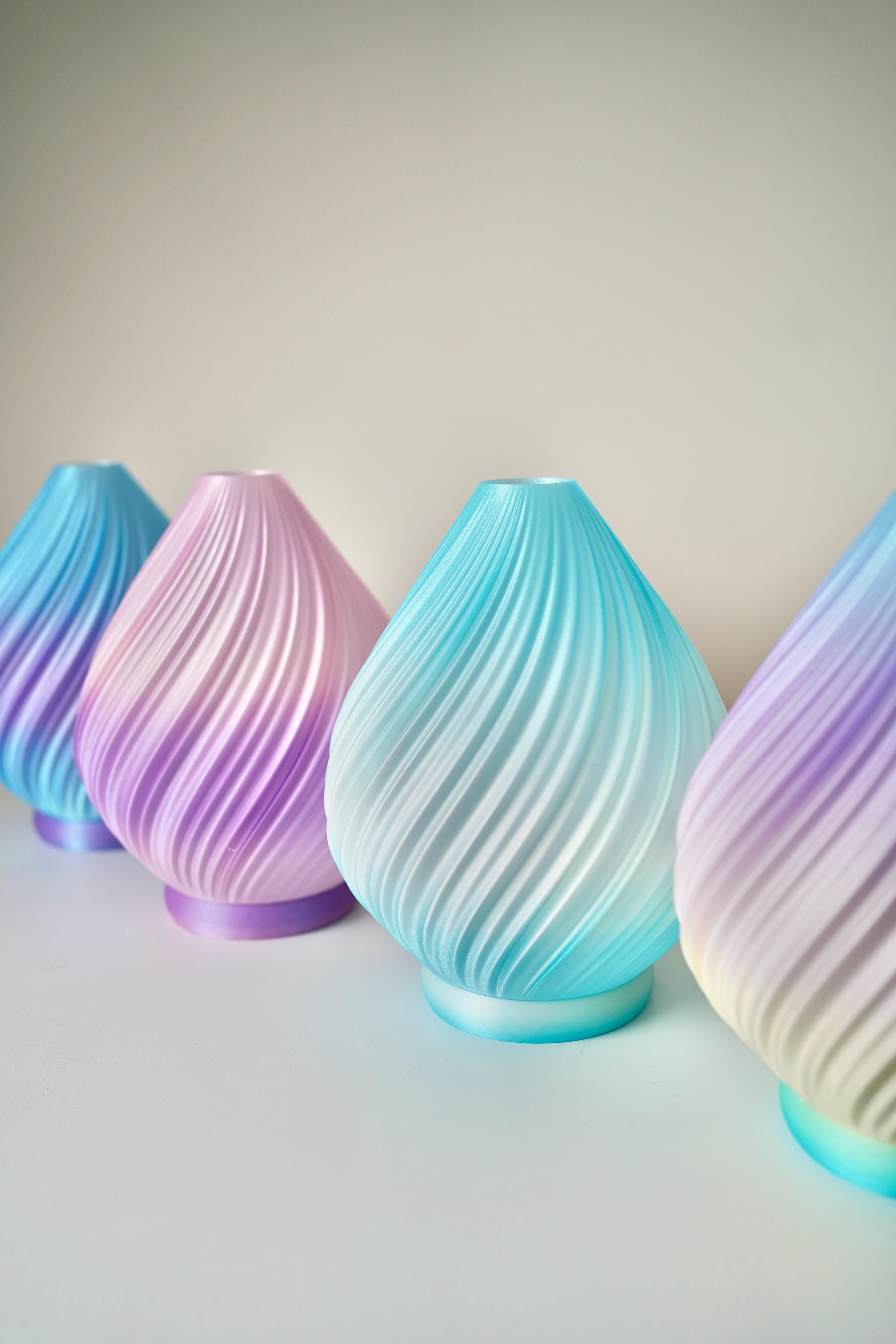
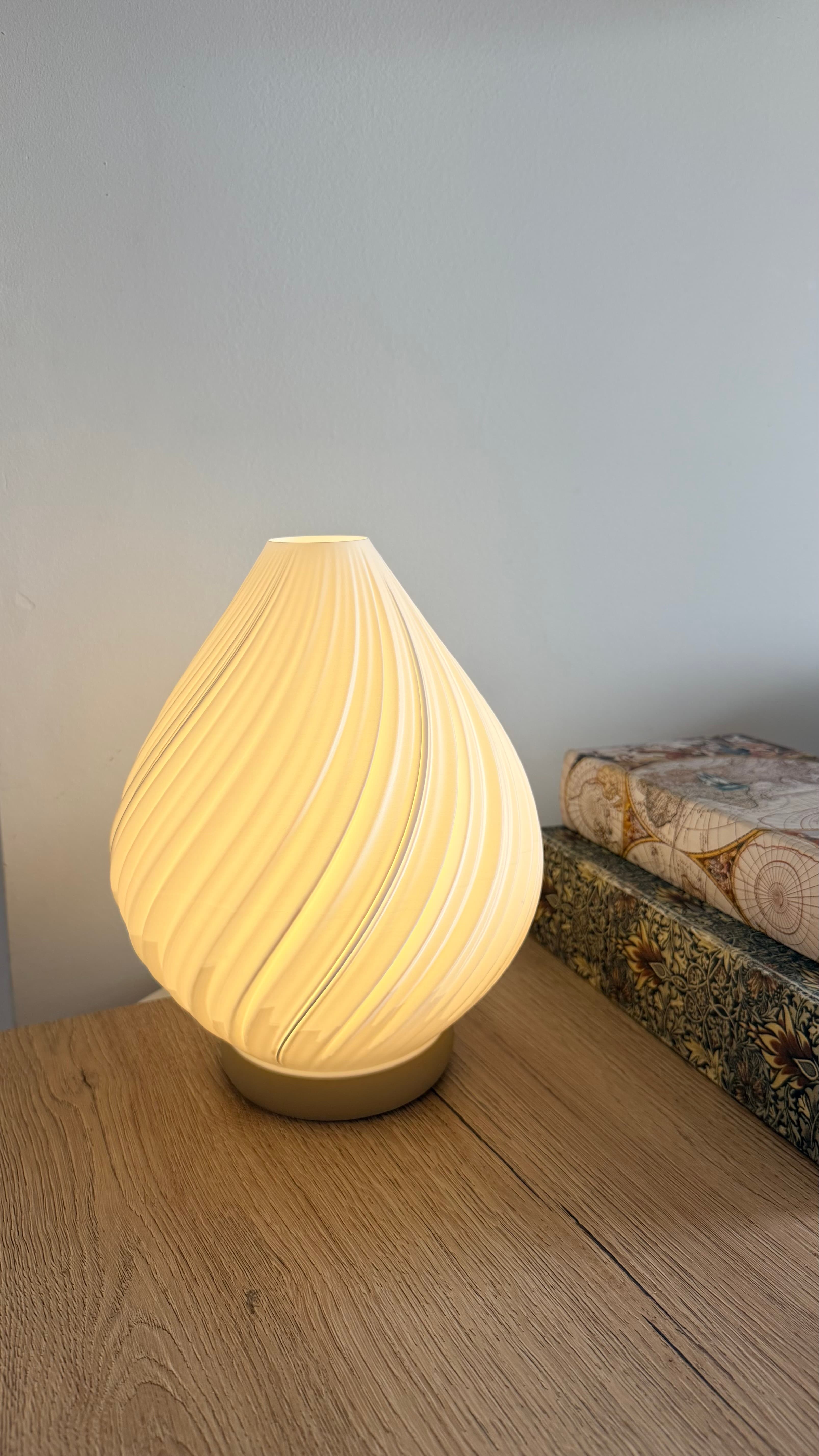
KAPKIA lamp

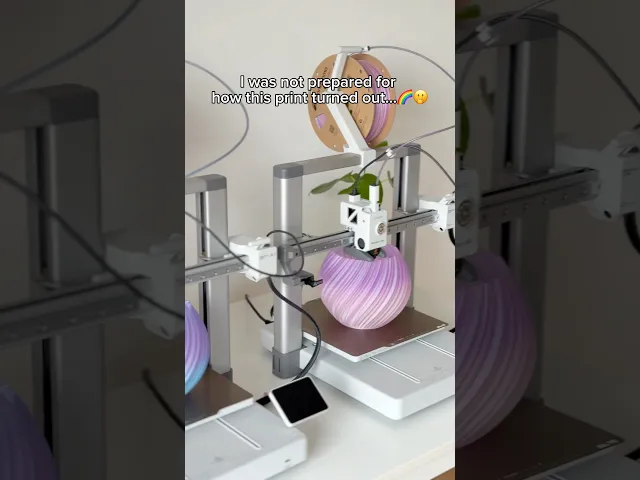
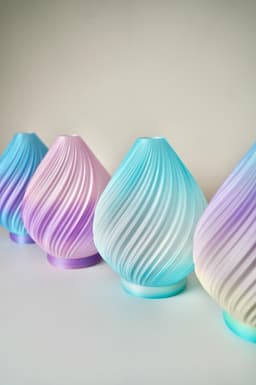
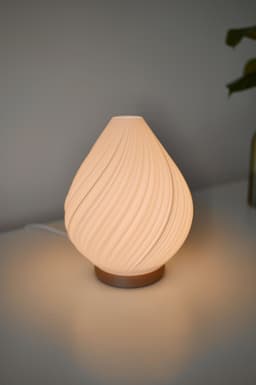
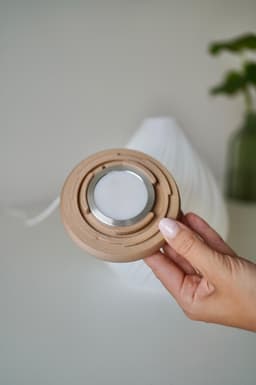
A soft, modern lampshade with a flowing, organic silhouette. Designed to work with the Bambu Lab LED Lamp Kit 001.

The lampshade is designed ONLY for vase mode. Printing in standard mode is not possible.

Dimensions Lampshade: Diameter: 191 mm Height: 220 mm
Community Makes (6)
Hi, I need some help 
I printed this exactly by the book... are these lines inside supposed to be there?
Thanks
I love the lamp and the celestial filament! 🥰
Came out great!
I have no idea what I'm doing wrong, but I've printed three models and each time the bottom comes loose when I remove it from the plate. I'm using a Creality K2 Plus and the settings as described. I've printed it twice in vase mode and once in normal mode, but the bottom comes loose every time. Does anyone know what I can do to prevent this? Otherwise, the lamp is a fantastic design.
so ive tried this print like 4 times and every time the same problem ,on the bottom layer front on right side the print dosent stick like in the pic ,any help ??maybe im missing something ,i ve change the filament twice
Beautiful print!  We have printed two, and notice the lamp shade comes apart where it meets the very bottom layer (on both that we've printed).  Not sure if this is user error, or a potential flaw in the file?
Hi, I need some help 
I printed this exactly by the book... are these lines inside supposed to be there?
Thanks
I love the lamp and the celestial filament! 🥰
Came out great!
I have no idea what I'm doing wrong, but I've printed three models and each time the bottom comes loose when I remove it from the plate. I'm using a Creality K2 Plus and the settings as described. I've printed it twice in vase mode and once in normal mode, but the bottom comes loose every time. Does anyone know what I can do to prevent this? Otherwise, the lamp is a fantastic design.
so ive tried this print like 4 times and every time the same problem ,on the bottom layer front on right side the print dosent stick like in the pic ,any help ??maybe im missing something ,i ve change the filament twice
Beautiful print!  We have printed two, and notice the lamp shade comes apart where it meets the very bottom layer (on both that we've printed).  Not sure if this is user error, or a potential flaw in the file?


Community Makes (6)
Hi, I need some help 
I printed this exactly by the book... are these lines inside supposed to be there?
Thanks
I love the lamp and the celestial filament! 🥰
Came out great!
I have no idea what I'm doing wrong, but I've printed three models and each time the bottom comes loose when I remove it from the plate. I'm using a Creality K2 Plus and the settings as described. I've printed it twice in vase mode and once in normal mode, but the bottom comes loose every time. Does anyone know what I can do to prevent this? Otherwise, the lamp is a fantastic design.
so ive tried this print like 4 times and every time the same problem ,on the bottom layer front on right side the print dosent stick like in the pic ,any help ??maybe im missing something ,i ve change the filament twice
Beautiful print!  We have printed two, and notice the lamp shade comes apart where it meets the very bottom layer (on both that we've printed).  Not sure if this is user error, or a potential flaw in the file?
Hi, I need some help 
I printed this exactly by the book... are these lines inside supposed to be there?
Thanks
I love the lamp and the celestial filament! 🥰
Came out great!
I have no idea what I'm doing wrong, but I've printed three models and each time the bottom comes loose when I remove it from the plate. I'm using a Creality K2 Plus and the settings as described. I've printed it twice in vase mode and once in normal mode, but the bottom comes loose every time. Does anyone know what I can do to prevent this? Otherwise, the lamp is a fantastic design.
so ive tried this print like 4 times and every time the same problem ,on the bottom layer front on right side the print dosent stick like in the pic ,any help ??maybe im missing something ,i ve change the filament twice
Beautiful print!  We have printed two, and notice the lamp shade comes apart where it meets the very bottom layer (on both that we've printed).  Not sure if this is user error, or a potential flaw in the file?

Discussions
Amandia-Ann H
boardgamingpinup
I love the lamp and the celestial filament! 🥰
I love the lamp and the celestial filament! 🥰 3d model
Brad & Jamie H
heyfamily1016
Beautiful print! We have printed two, and notice the lamp shade comes apart where it meets the very bottom layer (on both that we've printed). Not sure if this is user error, or a potential flaw in the file?
Beautiful print!  We have printed two, and notice the lamp shade comes apart where it meets the very bottom layer (on both that we've printed).  Not sure if this is user error, or a potential flaw in the file?   3d model
PrinterBambu Lab X1
MaterialPLA
Simona U
simiu

Hello, a cute make! I will look into it.I did not have that issue when printing on multiple printers, but I would recommend checking the following: •line width outside walls & top layer 0.5 mm •Full bottom layers: 4 •layer height: 0.24 mm •slowing down the volumetric speed for a better layer adhesion, the print might be too fast in that area

Eventually, slightly increasing the extrusion rate, if the print appears underextruded.

I hope it helps! :) Let me know in case you need something else.

Brad & Jamie H
heyfamily1016

We switched up our filament choice and it did not occur on our 3rd print.

Simona U
simiu

THE FILES ARE NOW EDITED FOR EASIER PRINTING :)

Leora H
leorajhomel
Came out great!
Came out great! 3d model
 3d model
PrinterOther
Printer modelPrusa Core One
MaterialPLA
unbreakebull
matthewady06
so ive tried this print like 4 times and every time the same problem ,on the bottom layer front on right side the print dosent stick like in the pic ,any help ??maybe im missing something ,i ve change the filament twice
so ive tried this print like 4 times and every time the same problem ,on the bottom layer front on right side the print dosent stick like in the pic ,any help ??maybe im missing something ,i ve change the filament twice  3d model
 3d model
 3d model
PrinterBambu Lab P1S
Print bed sizeX: 257 mm; Y: 257 mm; Z: 257 mm
MaterialPLA
Simona U
simiu

Hello, please try to adjust the following settings: Layer height maximum 0.2 (or 0.16 if you already tried 0.2), Line width (Outer wall and top layer) 0.6 mm, Bring down the volumetric speed for the filament. Let me know if that helped.

D
DenisEsteban
Hi, I need some help I printed this exactly by the book... are these lines inside supposed to be there? Thanks
Hi, I need some help 
I printed this exactly by the book... are these lines inside supposed to be there?
Thanks  3d model
 3d model
PrinterBambu Lab P2S
MaterialPLA
Davey B
Brankaert_Davey
I have no idea what I'm doing wrong, but I've printed three models and each time the bottom comes loose when I remove it from the plate. I'm using a Creality K2 Plus and the settings as described. I've printed it twice in vase mode and once in normal mode, but the bottom comes loose every time. Does anyone know what I can do to prevent this? Otherwise, the lamp is a fantastic design.
I have no idea what I'm doing wrong, but I've printed three models and each time the bottom comes loose when I remove it from the plate. I'm using a Creality K2 Plus and the settings as described. I've printed it twice in vase mode and once in normal mode, but the bottom comes loose every time. Does anyone know what I can do to prevent this? Otherwise, the lamp is a fantastic design. 3d model
MaterialPLA
Layer height2.4 mm
SupportsNone
Simona U
simiu

Hi Brankaert, the model is now edited to remove any overhangs from the bottom to make it easier to print. I also recommend using PETG for a better layer adhesion and slowing down the print. Also set the line width to 0.6 mm at least. 🙏🏻 let me know if that helps, please

Kevin O
bitfrickler

Had the same issue. Twice.

I'm currently printing a separate ring. The lamp shade will then just be put on top. Not perfect, but now there's no way the lamp shade comes off at a later time either.

I guess this is a common issue with quickly designing objects and then letting the slicer do the rest of the job simply by enabling vase mode.

Simona U
simiu

Hi kevinotte, u fortunately, not every design is possible in standard mode. Not only there is a seam, low translucency, but also a very detailed and complex texture is simply not enabling me to create a shell model. However, I edited the file to remove any overhang from the very bottom to avoid this from happening, when the layer adhesion is not too high. Hope that helps.

S
sandra7

Die Lampe sieht einfach toll aus, gerade in dem Farbdesign. Welches PLA ist das genau? Beste grüße

3D P
3dprintwork24

Muy lindo diseño , solo tengo un par de preguntas . 1: que diámetro es la lámpara 2: donde puedo conseguir la lámpara con el diámetro ?

julia w
julia.witzenberger

Would it be possible to design the model for standard printing? Because in vase mode, it's unfortunately much too thin for my liking.

Sydney T

My first print was also thin. I turned vase mode off. Top solid layers : 0 Bottom solid layers: 3 Infill: 0% Printer: Flashforge Adventurer 5M Software: Flashprint 5

Simona U
simiu

Unfortunately not for this model, the structure is too complex and detailed, so creating shell is not possible :/

View all 11 discussions

KAPKIA lamp

210 downloads · 7 months ago in  and 
Simona U
simiu11K followers
Follow