


Multiboard Closet Peg Generator
This is a Multiboard mount for closet/wardrobe/bookshelf shelf peg holes. It has holes for (printable) pegs that interface to the peg holes of the wardrobe. It creates a 8mm offset from the surface. There are variants with 1, 2, and 4 snaps to connect corners, 2, or up to 4 tiles. The snaps are of the “Double-Sided Part A” type, so it can be secured into place using a Single Snap (DS Part B). It can also be secured using 10 mm Mid Thread Bolts.
The provided files are an example with vertical peg spacing is 32mm, 5mm peg diameter and no x-offset. For vertical offset, there are versions with 0 for the top edge and 15mm. The peg dimensions and spacing fit IKEA Billy and Pax. The 15mm vertical offset is suitable for fitting 8 octagons (725mm apart) to pegs 5 spaces apart (532mm apart). This is suitable to mount e.g. 9x8 tiles to an Ikea Billy (which has 200mm horizontal peg spacing). For e.g. IKEA PAX (300mm horizontal peg spacing), you could mount two 7x8 tiles (300mm need 13 octagons, one would overhang) with additional "normal" Dual-Offset-Snaps
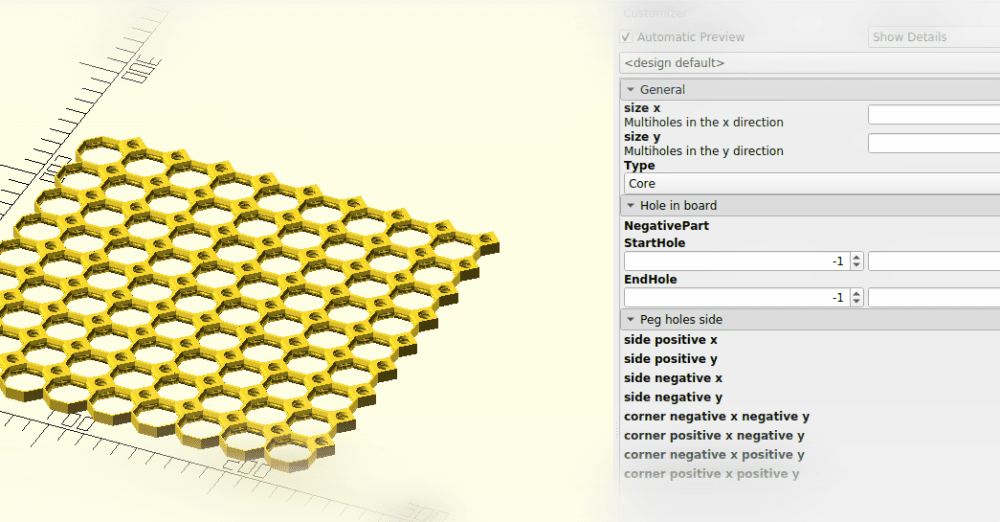
There is an OpenSCAD-based generator that can generate the different variants with configurable peg holes (diameter, depth), spacings and offsets (both x and y) to adapt basically any peg hole configuration to Multiboard. Make sure to properly plan (or measure) out the required configurations, esp. peg offsets to fit your needs.
Print with regular settings (0.2mm layer height, 2-3 wall loops, 15% infill). Pegs should be printed laying down (as provided in the STL) to avoid splitting across layer lines.
Multiboard Closet Peg Generator
Multiboard Bolt Generator
Multiboard OpenSCAD generator

Multiboard Peg Standard Large Thread Spool Holder (For Sewing)

Multiboard Peg Board System with Modular Shelves | Workshop & Desk Organizer | STL 3D Model
Multiboard Tile Generator

Multiboard Label Generator

Multiboard Offset Peg with Screw Hole

Parametric Multiboard Hooked Pegs (Bolt-Locked and Push-Fit)

Parametric Multiboard Hooked Pegs (Bolt-Locked and Push-Fit)

Multiboard Advanced Tile Generator PASSWORD

Multiboard - Shelf Generator

Multiboard Sharpie Holder Peg Click
Multiboard Keyhole Hangers Pegs

Multiboard multipoint rail peg

Apple TV 4K (1st generation) mount for Multiboard

Multiboard Simple Drawer Label Generator (Flush)

Multiboard Vase Drawer Generator
Multiboard - Multigrid - Outer Rim Peg Lock

Multiboard 25 mm Small Thread Peg

what a great idea!
Hi, I tried the OpenSCAD generator but I don't get the "clips" for the multiboard like you got in the screenshot. Is there something wrong with the file or do I miss something? Thanks for the model.
Fix for missing DS Part A "clips" in OpenSCAD (as of 2026-02-21): Download Double Sided Snap (Part A) - STL Multiboard Remixing Files and save it in the same directory as the scad file. In OpenSCAD, to load and align it like in the included stl files, change line 66 to: translate([-13.5, 0, 5.1]) import("./Double-Sided Snap (DS Part A) - STL Remixing File.stl");
Hi, I am not OP but I will try to help :-)
In the code it says import("./Double-Sided Snap (DS Part A) - STL Remixing File E.stl");
This means it looks for an stl file in the same folder with the name shown. I am not aware how to get that file though. I am new to multiboard and openscad. I am a programmer though