

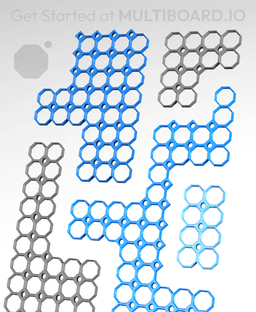


Multiboard Tile Generator
6.5K downloads · 3 years ago · The Multiboard Tile Generator is a Blender tool that allows you to instantly:
- Create tiles of any
This model is restricted by licensing terms.
View license.
The Multiboard Tile Generator is a Blender tool that allows you to instantly:
- Create tiles of any size.
- Create stack prints of any amount.
- Create cutouts in your tiles.
- Create tiles with different amounts of “outside pegboard holes”
Make sure you are using Blender version 4.2 or above.
Here’s a video showing you how to use it: https://youtu.be/LnWtClGb3po
This is the Tile Generator v3.1 and was last updated on the 2/August/2024.
Printing Guidelines for the Tiles: Printing Guidelines
—
This object is part of Multiboard, a FREE "all in one" organization system with 700+ parts, that combines pegboard holes, honeycomb snaps, Gridfinity like bins, threads, brakes, and much more.
Explore and build the coolest, most adaptable workshop at https://multiboard.io
Multiboard Tile Generator
6.5K downloads · 3 years ago in and
This model is restricted by licensing terms.
View license.

Fix Point to Countersink Adapter

Flush - Small Hole Center Marking Tool

6.25 Offset - Small Hole Center Marking Tool

12.5 Offset - Small Hole Center Marking Tool

2x6 MU - Right Support End - Modular Bolt-Locked Shelf

4x8 MU - Center - Modular Bolt-Locked Shelf

2x2 MU - Right Support End - Modular Bolt-Locked Shelf

2x6 MU - Left Support End - Modular Bolt-Locked Shelf

8x8 MU - Center - Modular Bolt-Locked Shelf

2x4 MU - Right Support End - Modular Bolt-Locked Shelf

4x6 MU - Center - Modular Bolt-Locked Shelf

2x8 MU - Left Support End - Modular Bolt-Locked Shelf

2x2 MU - Left Support End - Modular Bolt-Locked Shelf

8x2 MU - Center - Modular Bolt-Locked Shelf

8x4 MU - Center - Modular Bolt-Locked Shelf

2x4 MU - Center - Modular Bolt-Locked Shelf

2x8 MU - Right Support End - Modular Bolt-Locked Shelf

8x6 MU - Center - Modular Bolt-Locked Shelf

2x8 MU - Center Support - Modular Bolt-Locked Shelf

Crashes when opening. Fresh install of Blender 4.2.1 LTS. Windows 10
For those of you crashing when trying to run this, Go into blender and turn off load UI, it will then load without crashing, not a whole bunch of info on the net about this. I was banging my head trying to figure this out. Hope it helps :D
Tried this, still crashing. Turns out my Linux Software Center had an outdated version of Blender. I grabbed the newest from the Blender website and it ran perfectly.
This is the way.
This seems to be a outdated model. All my other prints and Multiboard downloads have some small slots and uprisings to get more stability when attached to the next tile. But this one doesn't. :-/
This is amazing, thank you for making it! I am having a similar issue to @Factoremist, but with a different size board. When I create a board:
PrusaSlicer says it repaired 328,368 errors.
I've exported lots of shapes and sizes and this is the first STL to have errors.
How do I stack different corner and core pieces? I have only been able to stack the same type of pieces.
This really needs to generate a smooth edge for our tiles.
Hello everyone,
I'm having an odd issue. When I generate a 3x3 or 4x12 grids, I have no issue. What I need is a 3x11. For some reason when I slice the 3x11, the entire interior of the grid is solid. The model looks correct before the slice. I do not have this issue with most dimensions. Any thoughts?
If anyone else has this issue, use an STL repair tool to fix the STL and then try again. For reference, I was using Cura for my slicer.
when i export as an STL and import to bambu, there is a box in the middle
make sure you select the body you want to export then in the export window tick selection only
You have to delete the box in Blender.