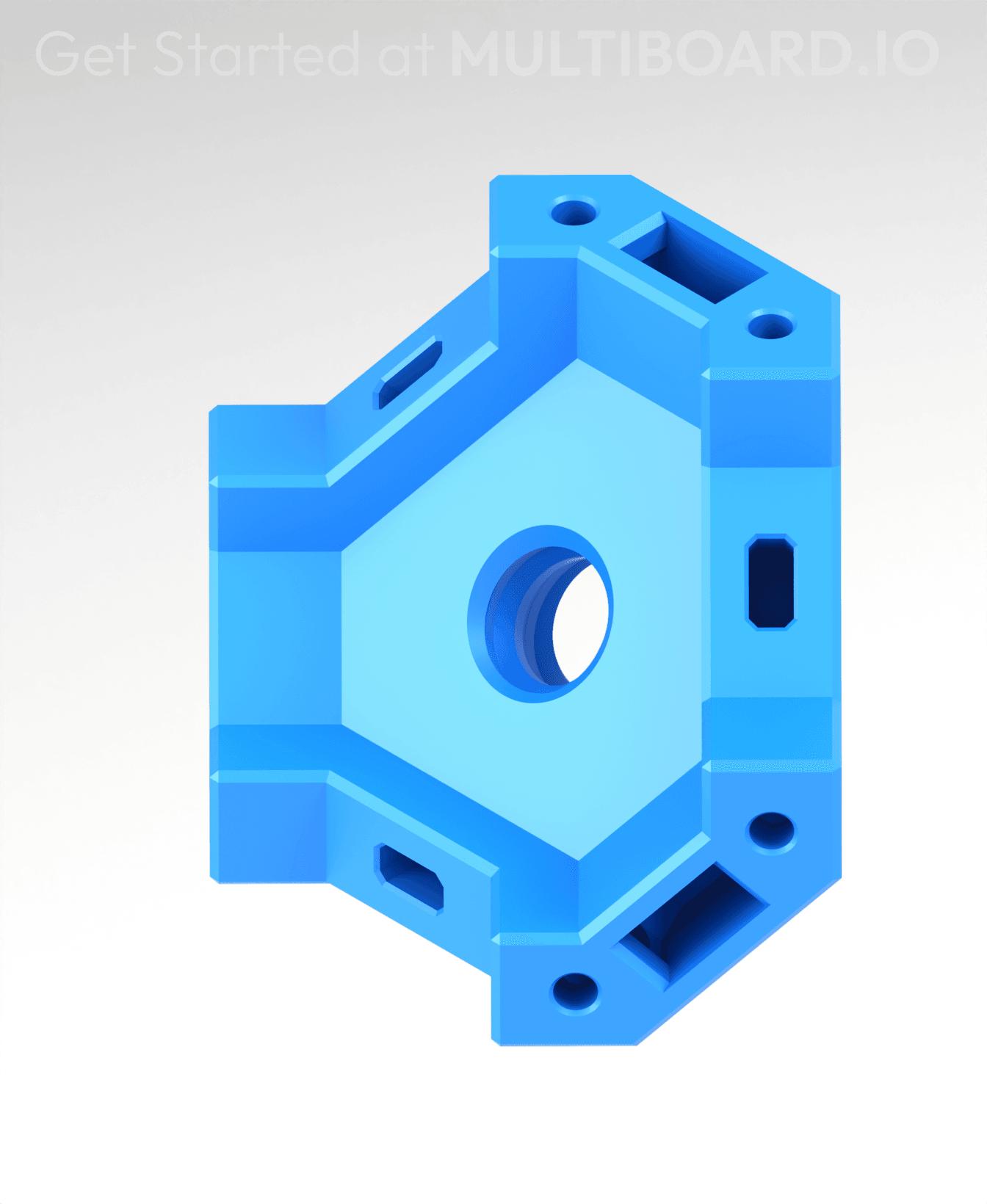


Single Corner - Multiboard Beam
This is for making a Single Corner by connecting three Beams together. It connects using Dual Clips.
It also has holes for filament pieces to be inserted, which better holds the beams into place.
It also has holes to help you remove the Dual Clips using a small Allen key.
Printing Guidelines:
Use 3 perimeter wall thickness, 0.2 mm layer height, 15% infill, and no supports. Apart from that, use your printer's default settings.
The printing orientation is as provided in the file. Make sure the downloaded files are .STL. This part has been designed with a tolerance of 0.25 mm. Your printer will need to be able to bridge gaps of up to 30 mm for some designs.
This object is part of Multiboard, a FREE and ridiculously modular organization system with thousands of parts to create the most adaptable workspace possible. Learn more and find ALL the parts at https://multiboard.io

Single Corner - Multiboard Beam

Fix Point to Countersink Adapter

Flush - Small Hole Center Marking Tool

6.25 Offset - Small Hole Center Marking Tool

12.5 Offset - Small Hole Center Marking Tool

2x6 MU - Right Support End - Modular Bolt-Locked Shelf

4x8 MU - Center - Modular Bolt-Locked Shelf

2x2 MU - Right Support End - Modular Bolt-Locked Shelf

2x6 MU - Left Support End - Modular Bolt-Locked Shelf

8x8 MU - Center - Modular Bolt-Locked Shelf

2x4 MU - Right Support End - Modular Bolt-Locked Shelf

4x6 MU - Center - Modular Bolt-Locked Shelf

2x8 MU - Left Support End - Modular Bolt-Locked Shelf

2x2 MU - Left Support End - Modular Bolt-Locked Shelf

8x2 MU - Center - Modular Bolt-Locked Shelf

8x4 MU - Center - Modular Bolt-Locked Shelf

2x4 MU - Center - Modular Bolt-Locked Shelf

2x8 MU - Right Support End - Modular Bolt-Locked Shelf

8x6 MU - Center - Modular Bolt-Locked Shelf

2x8 MU - Center Support - Modular Bolt-Locked Shelf

I'm struggling with the overhangs on the part.
Mallen, can you show us what piece you used for the floor of this basket please. ty
i am guessing its a plate. if you look under "other plates" there are some solid options for basket bases with the same connections as the beams
It looks like one of the Plain or Thin Plates: https://www.multiboard.io/parts-library/beams
I can not get these to print right, the top is always warped and wont fit the clips.
I had more of a problem with the clips not fitting on any of the parts. They were too tall and stretched the part. I changed the height of the clips from 3.2 mm to 2.8 mm, and they work a lot better for me. You can do it in the slicer by changing the scale and unchecking uniform to change the z from 3.2 to 2.8 and that seems to work for me.
The overhangs always come out stringy and lead to warping. Adding supports up to 35º didn't help either.
I had trouble with first print, top layer separted. I did a reprint with only 1 at a time and works perfectly with PET-G or PLA+
This did it for me, also ran in to troubles printing in bulk, twice. Solo worked perfectly.
Under "special mode" for bambu and orca slicer ( unsure about others ) you can select print by layer or by object. By object is equivalent to printing them one at a time and generates perfect prints everytime