
Creality K1 Extruder motor heat shield with air vents
Most of the Creality K1 printers (first batch I suppose) are facing the dreaded UNDER EXTRUSION problem. I too faced the same.
After lots of tinkering I found out that the extruder motor is getting too hot while printing. Which in turn heats up the pressure plate of the moving extruder gear and deforms due to the filament pressure between the gears.
Solution to the problem is first you need to reduce the current (to 0.4 to 0.45 amps) of the motor by getting the root access. Then you need to print this thin barrier out of some high temp. material like ASA/ABS etc. I printed it with PETG as I didn't have any ASA/ABS in stock. So far It's working fine (after reducing current).
But if you don't have root access then you must print using high temp. material. You may need to clean the part with a soft wire brush if too much stringing is there.
Note: Keep the vents towards the motor while installing. This will reduce the contact area with the motor.
This model is 1.4mm thick. So you'll have to replace the screws to fit in.
Recommended Print settings
- Material - PETG
- Supports - None
- Layer height - 0.1mm
- Infill - 15%
- Bottom layers - 4 or more
Please support me at Paypal or Buymeacoffee for more free models :)
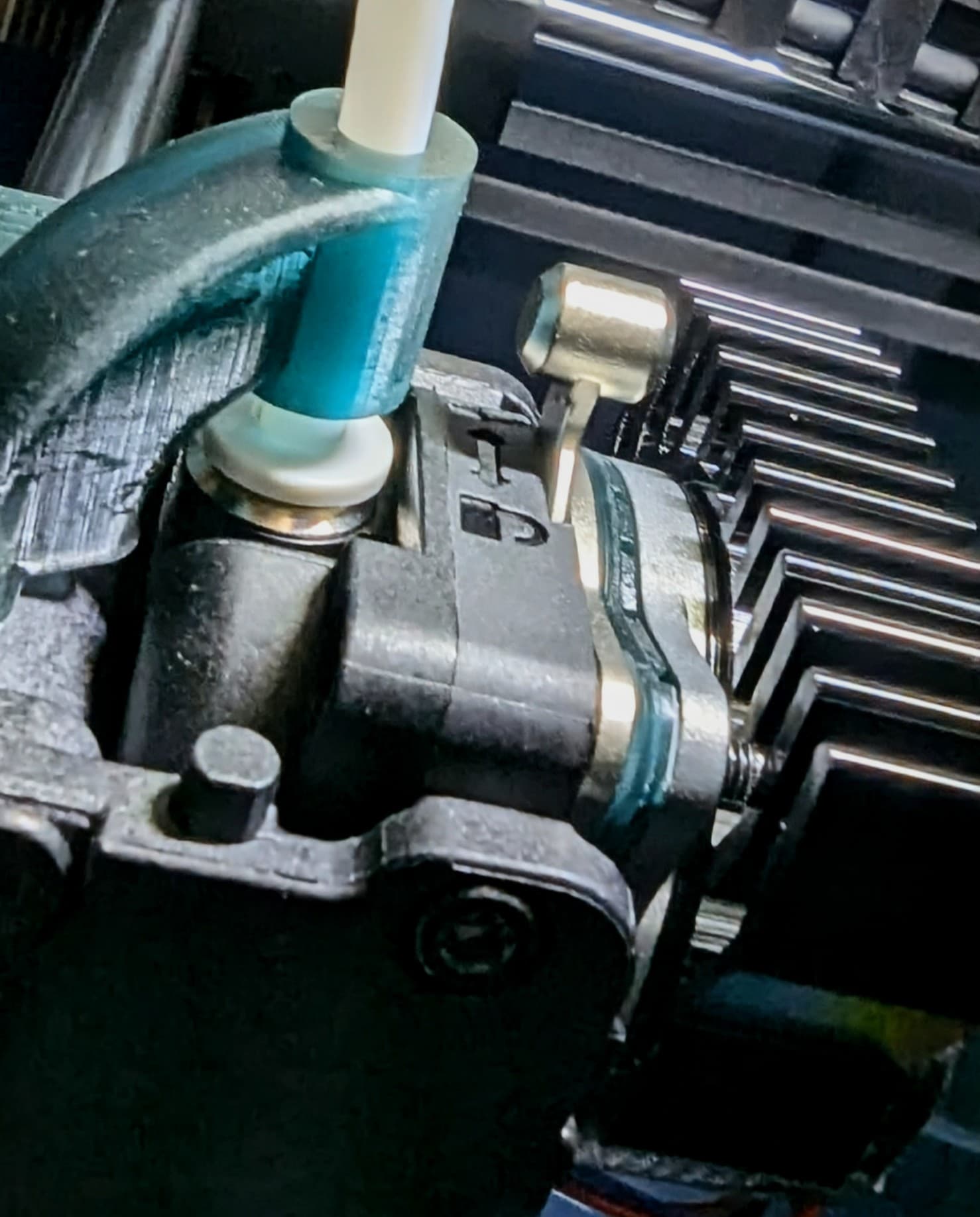
Creality K1 Extruder motor heat shield with air vents
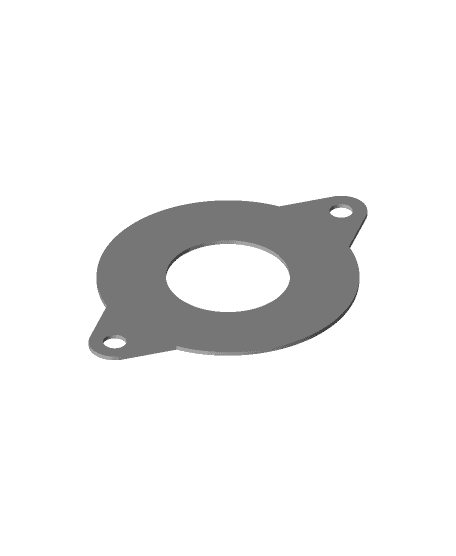
Creality K1 Extruder motor heat shield
Vent roof vent motor cover
K1 MAX Vented Riser

K1 Max Vented Riser W Improved Filament Guide - Sensor Bypass*
Bambu X1 Electronics Box Seals - Hotter Chamber / Cooler Electronics!
Bambu X1 Charcoal Delete Seals - External Filter NO MORE!
775 dc motor mount bracket v2.stl

ROVER-T Arduino Robot
Galileo 2 PG7 Cable Gland Mount - FITS Voron 2.4! M12 too!
30 TO 35MM-v2-BIGGER-VENTs.stl
Customizable Breast Pump
Laser Cat Toy robot

SMARS V4 Lite
The Sand Raker #FunctionalArt
Linear actuator
Plant Rotator
Bathroom Vent Light Fixture

3D-Printed and Plywood Laser Engraving Machine: Precision Meets DIY
Arduino Control Box

u removed original one and replaced with this printed?
Thank you so much for this! Even after undervolting the motor, I still had lots of issues with the filament deforming inside the extruder and clogging everything.
This seems to have solved 100% of my problems!
worked ? 0.55 to 0.45 + print that thing?
I was like "AW S*IT! NOT THE MOTOR!" and then I discovered your model. Motor overheating got so severe it literally deformed polycarbonate at 5-7 mm^3/s of flow-rate, nor was I using the old extruder with red screws. Lower bed temps and higher nozzle temps didn't help either. It was when I opened the glass lid only to discover it was the motor all the time. By now I'm already printing a new gantry, but I promise I'll print this THANG in my next print.
What length do the new screws need to be?
What are the new length of screws do i need?
Any issues with this plate moving the motor gear back so far, reducing it's engagement with the gears inside the extruder?
There will be no issues.
hi want to ask..original this "part" in extruder need KEEP there or replace with this printed one? thanks!
If you are having the upgraded extruder you may not need this upgrade. But you can still install it along with the existing part without any issues. You will require longer screws to do so.
but he nowhere mention if install it with or without "stock" spacer