
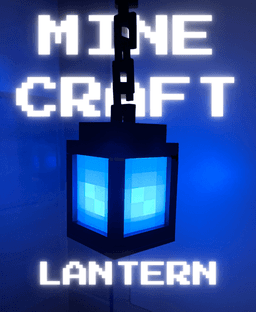


2-in-1 Minecraft Lantern Bundle (Floating & Hanging)
⛏️ 2-in-1 Minecraft Glow Lantern Bundle (Floating & Hanging) 🏮
Bring your favorite blocky world into real life with this ultimate 2-in-1 Minecraft Lantern bundle! Whether you want a cozy orange glow for your room or a spooky blue "Soul Lantern" aesthetic, this highly-engineered model has you covered.
This bundle includes files for two completely different versions: an optical illusion floating desk lamp, and a classic flexible hanging lantern!
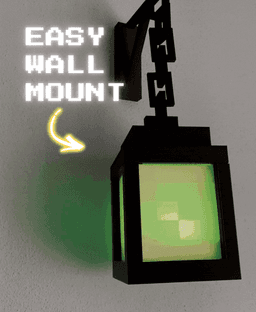
✨ The 2-in-1 Bundle Includes: • 🪄 The Floating Desk Lantern: Features a rigid, gravity-defying print-in-place chain and a sturdy base stand. The light source mounts cleverly in the top lid! • 🔗 The Hanging Wall Lantern: Features a fully articulated, flexible print-in-place chain so you can hang it anywhere. The light source mounts securely in the bottom.
🛠️ Smart, No-Glue Assembly: • 100% Support-Free: Every single part prints cleanly without supports. • Zero Glue Required: Everything locks together using satisfying dovetail joints and slide-in tracks. • Fully Disassemblable: Need to change the batteries? The smart design allows you to easily open the lantern and remove the LED puck at any time without breaking the print. • Slide-In Pixel Panels: The diffuser windows slide right into the frame to create that perfect 8-bit pixelated glow.
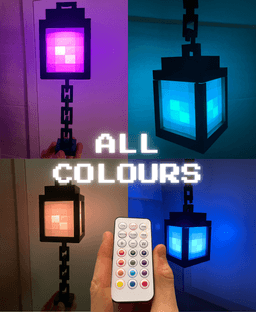
💡 Hardware Required: Designed perfectly for the Bambu Lab Remote Controlled RGBW Puck Lights (KC007) from the Maker's Supply store (or any standard 62mm x 27.6mm LED puck light). Use the remote to switch between a standard Lantern and a Soul Lantern instantly!
🖨️ Slicing Tips: • The Diffuser Panels: To get that perfect pixelated glow, the windows need to be printed with very small layer heights. I have included a custom .3mf file with the perfect settings already dialed in—just hit print! • The Chains: Both chains are print-in-place. The floating chain is designed to fuse rigidly, while the hanging chain has built-in clearances to pop loose right off the build plate.
2-in-1 Minecraft Lantern Bundle (Floating & Hanging)

Minecraft Lantern - Tealight Flickering Lantern

2-in-1 Heart Fidgets (2 Styles)

Halloween Jack o Lantern Cake Pop Mold Set, Spooky Pumpkin Lantern Design, 2-Piece STL 3D Printing File PRODUCT_3468

Owl Piggy Bank & Pen Holder – 2-in-1 Modular Desk Organizer
FRIGHTENING FRIENDS - Jack O Lantern #2 Goofy, Fun, Happy TOPPER, TOY

2-Part Minecraft Creeper Cookie Cutters
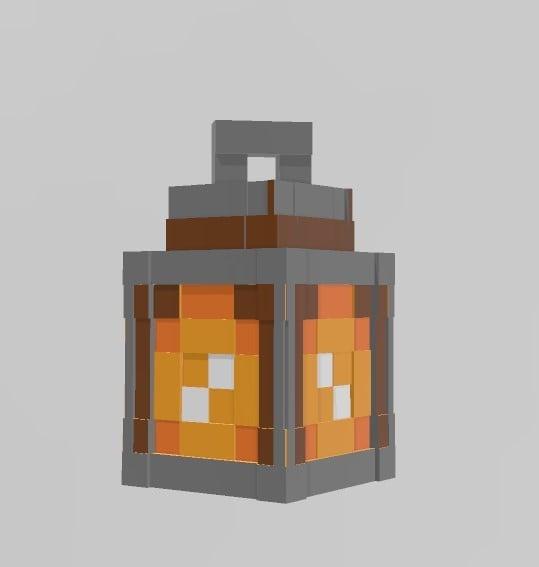
Minecraft Lantern lamp

Lantern Injustice 2 Mask 3D Printer STL File
Helldivers 2 - PLAS-1 Scorcher - High Quality 3D Print Model!
minecraft dragon 2
.png&w=3840&q=75)
Modern Desk Organizer & Clock 2-in-1, Multi-Color

Intercooler Business Card Holder Bundle – 2-in-1 Set

Decorative plant and storage Stylish 2-in-1 3D Printed Organizer
3D Printed Bird Feeder with Planter - 2-in-1 Garden Decor-one-piece design

Charles Dowding 15-Cell Seed Tray Tamper & Dibber – 2-in-1 Speed Tool - No-Dig Gardening
.png&w=3840&q=75)
Helldivers 2 BO-1 Tactical Helmet
Green Lantern Ring 2 #FranklyBuilt

CHRISTMAS ORNAMENTS – SET 2 (Sleigh, Lantern, Star, Snowflake & Tree Bauble)

Clicky Phone Fidget (2-in-1 Fidget)
Thank you for your effort. I have problem about windows. 2 small squares can not be printed in middle of window. empty squares. Is it true? It should be like this or maybe I make a mistake. I am not sure
Hi, for the windows, you need to set the smallest layer height possible 0.8mm to enable the light to come through. Hope that helps !