
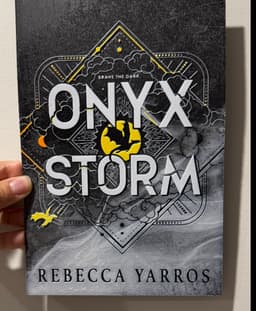


Onyx Storm - Hueforge Print
The book was released this week so I decided to dig this one up and give it a new refreshed look. I had initially made this print but as a backlit dual lithophane, but I think it looks a lot better as a classic filament painting!
The grey blending in this is magnificent thanks to Chrominal filament. You'll note that I used two whites in this print, the eSun white being a lower TD and a brighter white than the Kingroon. It made the lettering stand out a bit more. You don't have to use two different whites if your white is bright enough though! You can just use the one white all the way until it swaps to the yellow.
It's a fairly easy print, 5.5 hours on the P1P :) Enjoy (and if you're reading the book, enjoy that too!).
As usual, all colour swaps are coded into the file already (the second white in the 3MF is purple - only so I can differentiate the two whites lol). If you do not want to use the 3MF, feel free to use the STL instead and follow the instructions below!
If you decide to change the size, please only resize it on the X and Y dimensions!
Print Instructions
Print at 100% infill with a layer height of 0.04mm with a base layer of 0.2mm
The Model is 160x240mm in size You may print at higher layer heights below the Min Depth of 0.6mm The Max Depth is 2mm and the Actual Depth is 2mm
Filaments Used:
- PLA Kingroon Black Transmission Distance: 0.4
- PLA Chrominal Shadow Grey Transmission Distance: 3
- PLA Kingroon White Transmission Distance: 6
- PLA eSUn Cool White Transmission Distance: 2.7
- PLA Siddament Yellow Transmission Distance: 5.5
- PLA CC3D Orange Transmission Distance: 6.5 This print uses 6 unique filaments
Swap Instructions:
- Start with Black
- At layer #13 (0.68mm) swap to Shadow Grey
- At layer #19 (0.92mm) swap to White
- At layer #32 (1.44mm) swap to Cool White
- At layer #35 (1.56mm) swap to Yellow
- At layer #42 (1.84mm) swap to Orange for the rest.
Onyx Storm - Hueforge Print

Shelf Studs - Cause you can nail 'em!

Barty the Gargoyle

Apple Pencil 2 Jig for Eufymake
.JPG&w=3840&q=75)
Navessa Allen's Into Darkness Trilogy Inspired Book Nook

Game On Inspired Pen Holder

Gothic Window with Ledge

Oversized Mewtwo Pokemon Card - Hueforge Hybrid

Vi (Arcane) Back Tattoo - HueForge Print

Fortnight - TTPD Christmas Ornament

Caught Up Inspired Helmet/Pen Holder

Reading Challenge Book Trophy

WoodForge - Aztec Style Star Wars Print

Taylor Swift - Life of a Showgirl Flatforge

A Lil Reading Ghost

Terrasen, Velaris and Lunathion Shelf Signs

Babel Tower and HueForge Map inspired by Babel by RF Kuang

Lights Out Inspired Skull / Pen Holder
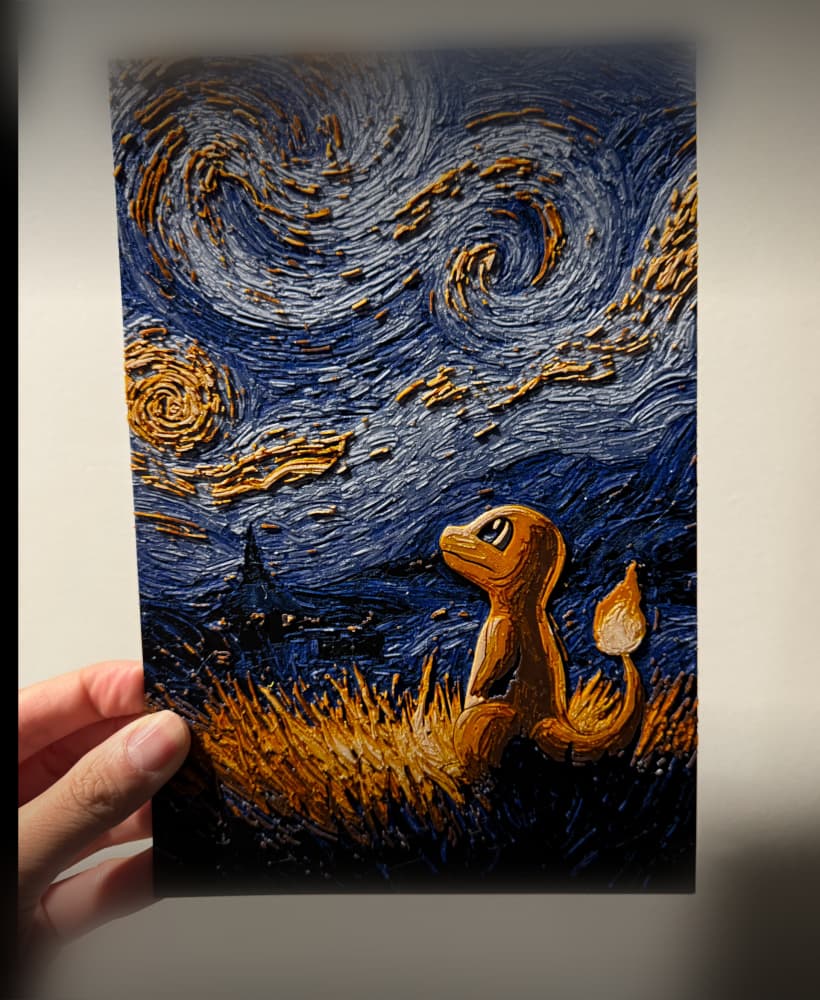
Starry Night Charmander

Starry Night Gengar
