
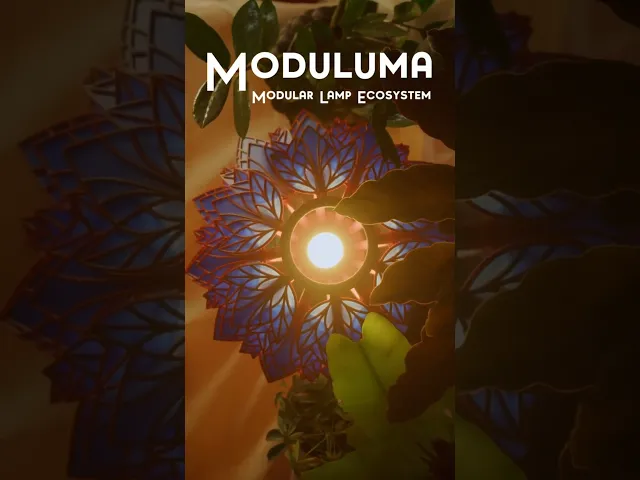


Moduluma - Lotus Shade
This is the Lotus Shade of the Moduluma Lamp Ecosystem!
The Moduluma Ecosystem is a modular lamp system where every part — vases, shades, inlays, and leaf styles — can be combined to create your own unique lamp design. With interchangeable elements, you can explore endless variations while keeping the build simple and tool-free.
The Lotus Shade adds a soft, organic shape inspired by lotus petals, making it a beautiful centerpiece on its own or combined with other parts of the ecosystem.
How to Print: Print the model as it is. If you want to use multiple colors, simply assign colors with the fill tool in your slicer.
How to Build Your Lamp: Print all the parts you need for your build:
1x Vase + Clips 4x Each Insert for the Modular Vases 1x Lampshade Structure 54x Leafs for the Modular Lampshades (not necessary for this one)
Then assemble the lamp as follows:
Prepare the Vase: Press-fit the inserts into the Modular Vase. Since the parts are mirrored, make sure to insert them all the same way (either with the print-plate side facing out or inwards). Add the Clips: Press-fit the clips into the top side of the vase. Insert the Fixture: Place your lamp fixture (E14, E27, or Bambu Lab LED Kit) into the vase.
Build the Shade: Press-fit the bottom clip through the bottom ring into the first spline, then the top clip through the top ring into the same spline. Alternate between even and odd splines all the way around. Finally, press-fit all the leafs into their slots — it’s easiest to push them downward, so adjust the shade position accordingly.
Connect Shade and Vase: Align the shade above the vase and press it onto the clips. Be careful not to slip; if it’s tight, press gradually around the sides until it fits securely.
Finish: Position the cable into the slot at the bottom of the vase. Your Lotus Lamp is ready!
Moduluma - Lotus Shade

Snowskate Conversion Kit

Shield Recharger - Arc Raiders

Moduluma - Orbiflora Lampshade Add-On

Moduluma - Prisma Petal Add-On

Moduluma - Organic Lampshade 2 Colors

Moduluma - Arboris Shade Addon

Moduluma - Florahedron Lampshade Add-On

Moduluma - Organce Lampshade One Color

Moduluma - Modular Shade Downwards

Moduluma - Modular Upward Shade

Moduluma Modular Vase Big

´Moduluma - Modular Vase

Moduluma - Big Spiral Vase

Moduluma - Vase Spiral

Moduluma - Small Vase

Moduluma - Big Modern Vase

Moduluma - Leaf Art Nouveau

Moduluma - Techy Leaf

Moduluma - Autumn Leaf
