
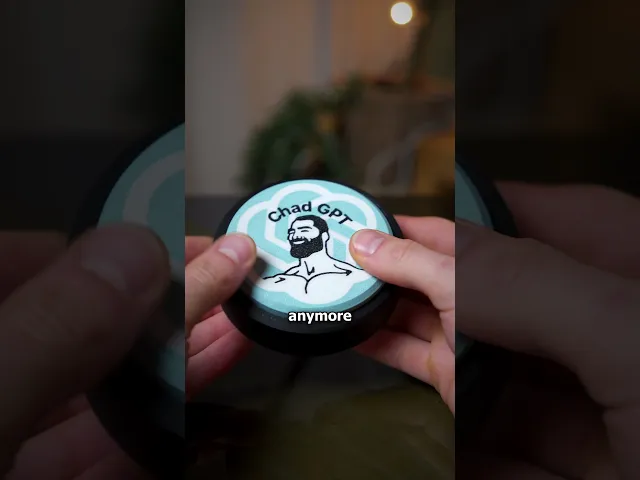






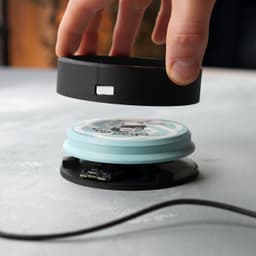


Chad GPT - Macro Button
🎁 5 MONTHS FREE with annual plans - Save 42%
Chad GPT Macro Button ⌨️⚡
Turn chaos into clarity—instantly. This 3D-printable, ATtiny85-powered macro button types out “simplify” prompts with a single click, making your chats, emails, and code reviews crystal clear in seconds.
✨ Choose Your Style:
- 💬 ChadGPT Logo Top: Bold branding for your desk setup
- 🧩 Blank Top: Add your own logo, phrase, or flair
😊 Why You'll Love It:
- ⚡ Instant clarity boost—press once, simplify everything
- 💻 USB-powered magic—acts like a mini keyboard
- 🧠 Fully programmable—customize any phrases in code
- 🖨️ Single-color model prints on any machine
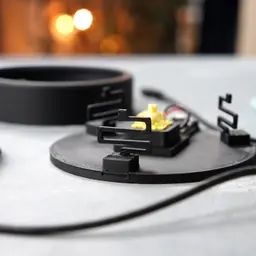
- 🔧 Easy snap-fit assembly—no glue, no fuss
- 🎁 Perfect geek gift for coders, creators, and AI fans
📐 Quick Specs: Fits ATtiny85 board + Cherry MX switch (Ø100 mm | ~50 g base | ~40 g button)
🎨 Filament Used:
Charcoal Black (Get it) • Cotton White (Get it) • Marble Slate Grey (Get it)
🛠️ Hardware Used:
• Arduino ATtiny85 Digispark (Get it)
• Cherry MX–style Keyboard Switch (Get it)
• Micro USB Cable – data type (Get it)
📋 Print Settings:
We’ve included a detailed README.md and PDF guide with step-by-step printing, wiring, and flashing instructions.
Source Code & Documentation:
• GitHub Repository → https://github.com/clehn8ok/ChadGPT
🎯 New to 3D Printing? Perfect prints guaranteed → Start Here
Chad GPT - Macro Button

BambooBar - Straw Organizer

PoopPal Corgi - Dog Poopbag Dispenser

Bruce, the Flexi Shark - Magnetic Hand-Holding Companion
Flexi Sloth Branch Dock
Sea Dive Pals

Domino — Dog Treat Edition

Alfie, the Flexi Alligator - Magnetic Hand-Holding Companion

Diego, the Ice Pint Holding Dragon
Sushi Stack — Shoji Box
Sushi Stack — Tumble Tower Game

Luisa, the Flexi Lioness - Magnetic Hand-Holding Companion

Highland Cow Desk Organizer

PMS - Period Missile System - Tampon Pistol

RummyCat - Rummy Game

Taro, the Flexi Tiger - Magnetic Hand-Holding Companion

Egglings – Dinosaur Egg Cup

Sammy, the Ice Pint Holding Sloth

Henriegga – The Chocolate Egg-Laying Chicken
Frankie, the Flexi French Bulldog - Magnetic Hand-Holding Companion

Can you change this to use an ESP32 C3 Super mini? Like these: https://www.aliexpress.us/item/3256806275571430.html?src=google&pdp_npi=4%40dis%21USD%212.05%212.05%21%21%21%21%21%40%2112000037282086752%21ppc%21%21%21&gatewayAdapt=glo2usa
Hi, i dont have these at home sorry. i made this project with the stuff i had at home at the time. where do you see the benefit of using an esp32 vs ATtiny85
Esp32 is more common for projects in the USA. I know they have the dimensions on google for it. I would also buy you one of your could then have a version for esp32 C3.
dont get me wrong, i understand your wish to use a esp32, but this is like a whole new project, since the code must be ported to the esp32, the case must be adapted, this is not a simple switch out the uC and call it a day.
I just want the design I can do the code myself. Would you be able to adapt the case for esp32?
alright, that should be doable, can you send me the link to the esp32 you are using?
https://www.aliexpress.us/item/3256807353297685.html?spm=a2g0o.order_list.order_list_main.109.51541802xaJKWl&gatewayAdapt=glo2usa
alright, thanks, i'll update you, once i made the changes
Hello! Any update?
hi, i've sent you an email some time ago, with the changes for the esp32 sent on 1st.jan with the files
Could you resend? I dont see anything from you. I will check again
i've sent it again to chrixxxxxxxxtch@cxxxxxt.net