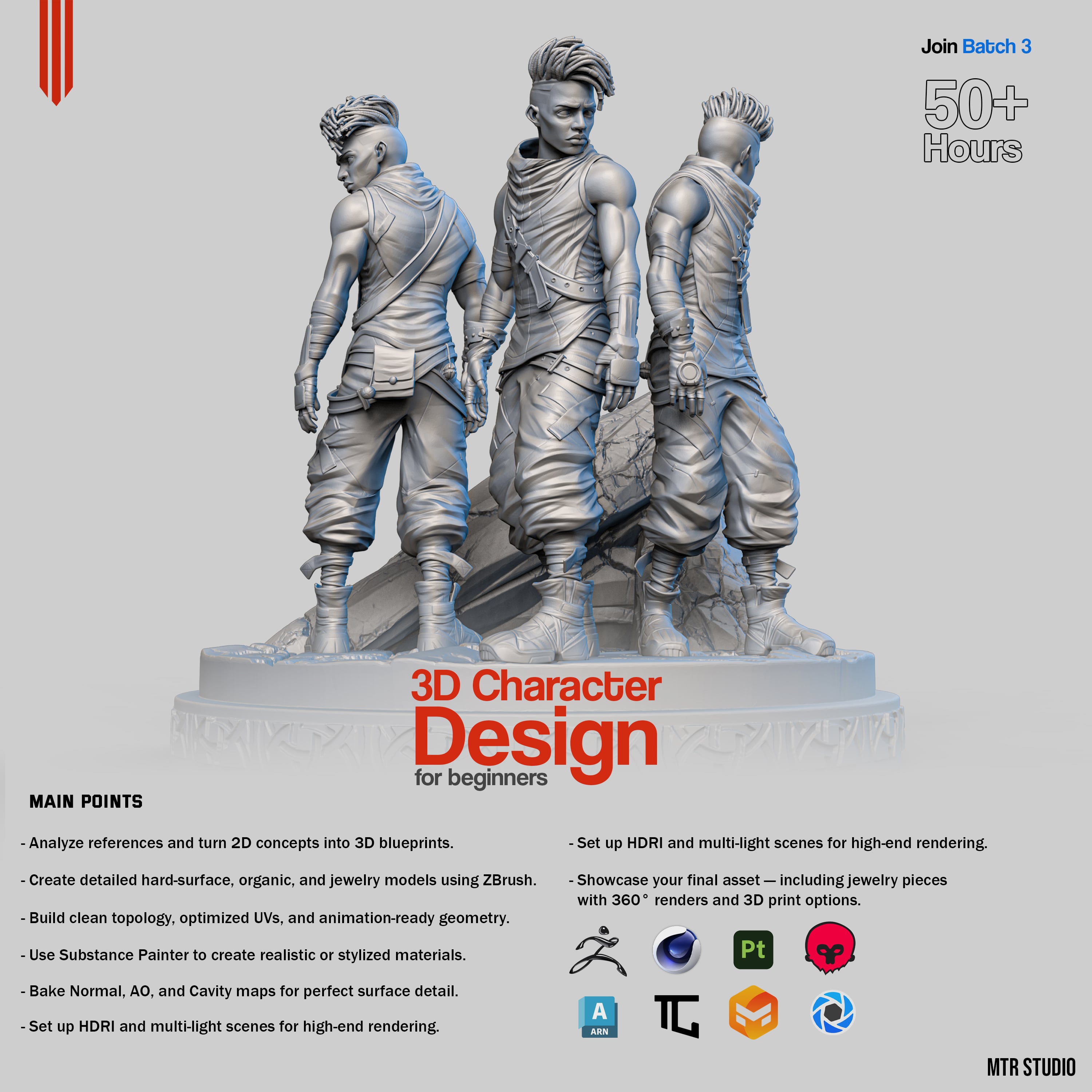


3D Character Design for beginners - تصميم شخصيه ثري دي للمبتدئين
What You Will Learn in This Course
Understand References and Concepts: Learn how to study references and really understand the concept so you can plan your design properly before you start sculpting.
Sculpt Heads, Bodies, and Faces: Step-by-step guidance in ZBrush to sculpt heads, bodies, and facial features in a simple and practical way.
Blockout to Details: Start with the basic shape (blockout) and gradually add mid to high-level details to make your character look polished.
Texturing and Materials: Add textures and materials to make your character realistic or stylized, depending on your style.
Ready for Rendering and Game Engines: Prepare your characters to look great in renders and work perfectly in Unreal or Unity.
Exclusive Discord Community: Chat with the instructor and other students, ask questions, and get feedback.
Weekly Updates: Two new videos every week starting September, giving you over 20 hours of learning.
Practical Tips Throughout: Get advice, tips, and guidance all the way through so you learn efficiently and avoid common mistakes.
Perfect for Beginners and Hobbyists: Even if you’re new, this course will take you from concept to final render and help you build a professional portfolio.
Fun Challenges and Exercises: Test your skills with exercises that let you apply what you’ve learned and show your progress.
Turntables and 360 Showcase: Make professional 360-degree videos to present your characters like a pro.
Cinema 4D Integration: Import your characters and add environments or simple animations.
Lighting and HDRI Techniques: Learn how to light your scenes to make your characters pop.
Professional Workflow Secrets: Discover tips used by pros in games and movies, and learn to prepare characters ready for portfolio or real projects.
Retopology for Animation: Make your models animation-ready with clean topology for smooth rigging and rendering.
15.Baking Maps: Learn to bake Normal, AO, and Cavity maps for realistic results.
Workflow Tips to Save Time: Practical advice to work faster, avoid errors, and improve your overall workflow.
3D Character Design for beginners - تصميم شخصيه ثري دي للمبتدئين

Ankh Desk Organizer Egyptian Setup
.jpg&w=3840&q=75)
Abstract Lion/Cheetah Head – Modern 3D Print Decor
.jpg&w=3840&q=75)
Oni Mask - Japanese Demon Mask - Free
.jpg&w=3840&q=75)
Duck Threat - (Free)
.jpg&w=3840&q=75)
Throne of the Damned – Gothic Skull Goblet
.jpg&w=3840&q=75)
Emily the Corpse Bride – Fan Art (Free)

E-11 Blaster - Star Wars Cosplay Prop Kit | No Supports, No AMS, No Glue
.gif&w=3840&q=75)
Owlfonso the Owl – Ice Pint Holder

Baby Pumpkin Spice Cookie Dragon

Feather Dragon - Hatchling

Pawblo , the Icepint Holding Polar Bear

The Rail - Grow Light Attachment

GAMES BOOK V2 | SWITCH, DS, 3DS, SD CARD & MICRO SD

Fire Dragon - Hatchling
Baby Chocolate Chip Cookie Dragon
.png&w=3840&q=75)
Night Light Lilies - The Lily of the Valley Night Light

Bramble , the Bat Ice Pint Holder

Smores Dragon

Cable Organiser USBC 1x1 - Cargo Attachment