Ruven B
RuvenBals14K followers
RuvenBals
RuvenBals
|
Image 1 of 6
Infinity Cube - Print in Place Fidget Toy 3d model
RuvenBals
RuvenBals
|
Image 1 of 6
Infinity Cube - Print in Place Fidget Toy 3d model

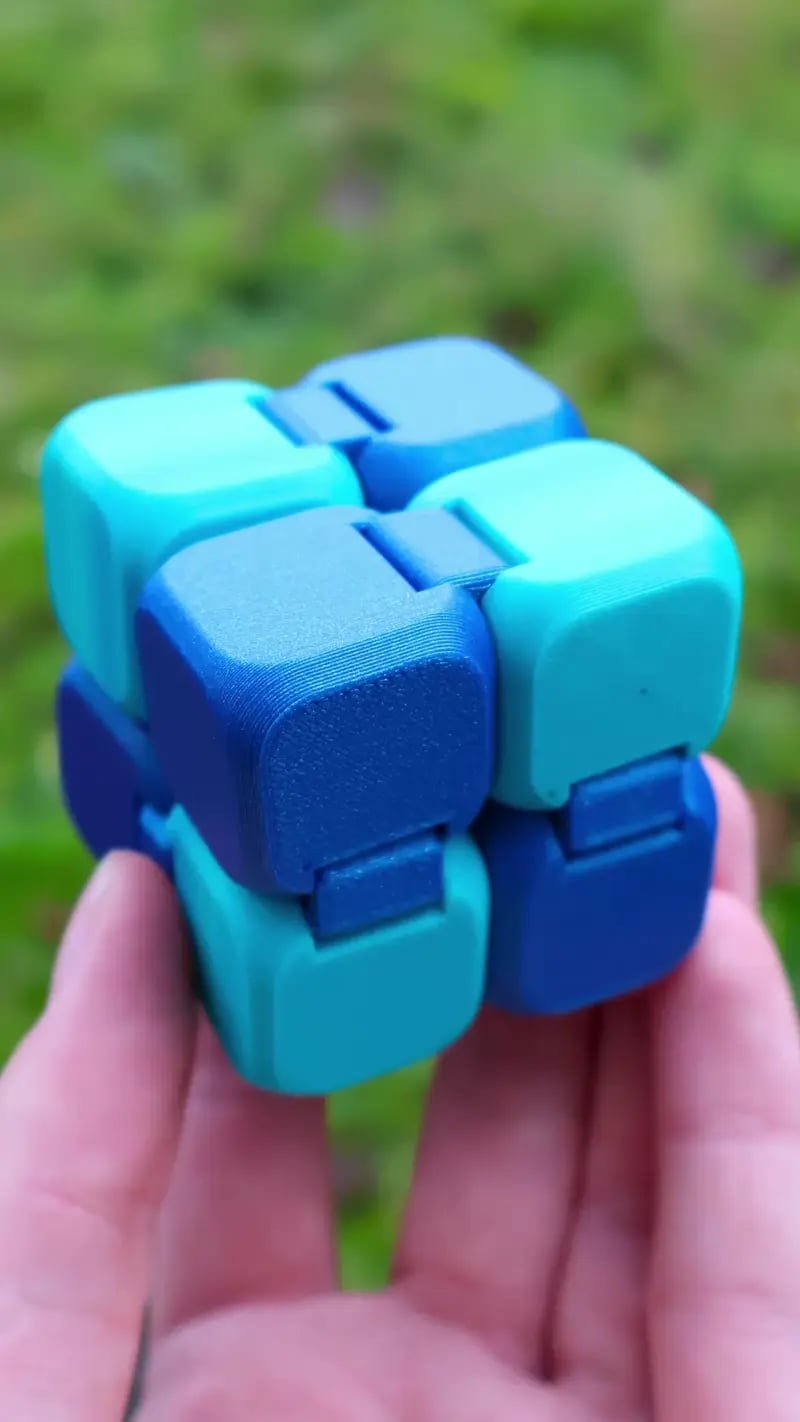
Infinity Cube - Print in Place Fidget Toy

This model is restricted by licensing terms. 

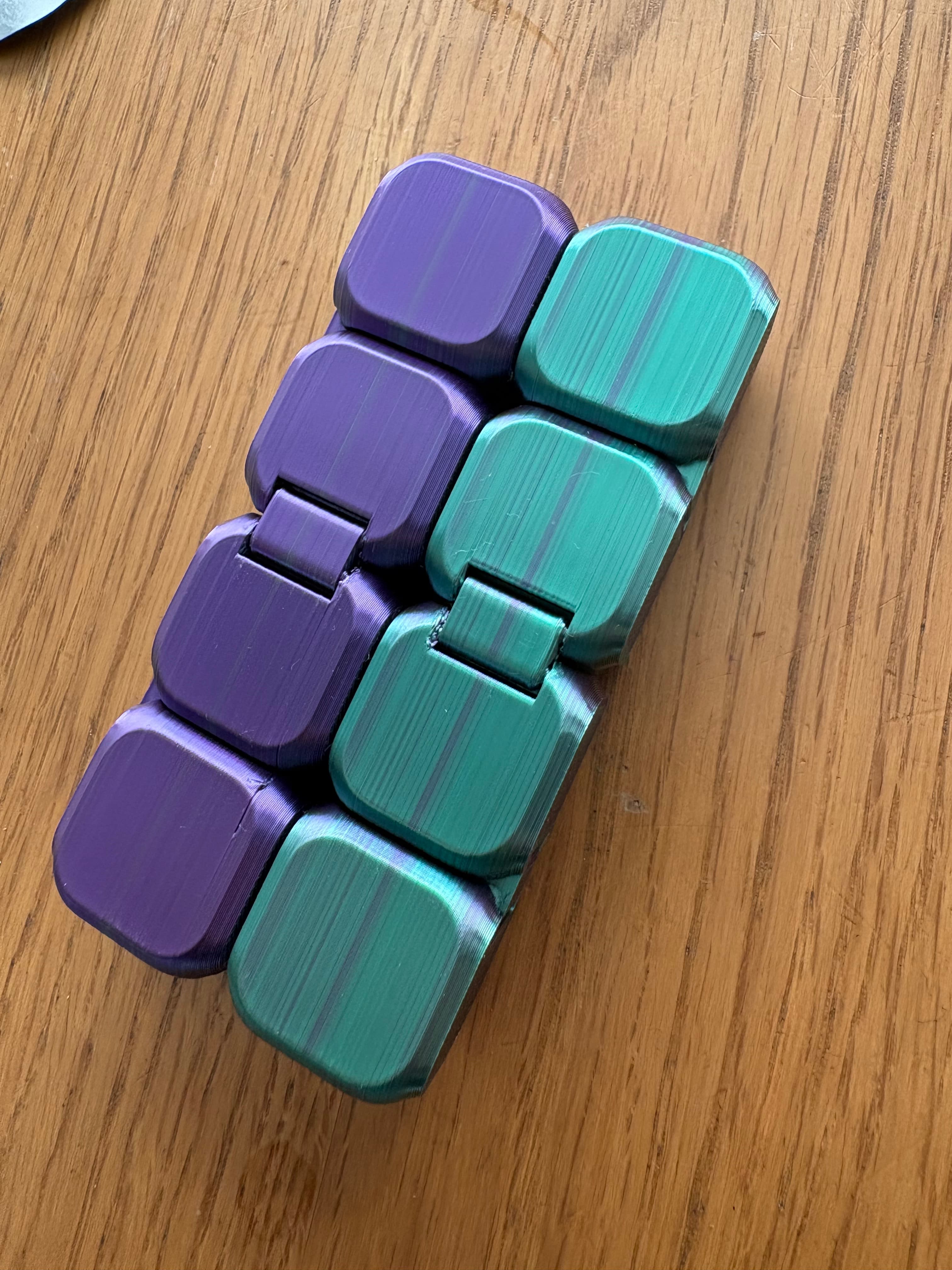
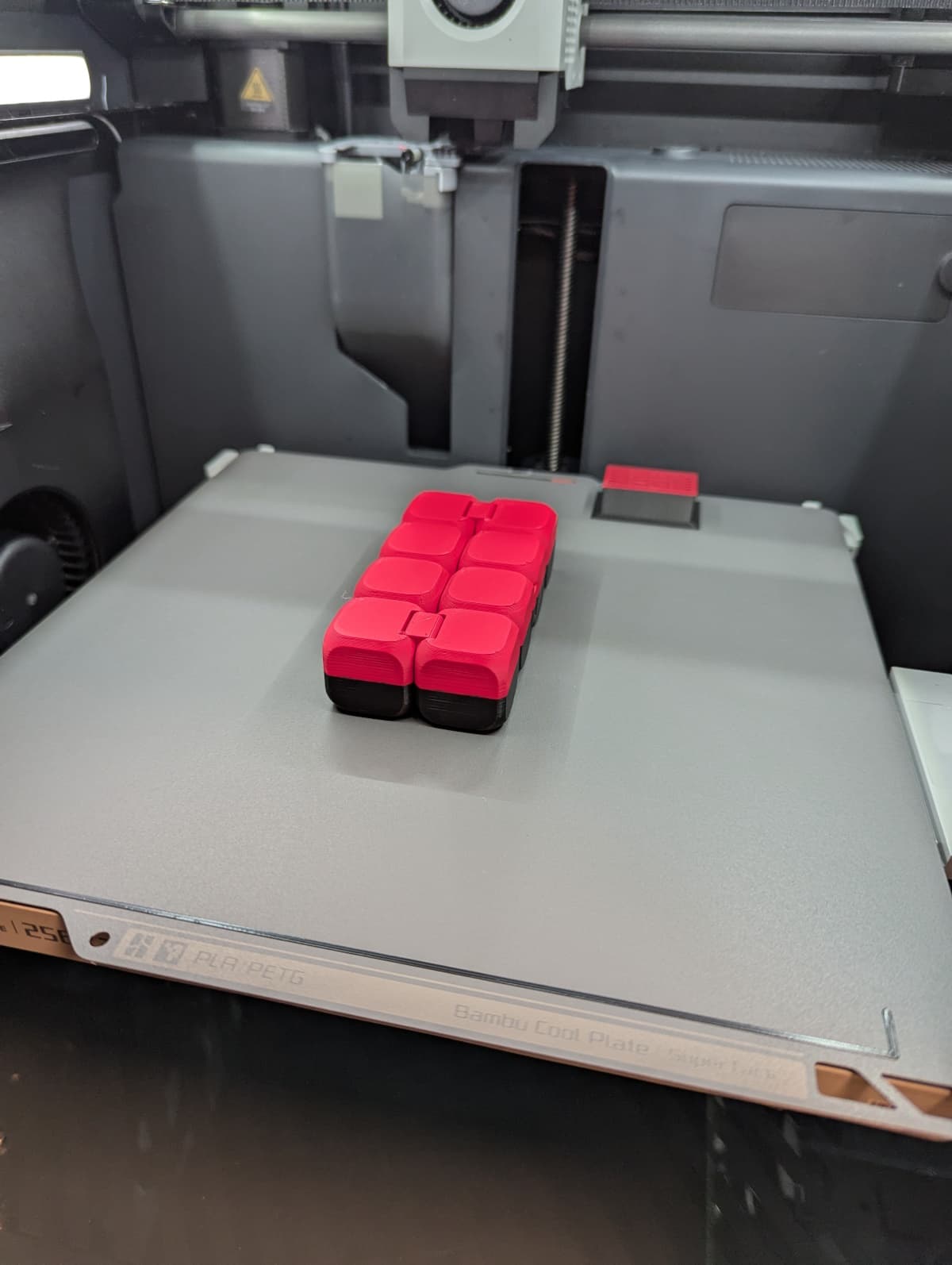
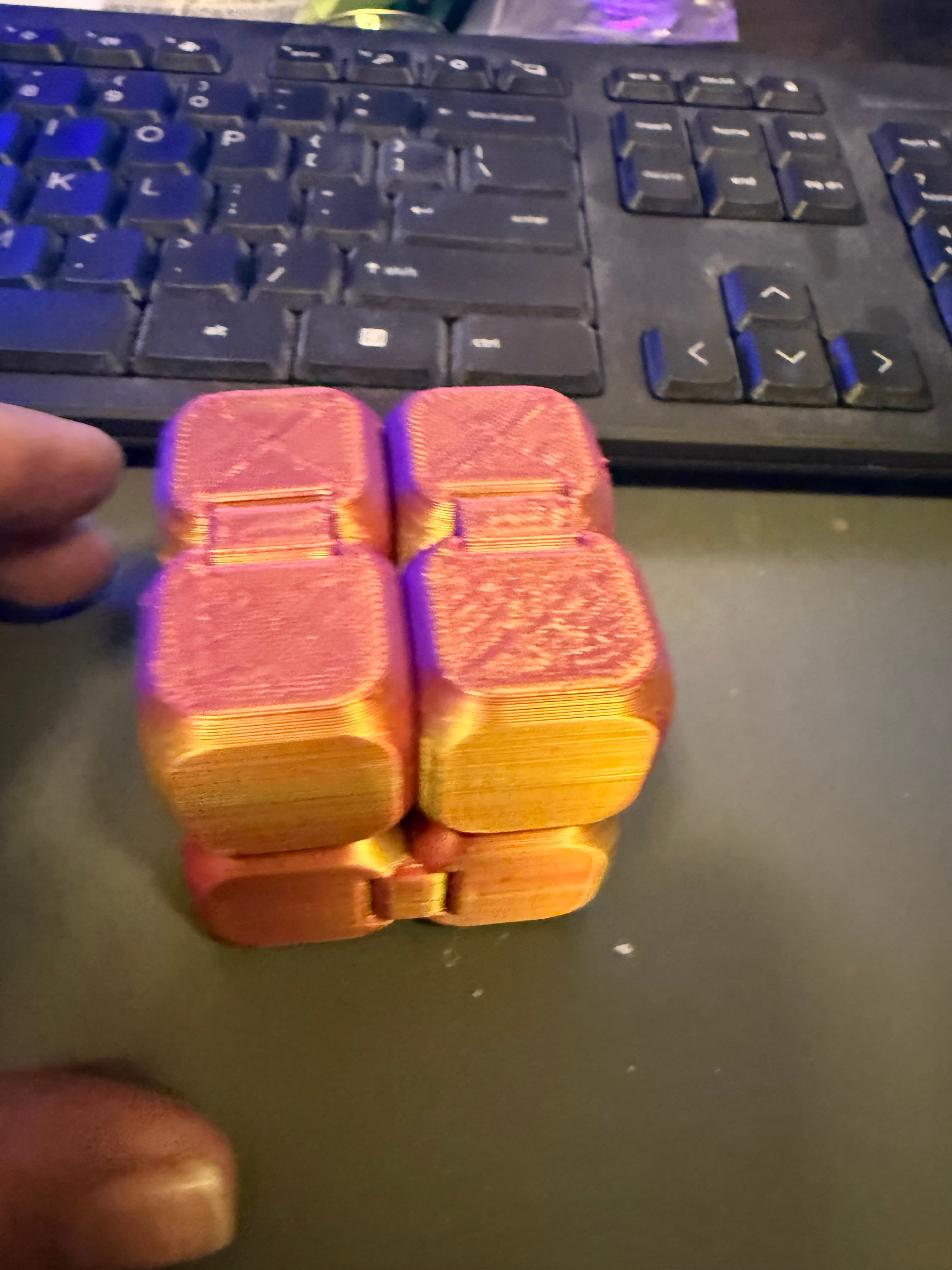
Hey, this is the infinity Cube. By now a well-known 3D-printed Fidget toy.

Print Settings: Standard for whatever you use. No supports.

Tips: Use 100% infill. The Heavier this thing is, the better the hinges work.

Troubleshooting: It's stuck and does not move. Try enabling bridge settings in your slicer. You can also try using another filament brand. Btw. this will not print in PETG.

Community Makes (9)
Make by user
I used 4 top and bottom layers, and 3 walls
Outer wall - 0,7 mm - 75 mm/s
Inner wall - 0,45 mm - 150 mm/s
Infill - 200 mm/s
Overhangs: 
100% - 5 mm/s
75% - 10 mm/s
50% - 15 mm/s
25% - 35mm/s
10% - 50mm/s

What did I do wrong that caused the part to completely fall apart?
Make by user
My print wasn't perfect, but it's still very cool. It's a very fun model.
Very nice toy, I set ironing on top surfaces and used bambu labs "super tack" plate to get an nice surface on all sides.
I should properly have used 100% infill but it still came out great and is nice to handle.
So I printed one all in gray PLA and my wife said, it's neat but the cubes need to be different colors.  I do have 8 color capability but there was no way I was going to print with 8 color changes per layer!  So I tried standing the model on end and printing with 3 color changes.  I didn't really think it would work but it actually works perfectly.  There are some rough finishes on the bottom of some of the cubes - but nothing I feel needs sanding.  Great model.  By the way...I used the .stl file as I detest 3mf.
This is the best infinity cube we have printed so far! It is so well designed. Each one we printed so far are strong, and hold together a lot better. The joints are tight and the edges are nicely rounded.
Every time I print this the top hinges don't fill in correctly.  Suggestions? Everything else does great and it still works. Just doesn't look as good.  I would love to ne able to print the way it should.
Absolutely love this model. My kids want more! Thank you
Make by user
I used 4 top and bottom layers, and 3 walls
Outer wall - 0,7 mm - 75 mm/s
Inner wall - 0,45 mm - 150 mm/s
Infill - 200 mm/s
Overhangs: 
100% - 5 mm/s
75% - 10 mm/s
50% - 15 mm/s
25% - 35mm/s
10% - 50mm/s

What did I do wrong that caused the part to completely fall apart?
Make by user
My print wasn't perfect, but it's still very cool. It's a very fun model.
Very nice toy, I set ironing on top surfaces and used bambu labs "super tack" plate to get an nice surface on all sides.
I should properly have used 100% infill but it still came out great and is nice to handle.
So I printed one all in gray PLA and my wife said, it's neat but the cubes need to be different colors.  I do have 8 color capability but there was no way I was going to print with 8 color changes per layer!  So I tried standing the model on end and printing with 3 color changes.  I didn't really think it would work but it actually works perfectly.  There are some rough finishes on the bottom of some of the cubes - but nothing I feel needs sanding.  Great model.  By the way...I used the .stl file as I detest 3mf.
This is the best infinity cube we have printed so far! It is so well designed. Each one we printed so far are strong, and hold together a lot better. The joints are tight and the edges are nicely rounded.
Every time I print this the top hinges don't fill in correctly.  Suggestions? Everything else does great and it still works. Just doesn't look as good.  I would love to ne able to print the way it should.
Absolutely love this model. My kids want more! Thank you


Community Makes (9)
Make by user
I used 4 top and bottom layers, and 3 walls
Outer wall - 0,7 mm - 75 mm/s
Inner wall - 0,45 mm - 150 mm/s
Infill - 200 mm/s
Overhangs: 
100% - 5 mm/s
75% - 10 mm/s
50% - 15 mm/s
25% - 35mm/s
10% - 50mm/s

What did I do wrong that caused the part to completely fall apart?
Make by user
My print wasn't perfect, but it's still very cool. It's a very fun model.
Very nice toy, I set ironing on top surfaces and used bambu labs "super tack" plate to get an nice surface on all sides.
I should properly have used 100% infill but it still came out great and is nice to handle.
So I printed one all in gray PLA and my wife said, it's neat but the cubes need to be different colors.  I do have 8 color capability but there was no way I was going to print with 8 color changes per layer!  So I tried standing the model on end and printing with 3 color changes.  I didn't really think it would work but it actually works perfectly.  There are some rough finishes on the bottom of some of the cubes - but nothing I feel needs sanding.  Great model.  By the way...I used the .stl file as I detest 3mf.
This is the best infinity cube we have printed so far! It is so well designed. Each one we printed so far are strong, and hold together a lot better. The joints are tight and the edges are nicely rounded.
Every time I print this the top hinges don't fill in correctly.  Suggestions? Everything else does great and it still works. Just doesn't look as good.  I would love to ne able to print the way it should.
Absolutely love this model. My kids want more! Thank you
Make by user
I used 4 top and bottom layers, and 3 walls
Outer wall - 0,7 mm - 75 mm/s
Inner wall - 0,45 mm - 150 mm/s
Infill - 200 mm/s
Overhangs: 
100% - 5 mm/s
75% - 10 mm/s
50% - 15 mm/s
25% - 35mm/s
10% - 50mm/s

What did I do wrong that caused the part to completely fall apart?
Make by user
My print wasn't perfect, but it's still very cool. It's a very fun model.
Very nice toy, I set ironing on top surfaces and used bambu labs "super tack" plate to get an nice surface on all sides.
I should properly have used 100% infill but it still came out great and is nice to handle.
So I printed one all in gray PLA and my wife said, it's neat but the cubes need to be different colors.  I do have 8 color capability but there was no way I was going to print with 8 color changes per layer!  So I tried standing the model on end and printing with 3 color changes.  I didn't really think it would work but it actually works perfectly.  There are some rough finishes on the bottom of some of the cubes - but nothing I feel needs sanding.  Great model.  By the way...I used the .stl file as I detest 3mf.
This is the best infinity cube we have printed so far! It is so well designed. Each one we printed so far are strong, and hold together a lot better. The joints are tight and the edges are nicely rounded.
Every time I print this the top hinges don't fill in correctly.  Suggestions? Everything else does great and it still works. Just doesn't look as good.  I would love to ne able to print the way it should.
Absolutely love this model. My kids want more! Thank you

Discussions
Hil-Top D
hiltopdesign
This is the best infinity cube we have printed so far! It is so well designed. Each one we printed so far are strong, and hold together a lot better. The joints are tight and the edges are nicely rounded.
This is the best infinity cube we have printed so far! It is so well designed. Each one we printed so far are strong, and hold together a lot better. The joints are tight and the edges are nicely rounded. 3d model
 3d model
 3d model
 3d model
PrinterCreality K1
Print bed sizeX: 220 mm; Y: 220 mm; Z: 250 mm
MaterialPETG
Layer height0.16 mm
Infill density15 %
B
bobbyg2018
So I printed one all in gray PLA and my wife said, it's neat but the cubes need to be different colors. I do have 8 color capability but there was no way I was going to print with 8 color changes per layer! So I tried standing the model on end and printing with 3 color changes. I didn't really think it would work but it actually works perfectly. There are some rough finishes on the bottom of some of the cubes - but nothing I feel needs sanding. Great model. By the way...I used the .stl file as I detest 3mf.
So I printed one all in gray PLA and my wife said, it's neat but the cubes need to be different colors.  I do have 8 color capability but there was no way I was going to print with 8 color changes per layer!  So I tried standing the model on end and printing with 3 color changes.  I didn't really think it would work but it actually works perfectly.  There are some rough finishes on the bottom of some of the cubes - but nothing I feel needs sanding.  Great model.  By the way...I used the .stl file as I detest 3mf. 3d model
PrinterBambu Lab P1S
M
MrMM

Did you use any supports? as there are some large floating regions with that orientation. I tried it and it failed at the 3rd level.

C
cluna92377
Absolutely love this model. My kids want more! Thank you
Absolutely love this model. My kids want more! Thank you  3d model
 3d model
PrinterBambu Lab P1P
D
DesertJake
My print wasn't perfect, but it's still very cool. It's a very fun model.
My print wasn't perfect, but it's still very cool. It's a very fun model. 3d model
 3d model
MaterialPLA
Layer height0.2 mm
Infill density50 %
SupportsNone
BrimNo
Ryan H
MonkPrints

Will not print in PETG you say? Challenge accepted lol

M
MrMM
Very nice toy, I set ironing on top surfaces and used bambu labs "super tack" plate to get an nice surface on all sides. I should properly have used 100% infill but it still came out great and is nice to handle.
Very nice toy, I set ironing on top surfaces and used bambu labs "super tack" plate to get an nice surface on all sides.
I should properly have used 100% infill but it still came out great and is nice to handle. 3d model
PrinterBambu Lab P1S
Print bed sizeX: 256 mm; Y: 256 mm; Z: 256 mm
MaterialPLA
Layer height0.2 mm
Infill density50 %
Luis F
Nice sound X
 3d model
X
xstumpyx
 3d model
 3d model
PrinterBambu Lab A1 mini
X
xstumpyx

Any idea how i can print this without the hinges going like this each time

James O
jamesosteen1984

same problem im having on an a1 mini. Same two joints keep doing that

S
silkstg

Any chance you could add the hinges as a separate file? I've printed it twice trying different settings and both times the top hinges didn't work (I'm blaming the printer/user error not the file). Seeing as how easily they pop out, they should be relatively easy to pop back in... Pretty please?

S
silkstg

I was bored earlier and ended up cutting out one of the hinges with meshmixer, then through trial and error sized it to slot in. They're a bit loose and can come out at times but the kids are happy! If ever you come up with a push in hinge that would stay in, let me know!

studiodave56
studiodave56

Printed this in PETG which I print all the time and make great pieces, I found that this infinity cube will probably not print well without much fighting with settings that actually work for everything else. The problem is the pin part of the hinges are too short and too small. They pop out before the hinge starts to move. They are more of a dimple than a pin. Fix the sizes and you probably can print with 15% infill. Ender 3v2 NEO .6 nozzle

T
TheGardenWorkshop

Same problem in PLA with 15% infill. The pin part of the hinges is too short and too small and the hinges come apart when pulled slightly as a result. I like the design, but I will not make it anymore, unless there is a fix.

View all 24 discussions

Infinity Cube - Print in Place Fidget Toy

7.3K downloads · 1 year ago in  and 
Ruven B
RuvenBals14K followers
This model is restricted by licensing terms.Â