
Micropolitan
Micropolitan7.6K followers
Follow
Micropolitan
Micropolitan
|
Image 1 of 8
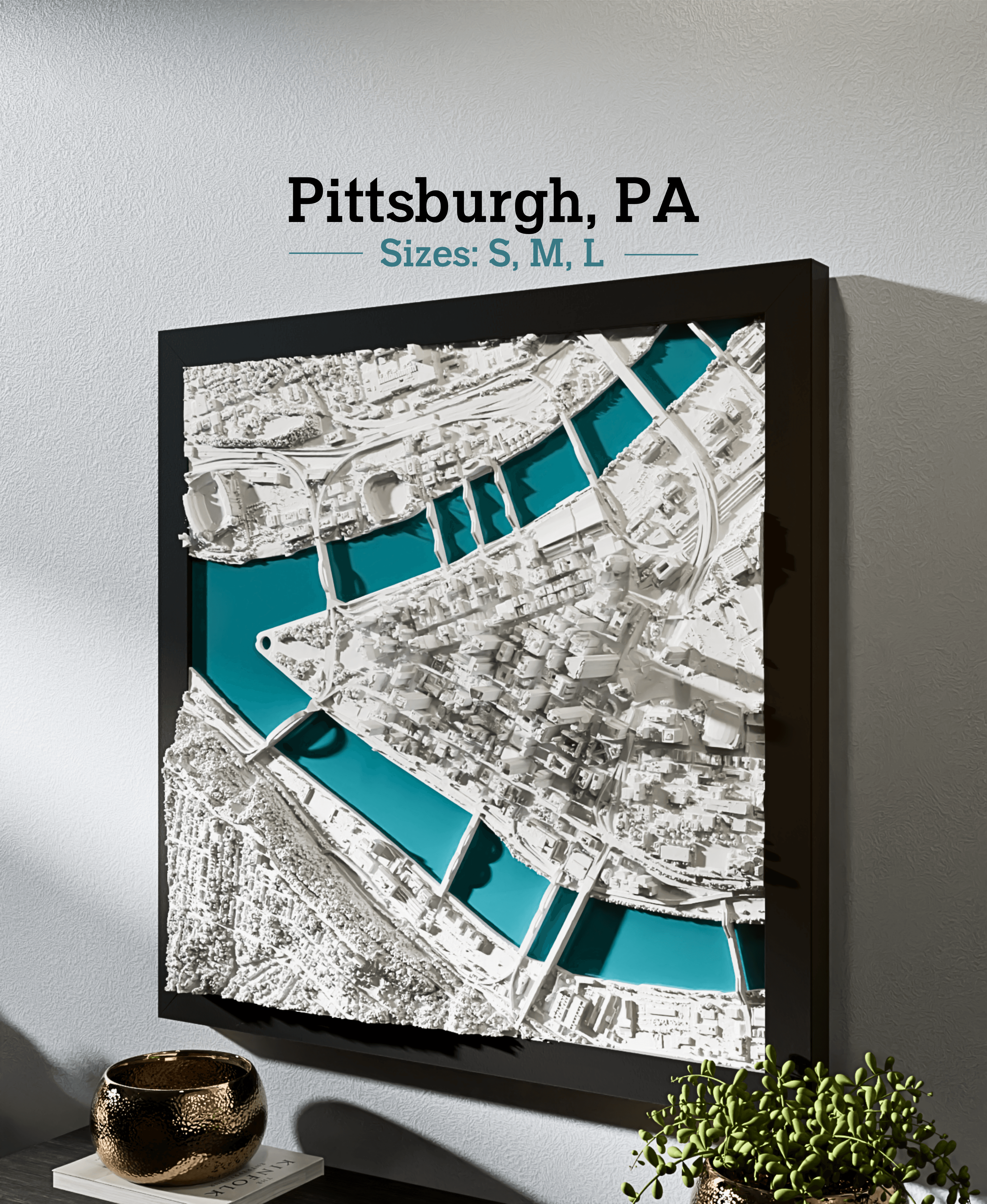
Pittsburgh, PA - S, M, & L 3d model
Micropolitan
Micropolitan
|
Image 1 of 8
Pittsburgh, PA - S, M, & L 3d model
Pittsburgh, PA - S, M, & L video thumbnail
Pittsburgh, PA - S, M, & L 3d model

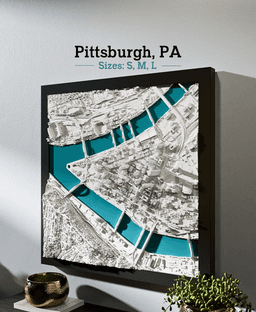
Pittsburgh, PA - S, M, & L

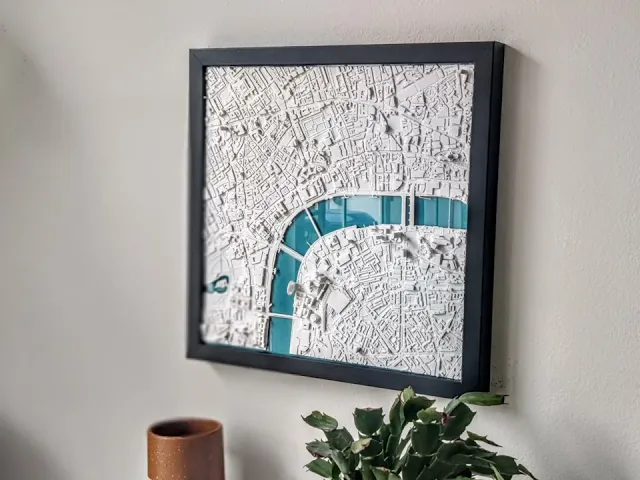
Bring the Pittsburgh skyline into your home in true 3D! These make for the perfect gift or home decor for residents, travelers, and admirers of the city.

This listing includes three different sizes - Small, Medium, and Large - with a solid base and with the water trimmed away.

These make for the perfect gift or home decor for residents, travelers, and admirers of the city.

Follow us to keep an eye on the new models we release each week!

Recommended filament: MICROPOLITAN Bright White PLA

Steps:

  1. Import the STL to your slicer.
  2. Scale the X or Y dimension to the desired size with 'Uniform scale' checked.
  3. Print as one-piece or split into tiles in the slicer for larger sizes.
  4. Slice and print!
  5. Set on shelf, tabletop, or hang on wall with sticky mounting strips.
  6. Optionally, stylize it with a frame and background mat or multi-color print in your unique way!

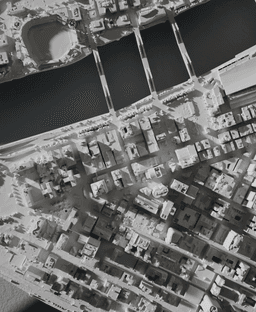
About the models These are the most detailed and accurate 3D-printable cityscape and landscape models available. Each is designed and optimized from Micropolitan's 5+ years of experience developing and selling 3D prints of iconic locations worldwide. Each model is designed by hand, using a combination of data and reference imagery. We use LiDAR and refine the architecture, block by block, using digital sculpting tools and satellite imagery. The models are then optimized for detail preservation while keeping the file size manageable for everyday computers.

Making your piece These make perfect centerpieces or collections for your home, to document your travels, or as distinct and unique gifts. Many design options are available - framed and unframed, for wall, tabletop or shelf display. They can be printed in a range of sizes with stunning detail, typically from 6"x6" up to 12"x12"+. The model can be cut into 4+ tiles to print and assemble a piece larger than your build plate.

  • Size: Scale to at least 150x150mm to preserve details.
  • Layer height: 0.18-0.25mm
  • Nozzle: 0.4-0.6mm
  • Infill: 15% Gyroid
  • Walls: Classic

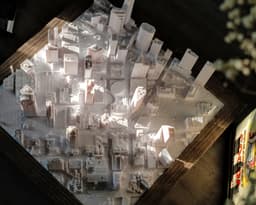
Styling and display These look great framed or unframed! They can be displayed on tabletops, shelves, or hung on the wall with mounting strips. They look best when lit from the side. Display near a window, lamp or downlight to make the 3D features pop.

Materials Filament: For a minimalist look and best grayscale shadowing, use a matte white PLA. Marble and silky filaments are also popular looks. Frames: Choose a frame or shadow box that fits your print dimensions.

This 3D model was developed with reference data sources and satellite imagery from OpenStreetMap © OpenStreetMap contributors and USGS 3DEP.

Community Makes (1)
I printed the solid water version of this file at 200 mm per side (X and Y), and started with SUNLU PLA Silk Light Gold filament from layers 0 to 13 for each of the 4 plates, and all layers beyond that were printed with the SUNLU Black PLA filament. I did have ironing on for top surfaces only (hoping that the line pattern and z-seam on the rivers would be eliminated), but it didn't seem to do all that much good unfortunately.

Still thrilled with how it turned out! Black and gold baybee!! Turned out magnificent!

One note; the original file for this model has a deformed 'chip' taken out of a section at the Point, at the confluence of the three rivers. I had to ask a friend to correct the "chip" taken out of the point for me, before I was able to print this.
I printed the solid water version of this file at 200 mm per side (X and Y), and started with SUNLU PLA Silk Light Gold filament from layers 0 to 13 for each of the 4 plates, and all layers beyond that were printed with the SUNLU Black PLA filament. I did have ironing on for top surfaces only (hoping that the line pattern and z-seam on the rivers would be eliminated), but it didn't seem to do all that much good unfortunately.

Still thrilled with how it turned out! Black and gold baybee!! Turned out magnificent!

One note; the original file for this model has a deformed 'chip' taken out of a section at the Point, at the confluence of the three rivers. I had to ask a friend to correct the "chip" taken out of the point for me, before I was able to print this.


Community Makes (1)
I printed the solid water version of this file at 200 mm per side (X and Y), and started with SUNLU PLA Silk Light Gold filament from layers 0 to 13 for each of the 4 plates, and all layers beyond that were printed with the SUNLU Black PLA filament. I did have ironing on for top surfaces only (hoping that the line pattern and z-seam on the rivers would be eliminated), but it didn't seem to do all that much good unfortunately.

Still thrilled with how it turned out! Black and gold baybee!! Turned out magnificent!

One note; the original file for this model has a deformed 'chip' taken out of a section at the Point, at the confluence of the three rivers. I had to ask a friend to correct the "chip" taken out of the point for me, before I was able to print this.
I printed the solid water version of this file at 200 mm per side (X and Y), and started with SUNLU PLA Silk Light Gold filament from layers 0 to 13 for each of the 4 plates, and all layers beyond that were printed with the SUNLU Black PLA filament. I did have ironing on for top surfaces only (hoping that the line pattern and z-seam on the rivers would be eliminated), but it didn't seem to do all that much good unfortunately.

Still thrilled with how it turned out! Black and gold baybee!! Turned out magnificent!

One note; the original file for this model has a deformed 'chip' taken out of a section at the Point, at the confluence of the three rivers. I had to ask a friend to correct the "chip" taken out of the point for me, before I was able to print this.

Discussions
Nulion
Nulion
I printed the solid water version of this file at 200 mm per side (X and Y), and started with SUNLU PLA Silk Light Gold filament from layers 0 to 13 for each of the 4 plates, and all layers beyond that were printed with the SUNLU Black PLA filament. I did have ironing on for top surfaces only (hoping that the line pattern and z-seam on the rivers would be eliminated), but it didn't seem to do all that much good unfortunately. Still thrilled with how it turned out! Black and gold baybee!! Turned out magnificent! One note; the original file for this model has a deformed 'chip' taken out of a section at the Point, at the confluence of the three rivers. I had to ask a friend to correct the "chip" taken out of the point for me, before I was able to print this.
I printed the solid water version of this file at 200 mm per side (X and Y), and started with SUNLU PLA Silk Light Gold filament from layers 0 to 13 for each of the 4 plates, and all layers beyond that were printed with the SUNLU Black PLA filament. I did have ironing on for top surfaces only (hoping that the line pattern and z-seam on the rivers would be eliminated), but it didn't seem to do all that much good unfortunately.

Still thrilled with how it turned out! Black and gold baybee!! Turned out magnificent!

One note; the original file for this model has a deformed 'chip' taken out of a section at the Point, at the confluence of the three rivers. I had to ask a friend to correct the "chip" taken out of the point for me, before I was able to print this. 3d model
 3d model
PrinterBambu Lab P1S
Print bed sizeX: 256 mm; Y: 256 mm; Z: 256 mm
MaterialPLA
Layer height0.2 mm
Infill density15 %

Pittsburgh, PA - S, M, & L

67 downloads · 2 years ago in 
Micropolitan
Micropolitan7.6K followers
Follow