K2_Kevin
K2_Kevin8.8K followers
K2_Kevin
K2_Kevin
|
Image 1 of 8
MakerChip - Maker Chip - The New Maker Coin 3d model
K2_Kevin
K2_Kevin
|
Image 1 of 8
MakerChip - Maker Chip - The New Maker Coin 3d model

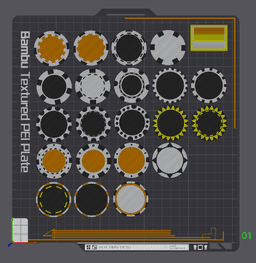
MakerChip - Maker Chip - The New Maker Coin

This model is restricted by licensing terms. 

Full collection of MakerChips click here!

Come visit the MakerChip Booth at 3DPrintopia 2025 and share your MakerChips! Join the “MakerChip Mania Collector Contest" - Sponsored by Polymaker

MakerChips! 21 Styles for your customizing pleasure! (More “decorations” coming soon, be sure follow & check back.)

DIY Instructions: Open Bambu Studio Drag/Drop the Base Circle into slicer - K2_MakerChip_v1-Back.stl. Add the version of Chip Decoration you want to use. Center the Chip decoration Switch to Objects view (In the Process dialog box in the slicer - Photo Included) Select objects, right click and Assemble. Slice to check your MakerChip Top and Bottom!

Adding your own logo: Create your logo as STL, Logo z-height only needs to be 0.6mm to 0.8mm. Size your logo to fit your Maker Chip. You can scale, but be sure to maintain your .8mm height. In the Objects view, select your logo and select the assembly, right click and merge/combine. Slice to verify you completed this correctly, and Print!

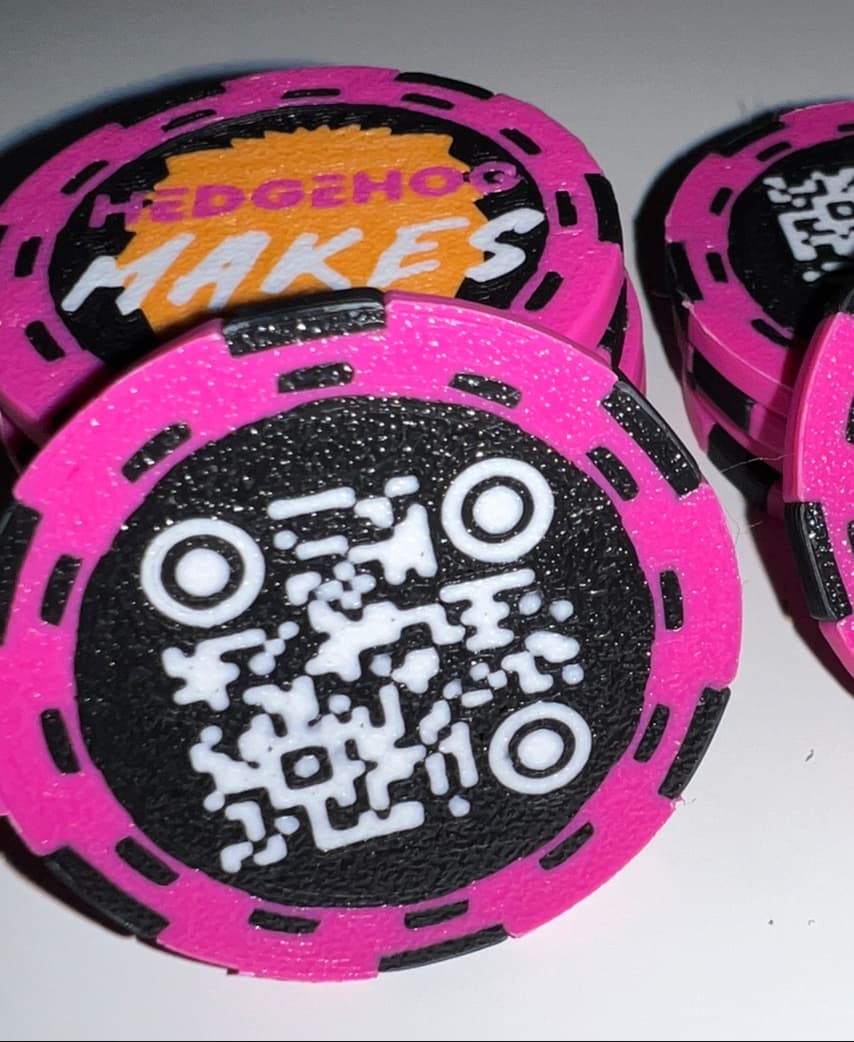
Adding your own QR Code: I've had great success using: https://genqrcode.com/generator/stl to create QRCodes.

  1. Create your QR code as STL
  2. Size is 26mm for most chips (you can always scale in the slicer)
  3. QR-Code z-height only need to be 0.6mm to 0.8mm.
  4. Size your logo to fit your Maker Chip. You can scale, but be sure to maintain your .8mm height.
  5. In the Objects view, select your QR-Code and select the assembly, right click and merge/combine.
  6. Now use the MOVE option in slicer to move the QR code up until its just peaks through the top layer.
  7. You can also flip your chip, and place the QR code on the bottom (so it's “easy even” with the layer), dont forget to flip it back over once merged.
  8. Slice to verify you completed this correctly, and Print!

NFC CHIP: (Internal - Placed inside your MakerChip)

  • Using sample profile I provided. (NFC MakerChip Sample)
  • You will notice I added a Generic-Cylinder. This is a negative space modifier that provides a 1mm x 25mm circle space in the center of the chip.
  • You will also notice a PAUSE (After you slice) at layer 10.
  • Send to printer…
  • When your Printer pauses, you insert your NFC TAG. I prefer to use the adhesive NFC tags, so the printer fans don't cause NFC Tags to move after placed.
  • After the Pause, you will noticed the printer will start the next layer which bridges over your NFC Tag, very little if any contact with your NFC Tag and the Hot Nozzle.
Community Makes (5)
Such a great model! Thank you so much! We printed this in Cura with a Dual Extrusion printer during a Twitch Stream. We got the colors on there with Direct to Film Sheets. If you are interested in a highlight, you can watch it here: https://www.youtube.com/shorts/UCGVAXMEzKA
Hi Kevin, printed some as shown as a dog tag for our dog with our details in the QR but can't manage to get the QR readable, looks a bit messy.  Same happened when I printed one of yours. Followed your instructions, so am not sure what I'm missing on. Any help will be greatly appreciated. Thanks for sharing.
Make by user
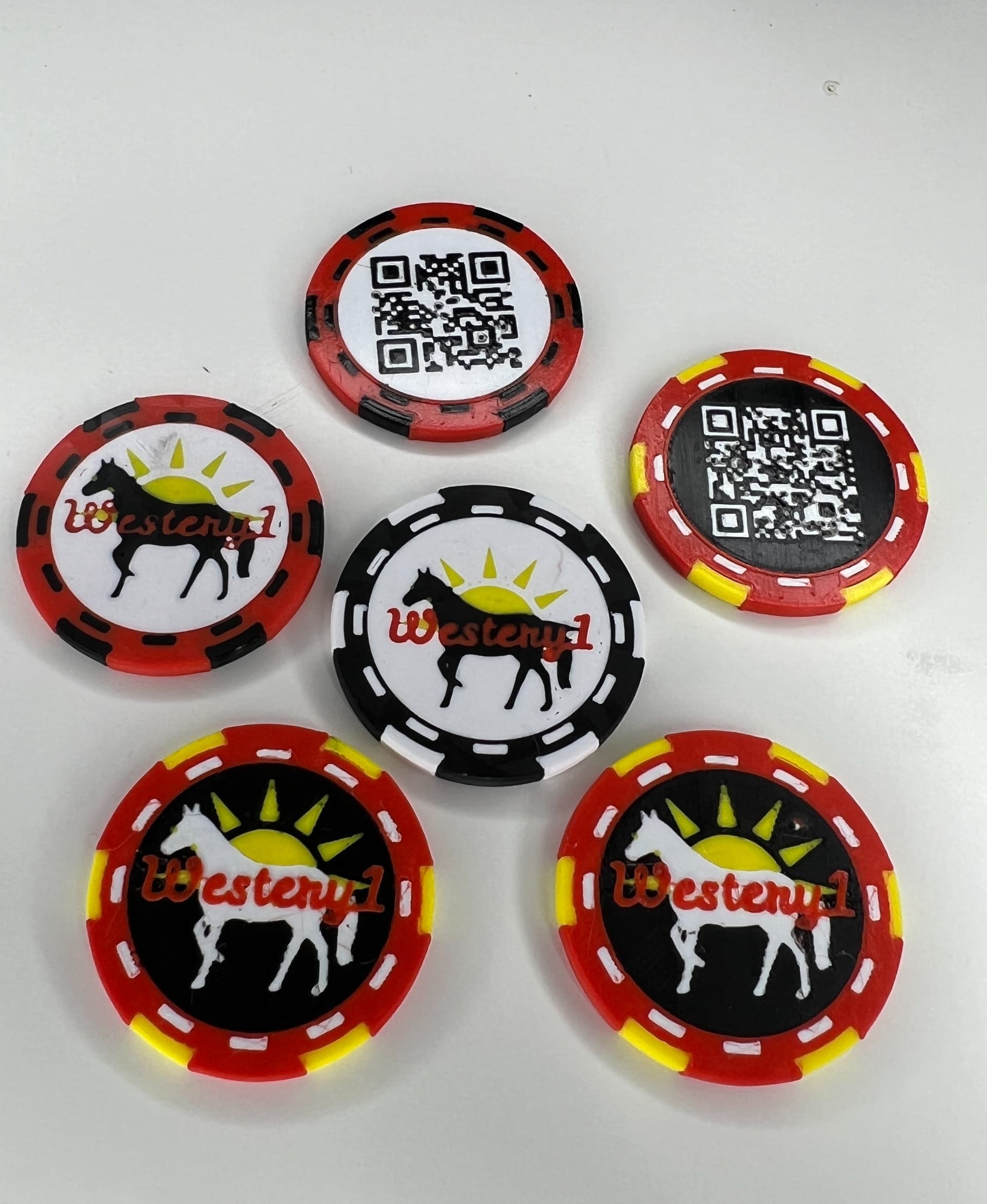
MakerChip for Westery1
Created a remix for ZombieHedgehog

https://than.gs/m/1050241
Such a great model! Thank you so much! We printed this in Cura with a Dual Extrusion printer during a Twitch Stream. We got the colors on there with Direct to Film Sheets. If you are interested in a highlight, you can watch it here: https://www.youtube.com/shorts/UCGVAXMEzKA
Hi Kevin, printed some as shown as a dog tag for our dog with our details in the QR but can't manage to get the QR readable, looks a bit messy.  Same happened when I printed one of yours. Followed your instructions, so am not sure what I'm missing on. Any help will be greatly appreciated. Thanks for sharing.
Make by user
MakerChip for Westery1
Created a remix for ZombieHedgehog

https://than.gs/m/1050241


Community Makes (5)
Such a great model! Thank you so much! We printed this in Cura with a Dual Extrusion printer during a Twitch Stream. We got the colors on there with Direct to Film Sheets. If you are interested in a highlight, you can watch it here: https://www.youtube.com/shorts/UCGVAXMEzKA
Hi Kevin, printed some as shown as a dog tag for our dog with our details in the QR but can't manage to get the QR readable, looks a bit messy.  Same happened when I printed one of yours. Followed your instructions, so am not sure what I'm missing on. Any help will be greatly appreciated. Thanks for sharing.
Make by user
MakerChip for Westery1
Created a remix for ZombieHedgehog

https://than.gs/m/1050241
Such a great model! Thank you so much! We printed this in Cura with a Dual Extrusion printer during a Twitch Stream. We got the colors on there with Direct to Film Sheets. If you are interested in a highlight, you can watch it here: https://www.youtube.com/shorts/UCGVAXMEzKA
Hi Kevin, printed some as shown as a dog tag for our dog with our details in the QR but can't manage to get the QR readable, looks a bit messy.  Same happened when I printed one of yours. Followed your instructions, so am not sure what I'm missing on. Any help will be greatly appreciated. Thanks for sharing.
Make by user
MakerChip for Westery1
Created a remix for ZombieHedgehog

https://than.gs/m/1050241

Discussions
Fabricat 3
Fabricat3D
MakerChip for Westery1
MakerChip for Westery1 3d model
D
D1Bobbyg
Hi Kevin, printed some as shown as a dog tag for our dog with our details in the QR but can't manage to get the QR readable, looks a bit messy. Same happened when I printed one of yours. Followed your instructions, so am not sure what I'm missing on. Any help will be greatly appreciated. Thanks for sharing.
Hi Kevin, printed some as shown as a dog tag for our dog with our details in the QR but can't manage to get the QR readable, looks a bit messy.  Same happened when I printed one of yours. Followed your instructions, so am not sure what I'm missing on. Any help will be greatly appreciated. Thanks for sharing. 3d model
PrinterBambu Lab P1S
MaterialPLA
Layer height0.2 mm
Infill density100 %
Fabricat 3
Fabricat3D
Created a remix for ZombieHedgehog https://than.gs/m/1050241
Created a remix for ZombieHedgehog

https://than.gs/m/1050241 3d model
HellBz
HellBz
 3d model
 3d model
PrinterCreality K1 Max
Print bed sizeX: 350 mm; Y: 350 mm; Z: 350 mm
MaterialPLA
Layer height0.2 mm
Infill density18 %
Fabricat 3
Fabricat3D

What QR code generator did you use ? I like the circle generated QR Code. I just don't know where to find it.

Lily L
layerswithlily
Such a great model! Thank you so much! We printed this in Cura with a Dual Extrusion printer during a Twitch Stream. We got the colors on there with Direct to Film Sheets. If you are interested in a highlight, you can watch it here: https://www.youtube.com/shorts/UCGVAXMEzKA
Such a great model! Thank you so much! We printed this in Cura with a Dual Extrusion printer during a Twitch Stream. We got the colors on there with Direct to Film Sheets. If you are interested in a highlight, you can watch it here: https://www.youtube.com/shorts/UCGVAXMEzKA 3d model
 3d model
PrinterUltimaker S3
MaterialPLA
K2_Kevin
K2_Kevin

IMPORTANT: Looks like the OLD back (main circle) file version was still being download. Replaced it again. If you had issues with Z-height of chip, download NEW version.

G
Glassdweller

Hi, I'm using the settings from the file on here and seem to be getting some gapping in between the two colours (especially with the gear design) on the top of the chip. Ironing makes it marginally better, any tips?

S
SteepHill

Instead of maker coins or for some other purpose?

K2_Kevin
K2_Kevin

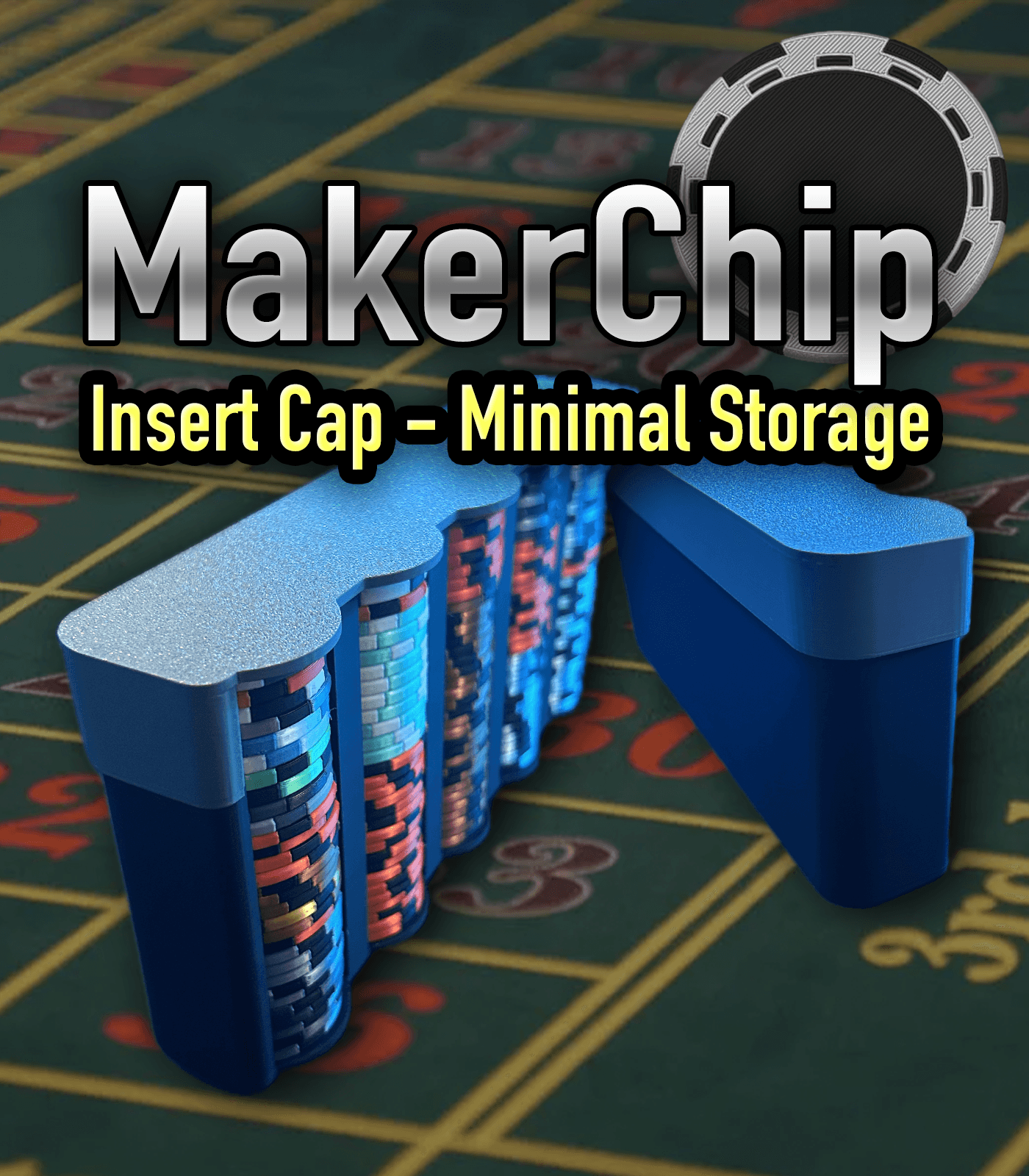
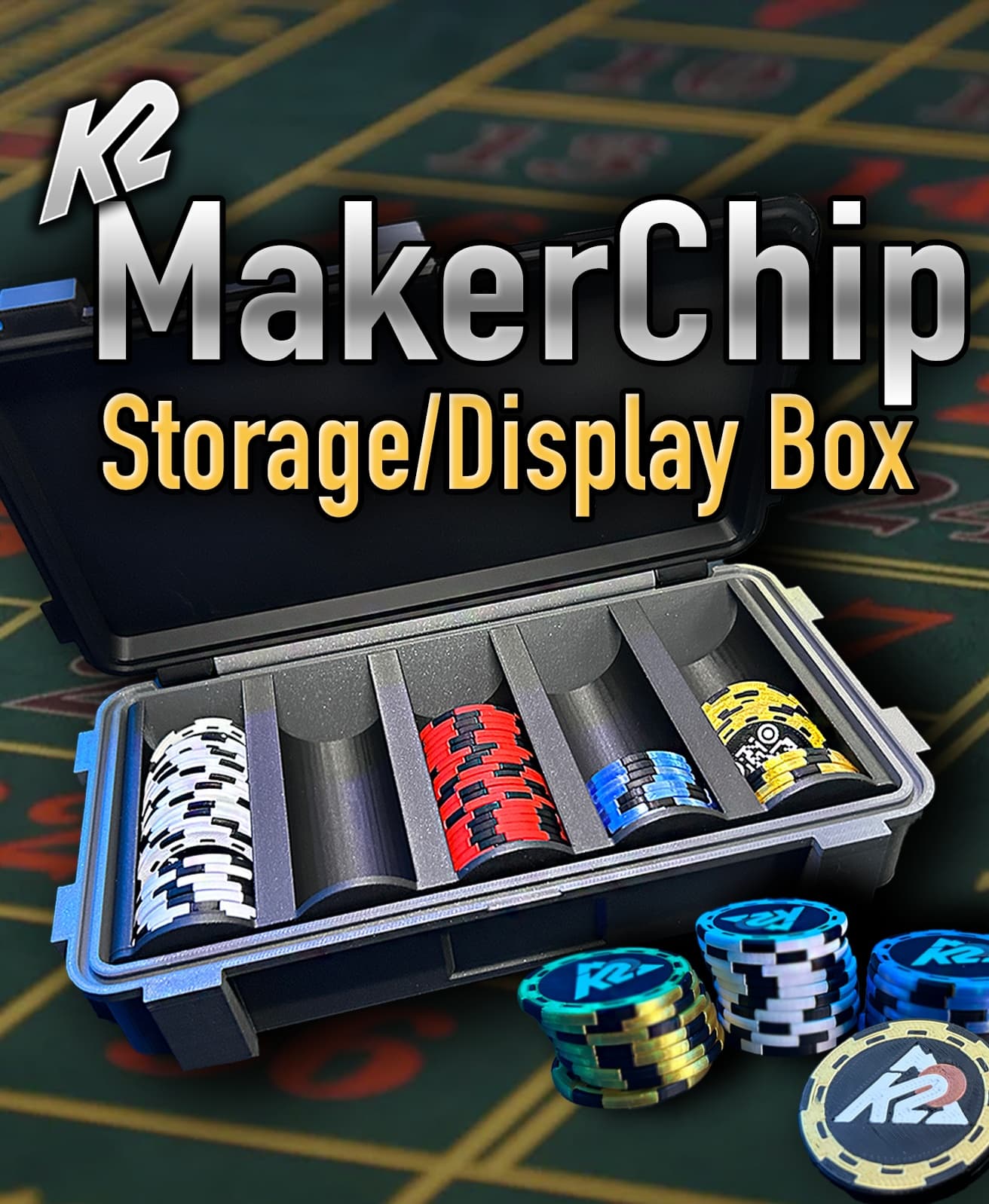
It is a different take on a maker coin, simple QR code advertising, any purpose, or Poker Chips (they are designed to meet basic standards of a casino chip)

View all 11 discussions

MakerChip - Maker Chip - The New Maker Coin

1.5K downloads · 2 years ago in 
K2_Kevin
K2_Kevin8.8K followers
This model is restricted by licensing terms.