Colby G
ForgeCore50K followers
Follow
ForgeCore
ForgeCore
|
Image 1 of 13
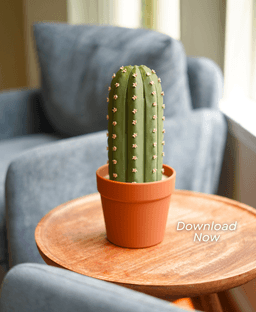
CactiChess - Roll up Cactus Chess Set 3d model
ForgeCore
ForgeCore
|
Image 1 of 13
CactiChess - Roll up Cactus Chess Set 3d model
CactiChess - Roll up Cactus Chess Set video thumbnail
CactiChess - Roll up Cactus Chess Set 3d model

CactiChess - Roll up Cactus Chess Set

Instructions Hardware Filaments

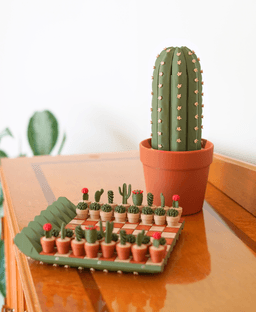
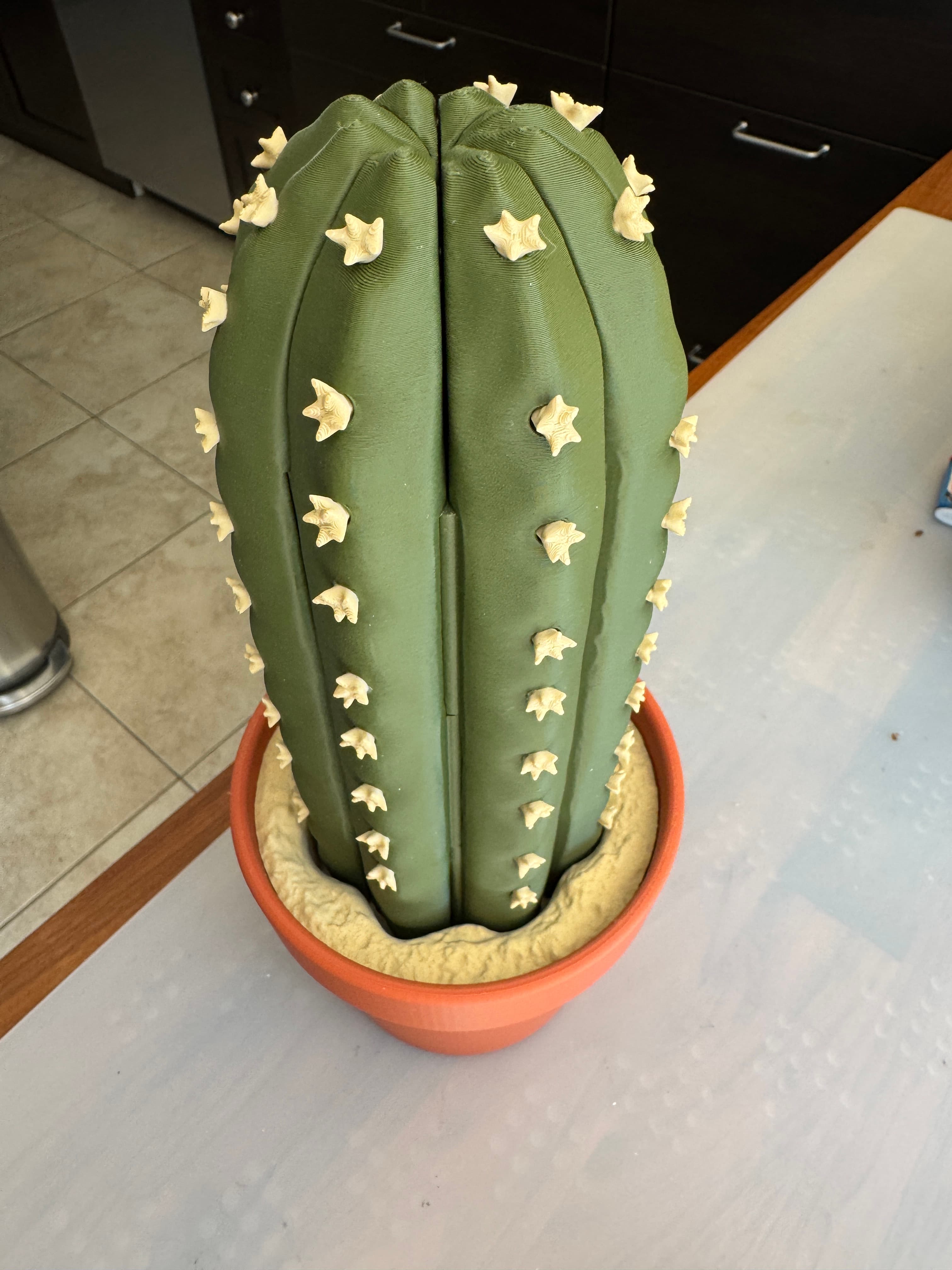
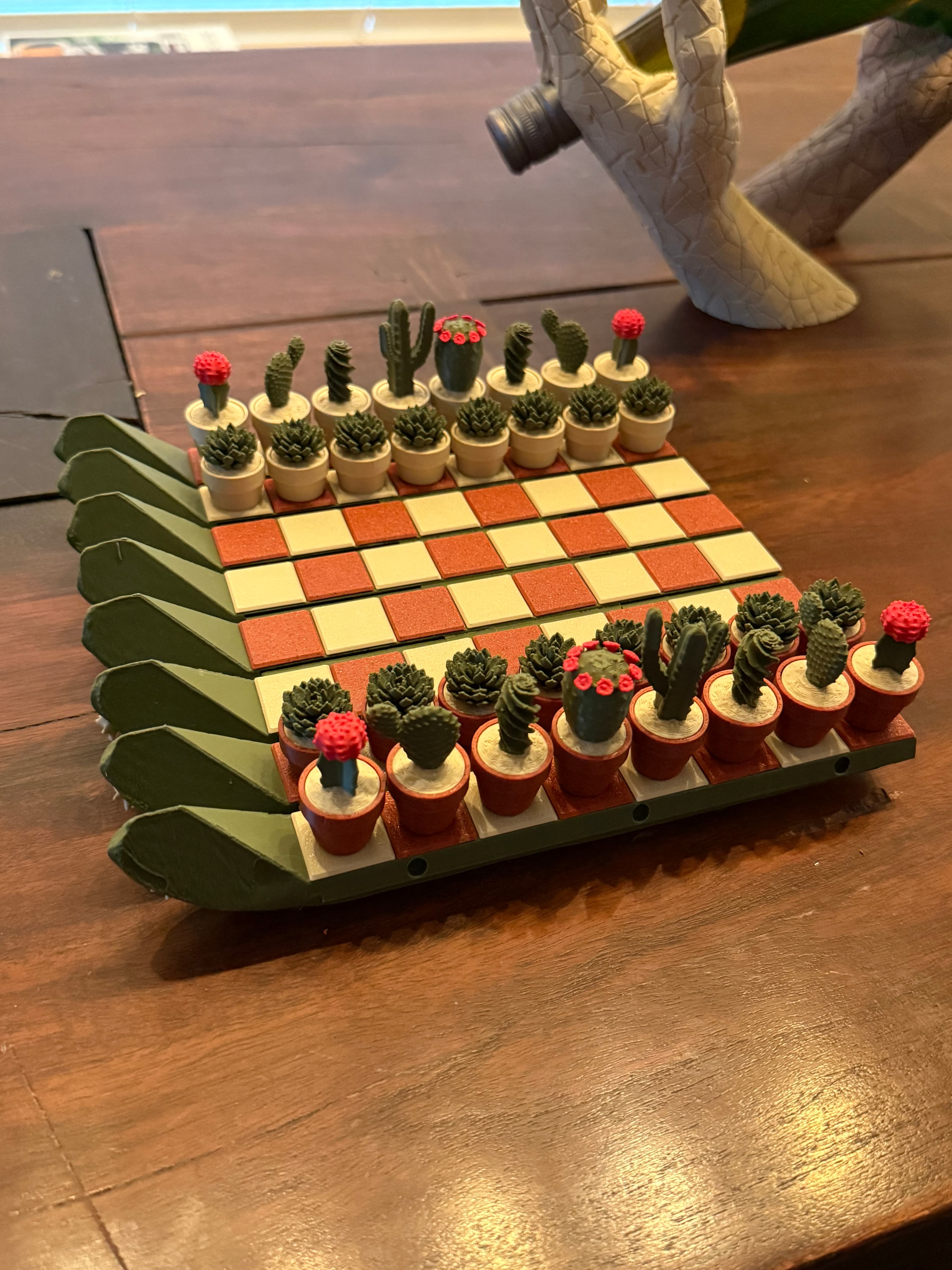
Cacti Chess - Advanced Cactus-themed pieces, Pot Case, Roll up Cactus Board, This has everything you could ever want from a Cactus Themed Chess Set. This print takes longer than most, but it is so so worth it. See bottom of description for recommended colors. And make sure to use the Easy Print 3mf file for easy printing!

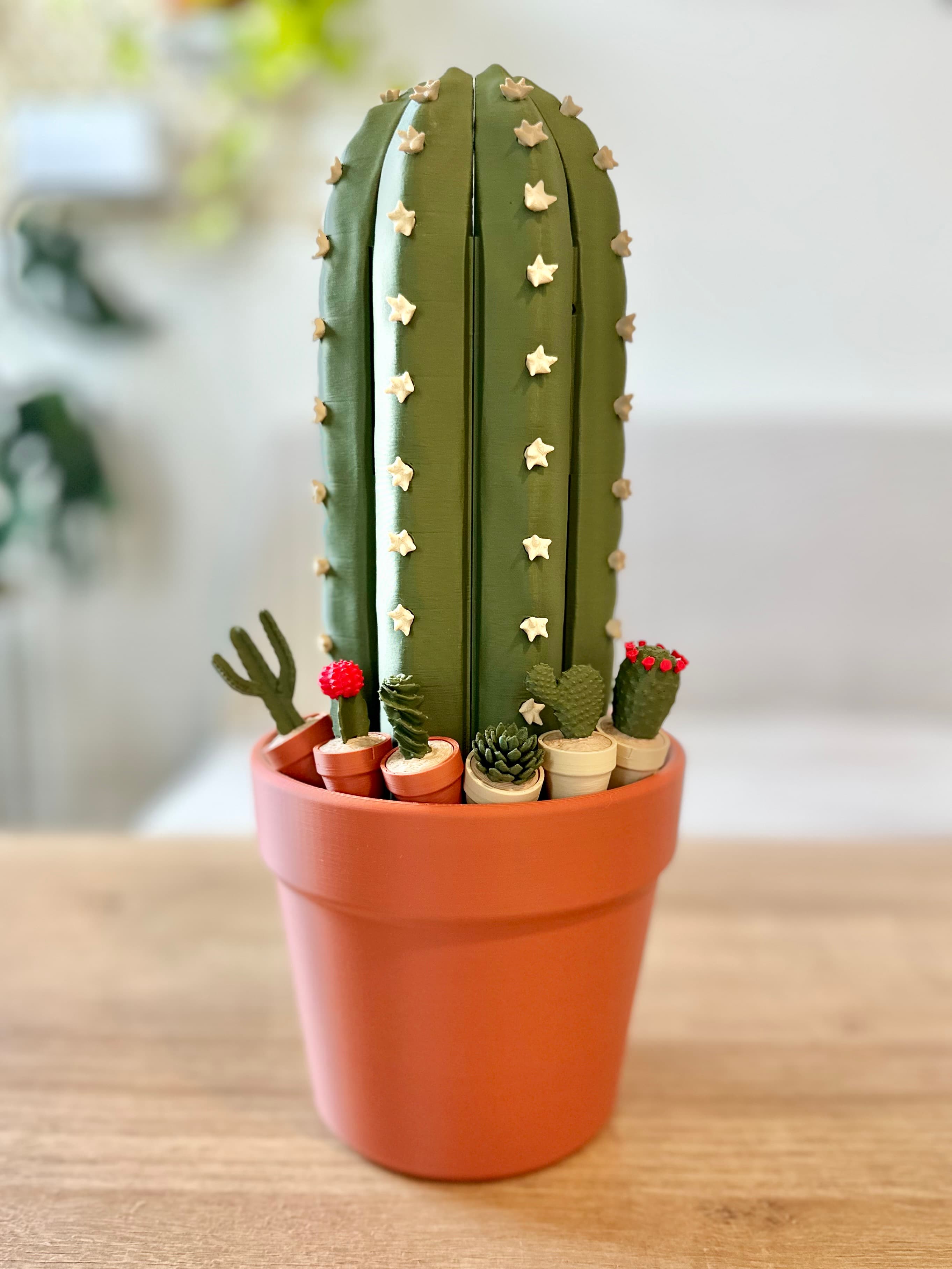
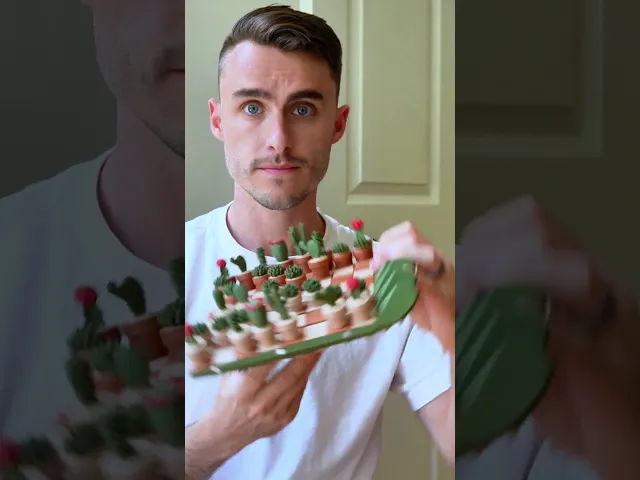
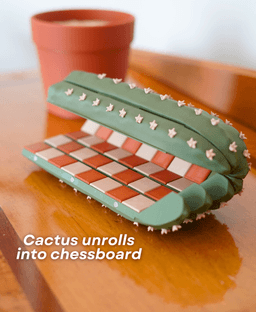
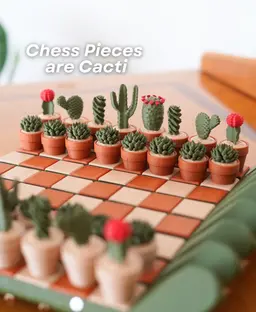
The chess pieces are stored inside the pot The board rolls up and becomes the cactus. Magnets inside the pieces make this a really satisfying chess set to play with.

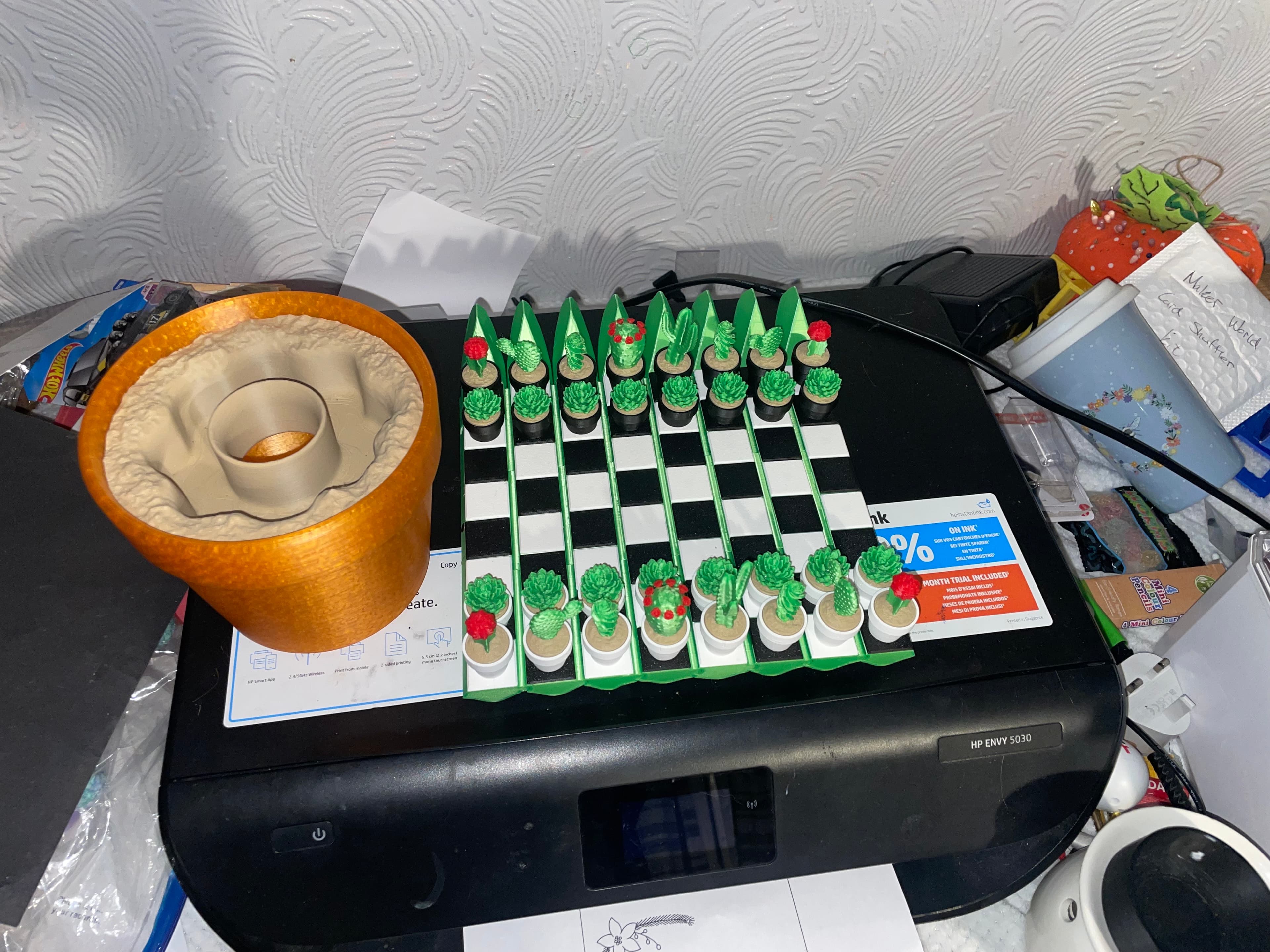
Now Includes Checkers Now includes 5 different Checkers sets! Play with, frightening scorpions or cute desert tortoises, flowers, or pot drip trays! King the scorpion by raising its tail, King the desert Tortoises by standing them up, stack the flowers. and add one of your potted succulents to the drip tray.

Love Chess? But rarely play and want to play more? This chess set looks like a cactus so you can leave it out on the table. No need to jam it in a closet. You're more likely to pick it up and play when you can see it!

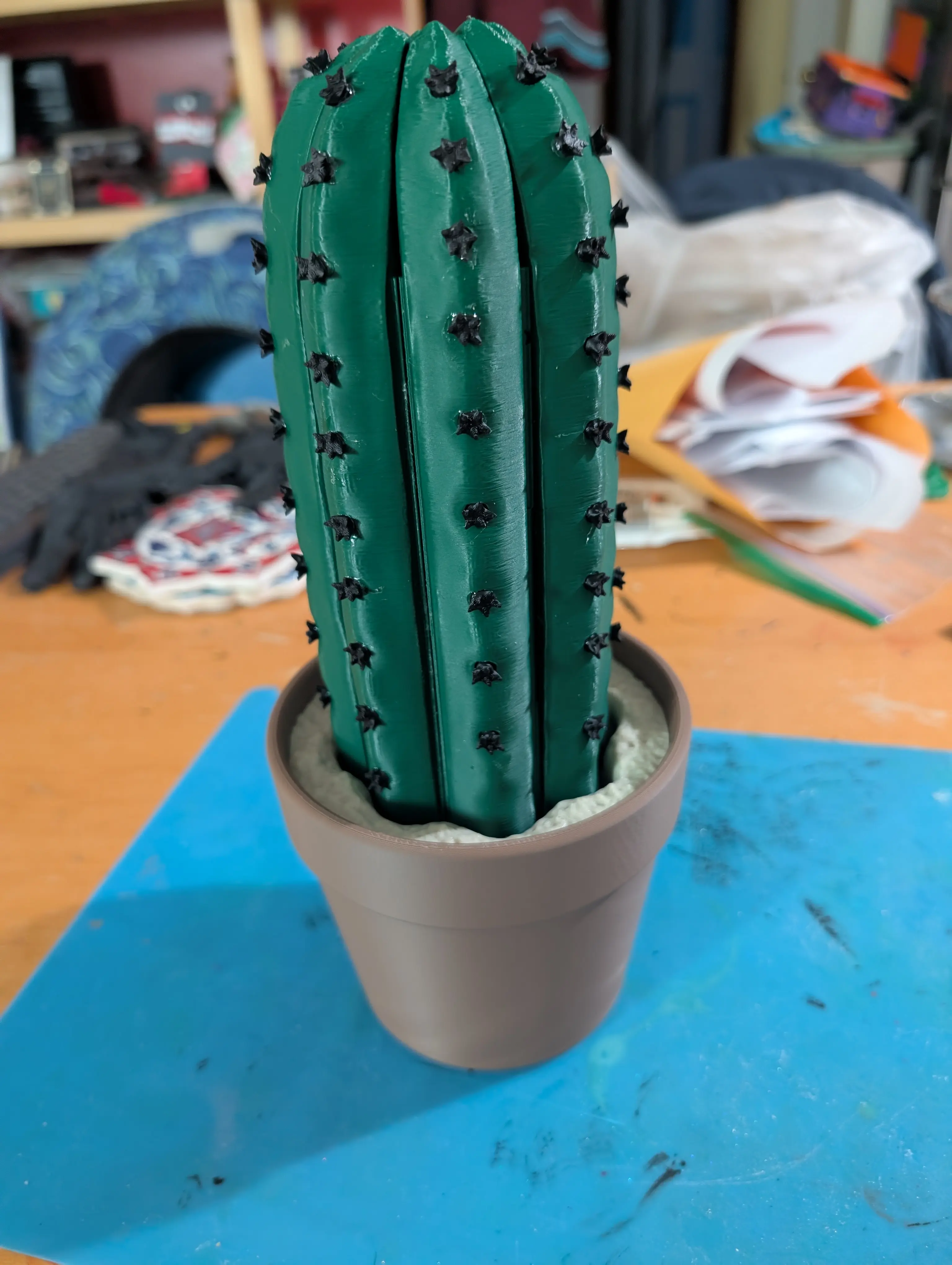
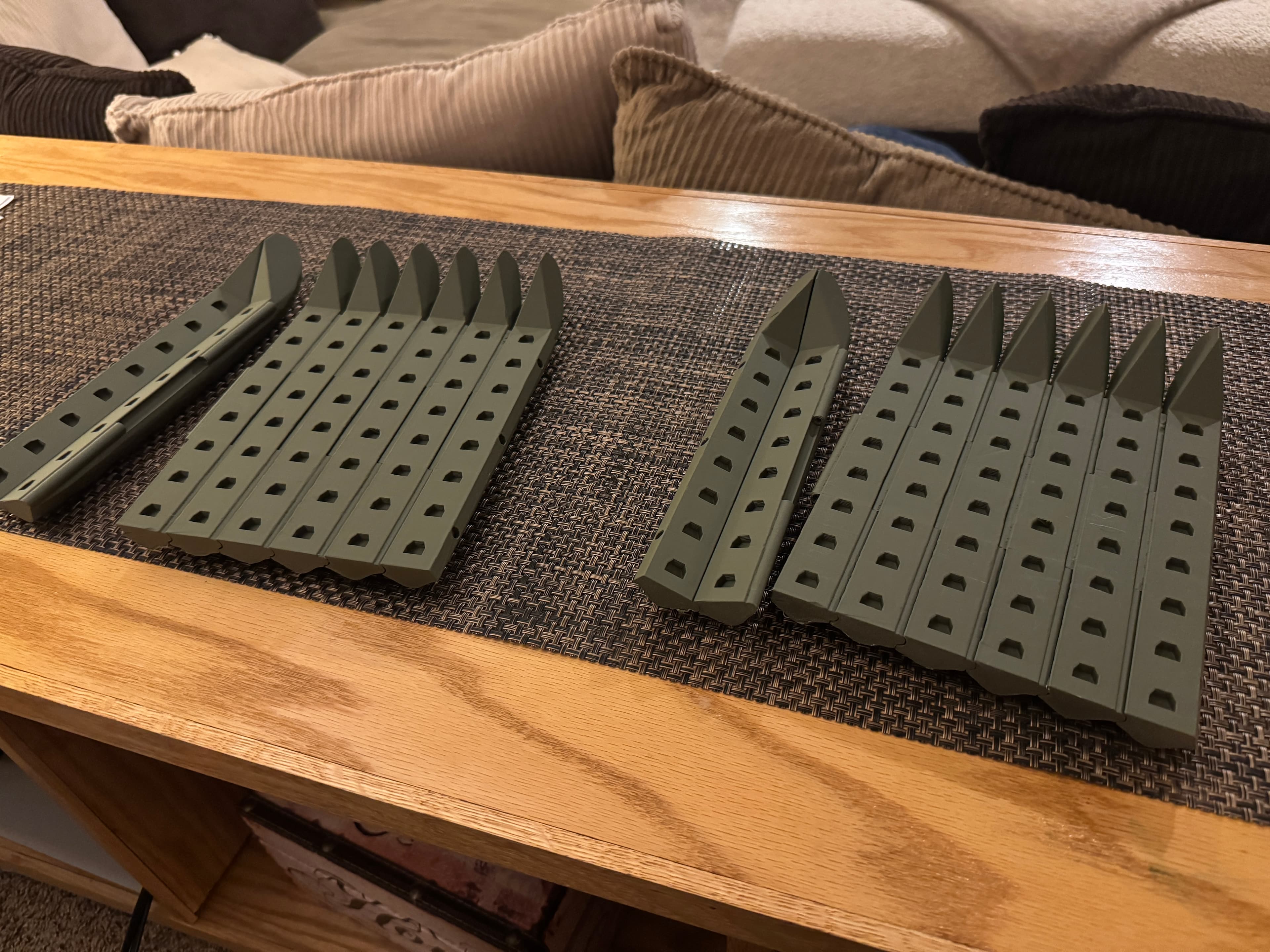
Unrolling Cactus Board The Cactus unrolls and turns into the board. It sits in the sand when stored, and satisfyingly unrolls when you're ready to play. The Spines actually help keep the board level when you're playing!

Where do you put the pieces? The pieces all store inside of the pot. Lift the sand to get them out. And once you're done playing, put them back inside the pot for next time

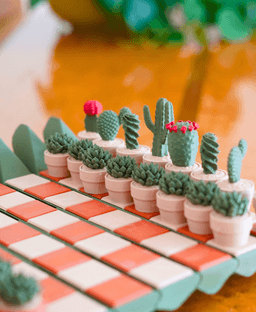
Which Piece is Which? Pawn - Succulent Rook - Moon Cactus Knight - Bunny Ear Cactus Bishop - Spiral Cactus Queen - Flower Crown Cactus King - Branching Cactus


The 3mf has been updated with the Correct Pause layer for the tiles.

Community Makes (15)
Make by user
I printed the cactus board using the 3mf file, but I cannot get it to open. It's a solid, round cactus. I managed to split the seam and have tried opening it, but it does not want to open at the hinges at all. Any advice on how to get this portion of the game to work?
Make by user
Lovely models. Already printed a second one with different colors for the cactus part of the pieces, found it kinda hard to differentiate just based on the pot color.
Fun print.  I printed a mix of Bambu red, brown, wood and black filaments with  Esun PLA+ green and bone filaments which resulted in a few pieces being too tight or too loose...a Dremel and A little e7000 glue took care of that.  I also ran into an issue where one plate of squares and pots layer shifted after I had added the magnets.  The parts cut open easily so I was able to recover the magnets and then I broke that plate down into 2 plates and moved all the bits to the front of the plates so that I wouldn't have to adjust the bed position while inserting the magnets.
Hi! 
Has anyone fix this problem? 
I read about a similar case and I tried setting the seam position to random and used 215 ° C,  but it didn’t work…help! 
I want my cactus chess 🌵
Printed Great on my Prusa Core One with Polymaker filaments (jungle green, red, savannah yellow matte, and Panchroma marble brick). Unfortunately I don't have any type of AMS/MMU yet so all my color changes had to be done via pausing at specific layers and switching the filament. I'll probably paint the Queen's flowers red at some point.
Make by user
Printed Great!
Me and Battery polarity..Otherwise it printed nicely.  Love using the matte filaments for prints like this.  The checkers expansion of turtles is just icing on the cake.
Make by user
Prusaslicer v 2.9.2
What else can I try? I have printed on 2 p1s units and an A1. Installed a new horned and calibrated each printer. I have three that have the last two segments stuck together and a break between 2 and 3. I’m willing to try anything at this point. Are there any settings I can check?
love these
I love this one the most! It is so fun and beautiful. The color combination is fantastic too. Though I may change the flower colors next time I print it to add more variety
Make by user
I printed the cactus board using the 3mf file, but I cannot get it to open. It's a solid, round cactus. I managed to split the seam and have tried opening it, but it does not want to open at the hinges at all. Any advice on how to get this portion of the game to work?
Make by user
Lovely models. Already printed a second one with different colors for the cactus part of the pieces, found it kinda hard to differentiate just based on the pot color.
Fun print.  I printed a mix of Bambu red, brown, wood and black filaments with  Esun PLA+ green and bone filaments which resulted in a few pieces being too tight or too loose...a Dremel and A little e7000 glue took care of that.  I also ran into an issue where one plate of squares and pots layer shifted after I had added the magnets.  The parts cut open easily so I was able to recover the magnets and then I broke that plate down into 2 plates and moved all the bits to the front of the plates so that I wouldn't have to adjust the bed position while inserting the magnets.
Hi! 
Has anyone fix this problem? 
I read about a similar case and I tried setting the seam position to random and used 215 ° C,  but it didn’t work…help! 
I want my cactus chess 🌵
Printed Great on my Prusa Core One with Polymaker filaments (jungle green, red, savannah yellow matte, and Panchroma marble brick). Unfortunately I don't have any type of AMS/MMU yet so all my color changes had to be done via pausing at specific layers and switching the filament. I'll probably paint the Queen's flowers red at some point.
Make by user
Printed Great!
Me and Battery polarity..Otherwise it printed nicely.  Love using the matte filaments for prints like this.  The checkers expansion of turtles is just icing on the cake.
Make by user
Prusaslicer v 2.9.2
What else can I try? I have printed on 2 p1s units and an A1. Installed a new horned and calibrated each printer. I have three that have the last two segments stuck together and a break between 2 and 3. I’m willing to try anything at this point. Are there any settings I can check?
love these
I love this one the most! It is so fun and beautiful. The color combination is fantastic too. Though I may change the flower colors next time I print it to add more variety


Community Makes (15)
Make by user
I printed the cactus board using the 3mf file, but I cannot get it to open. It's a solid, round cactus. I managed to split the seam and have tried opening it, but it does not want to open at the hinges at all. Any advice on how to get this portion of the game to work?
Make by user
Lovely models. Already printed a second one with different colors for the cactus part of the pieces, found it kinda hard to differentiate just based on the pot color.
Fun print.  I printed a mix of Bambu red, brown, wood and black filaments with  Esun PLA+ green and bone filaments which resulted in a few pieces being too tight or too loose...a Dremel and A little e7000 glue took care of that.  I also ran into an issue where one plate of squares and pots layer shifted after I had added the magnets.  The parts cut open easily so I was able to recover the magnets and then I broke that plate down into 2 plates and moved all the bits to the front of the plates so that I wouldn't have to adjust the bed position while inserting the magnets.
Hi! 
Has anyone fix this problem? 
I read about a similar case and I tried setting the seam position to random and used 215 ° C,  but it didn’t work…help! 
I want my cactus chess 🌵
Printed Great on my Prusa Core One with Polymaker filaments (jungle green, red, savannah yellow matte, and Panchroma marble brick). Unfortunately I don't have any type of AMS/MMU yet so all my color changes had to be done via pausing at specific layers and switching the filament. I'll probably paint the Queen's flowers red at some point.
Make by user
Printed Great!
Me and Battery polarity..Otherwise it printed nicely.  Love using the matte filaments for prints like this.  The checkers expansion of turtles is just icing on the cake.
Make by user
Prusaslicer v 2.9.2
What else can I try? I have printed on 2 p1s units and an A1. Installed a new horned and calibrated each printer. I have three that have the last two segments stuck together and a break between 2 and 3. I’m willing to try anything at this point. Are there any settings I can check?
love these
I love this one the most! It is so fun and beautiful. The color combination is fantastic too. Though I may change the flower colors next time I print it to add more variety
Make by user
I printed the cactus board using the 3mf file, but I cannot get it to open. It's a solid, round cactus. I managed to split the seam and have tried opening it, but it does not want to open at the hinges at all. Any advice on how to get this portion of the game to work?
Make by user
Lovely models. Already printed a second one with different colors for the cactus part of the pieces, found it kinda hard to differentiate just based on the pot color.
Fun print.  I printed a mix of Bambu red, brown, wood and black filaments with  Esun PLA+ green and bone filaments which resulted in a few pieces being too tight or too loose...a Dremel and A little e7000 glue took care of that.  I also ran into an issue where one plate of squares and pots layer shifted after I had added the magnets.  The parts cut open easily so I was able to recover the magnets and then I broke that plate down into 2 plates and moved all the bits to the front of the plates so that I wouldn't have to adjust the bed position while inserting the magnets.
Hi! 
Has anyone fix this problem? 
I read about a similar case and I tried setting the seam position to random and used 215 ° C,  but it didn’t work…help! 
I want my cactus chess 🌵
Printed Great on my Prusa Core One with Polymaker filaments (jungle green, red, savannah yellow matte, and Panchroma marble brick). Unfortunately I don't have any type of AMS/MMU yet so all my color changes had to be done via pausing at specific layers and switching the filament. I'll probably paint the Queen's flowers red at some point.
Make by user
Printed Great!
Me and Battery polarity..Otherwise it printed nicely.  Love using the matte filaments for prints like this.  The checkers expansion of turtles is just icing on the cake.
Make by user
Prusaslicer v 2.9.2
What else can I try? I have printed on 2 p1s units and an A1. Installed a new horned and calibrated each printer. I have three that have the last two segments stuck together and a break between 2 and 3. I’m willing to try anything at this point. Are there any settings I can check?
love these
I love this one the most! It is so fun and beautiful. The color combination is fantastic too. Though I may change the flower colors next time I print it to add more variety

Discussions
YoungPrint3D
YoungPrint3D
I love this one the most! It is so fun and beautiful. The color combination is fantastic too. Though I may change the flower colors next time I print it to add more variety
I love this one the most! It is so fun and beautiful. The color combination is fantastic too. Though I may change the flower colors next time I print it to add more variety  3d model
 3d model
 3d model
PrinterBambu Lab P1S
Colby G
ForgeCore

Looks Amazing!

C
Chrisblaze
Printed Great!
Printed Great! 3d model
 3d model
PrinterBambu Lab A1
MaterialPLA
SupportsNone
BrimNo
G
GillyBean90
(for sand used PLA+) My Son printed this for his friends birthday on 11 Dec. Great print had difficulties along the way but ForgeCore helped with those and cant wait for the reaction.
(for sand used PLA+) My Son printed this for his friends birthday on 11 Dec. Great print had difficulties along the way but ForgeCore helped with those and cant wait for the reaction. 3d model
 3d model
 3d model
 3d model
 3d model
 3d model
 3d model
PrinterBambu Lab A1
Print bed sizeX: 256 mm; Y: 256 mm; Z: 256 mm
MaterialPLA
SupportsNone
BrimNo
Colby G
ForgeCore

This turned out great! Thanks for sharing!

Christoph W
wedenigc
Lovely models. Already printed a second one with different colors for the cactus part of the pieces, found it kinda hard to differentiate just based on the pot color.
Lovely models. Already printed a second one with different colors for the cactus part of the pieces, found it kinda hard to differentiate just based on the pot color. 3d model
ImPishFeRet
MysticFerret
Me and Battery polarity..Otherwise it printed nicely. Love using the matte filaments for prints like this. The checkers expansion of turtles is just icing on the cake.
Me and Battery polarity..Otherwise it printed nicely.  Love using the matte filaments for prints like this.  The checkers expansion of turtles is just icing on the cake. 3d model
 3d model
 3d model
PrinterBambu Lab X1
MaterialPLA
Colby G
ForgeCore

Thank you for sharing! The magnet polarity can be tricky!

Tony R
nanuq72
Fun print. I printed a mix of Bambu red, brown, wood and black filaments with Esun PLA+ green and bone filaments which resulted in a few pieces being too tight or too loose...a Dremel and A little e7000 glue took care of that. I also ran into an issue where one plate of squares and pots layer shifted after I had added the magnets. The parts cut open easily so I was able to recover the magnets and then I broke that plate down into 2 plates and moved all the bits to the front of the plates so that I wouldn't have to adjust the bed position while inserting the magnets.
Fun print.  I printed a mix of Bambu red, brown, wood and black filaments with  Esun PLA+ green and bone filaments which resulted in a few pieces being too tight or too loose...a Dremel and A little e7000 glue took care of that.  I also ran into an issue where one plate of squares and pots layer shifted after I had added the magnets.  The parts cut open easily so I was able to recover the magnets and then I broke that plate down into 2 plates and moved all the bits to the front of the plates so that I wouldn't have to adjust the bed position while inserting the magnets. 3d model
 3d model
 3d model
PrinterBambu Lab A1
MaterialPLA
EP
educatingpork
 3d model
 3d model
 3d model
 3d model
 3d model
 3d model
PrinterBambu Lab X1
MaterialPLA
SupportsNone
BrimNo
Christopher J
What else can I try? I have printed on 2 p1s units and an A1. Installed a new horned and calibrated each printer. I have three that have the last two segments stuck together and a break between 2 and 3. I’m willing to try anything at this point. Are there any settings I can check?
What else can I try? I have printed on 2 p1s units and an A1. Installed a new horned and calibrated each printer. I have three that have the last two segments stuck together and a break between 2 and 3. I’m willing to try anything at this point. Are there any settings I can check? 3d model
 3d model
Colby G
ForgeCore

Hi, there are two potential fixes that could help. The first suggestion I have is to change the z-seam position to ‘random’. This will help keep seams that are printing too close together from overlapping. The second suggestion is to print a temperate tower to see if you can manually calibrate your filament to get it printing stronger so that the hinges don’t snap so easily for you. Here is a link on how to do it in Bambu studio https://wiki.bambulab.com/en/bambu-studio/Calibration

Christopher J

*hotend

GIGI M
ShaoPeng Zhang
love these
love these 3d model
PrinterBambu Lab X1
MaterialPLA
SupportsNone
BrimNo
Riley G
rjgoddard19
Printed Great on my Prusa Core One with Polymaker filaments (jungle green, red, savannah yellow matte, and Panchroma marble brick). Unfortunately I don't have any type of AMS/MMU yet so all my color changes had to be done via pausing at specific layers and switching the filament. I'll probably paint the Queen's flowers red at some point.
Printed Great on my Prusa Core One with Polymaker filaments (jungle green, red, savannah yellow matte, and Panchroma marble brick). Unfortunately I don't have any type of AMS/MMU yet so all my color changes had to be done via pausing at specific layers and switching the filament. I'll probably paint the Queen's flowers red at some point. 3d model
 3d model
MaterialPLA
Layer height0.2 mm
Infill density15 %
SupportsNone
BrimYes
View all 60 discussions

CactiChess - Roll up Cactus Chess Set

2K downloads · 10 months ago
Colby G
ForgeCore50K followers
Follow