Brian H
LoftedGoods27K followers
Follow
LoftedGoods
LoftedGoods
|
Image 1 of 4
Bottle Opener Coasters v2 3d model
LoftedGoods
LoftedGoods
|
Image 1 of 4
Bottle Opener Coasters v2 3d model
Bottle Opener Coasters v2 video thumbnail
Bottle Opener Coasters v2 3d model

Bottle Opener Coasters v2

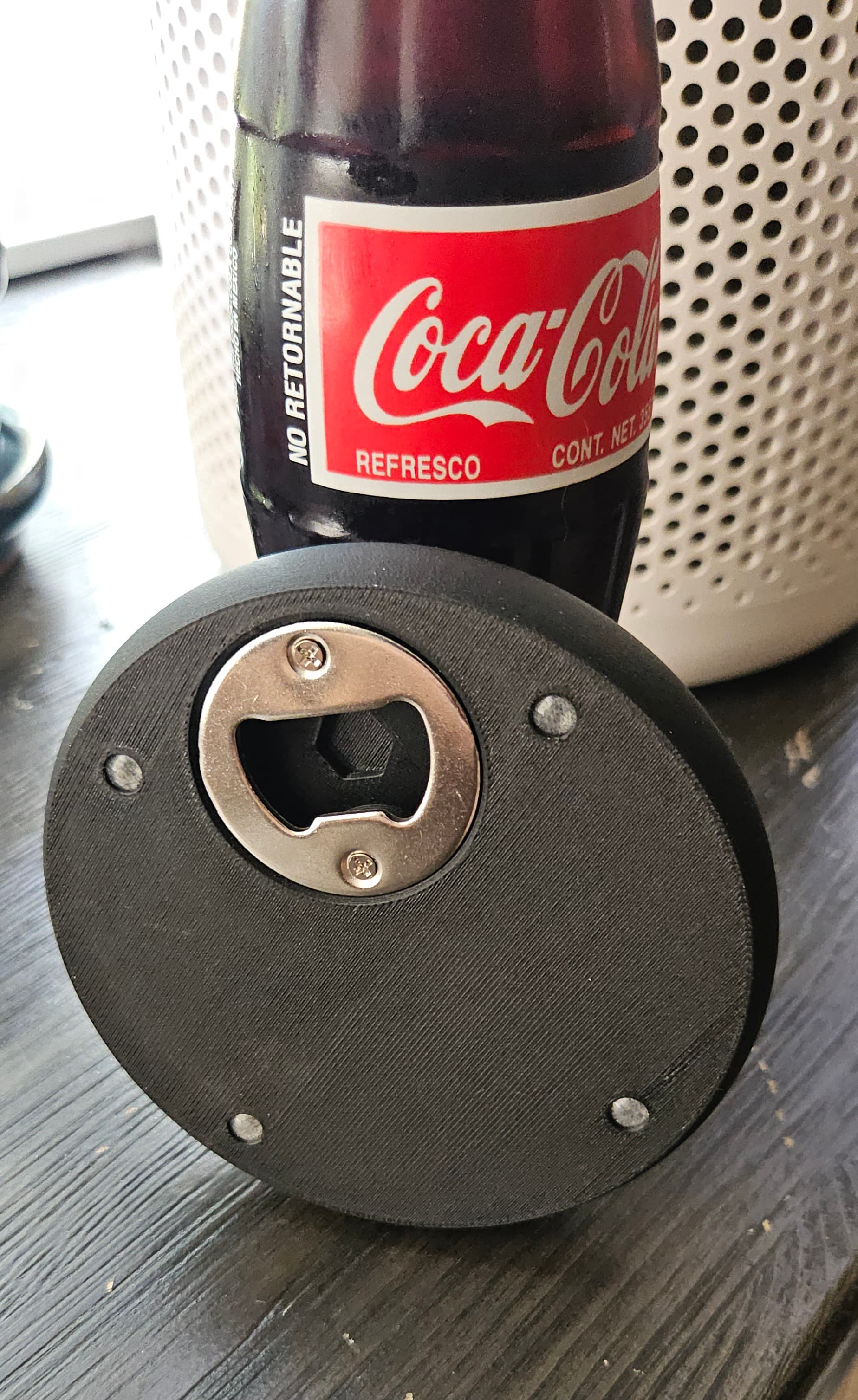
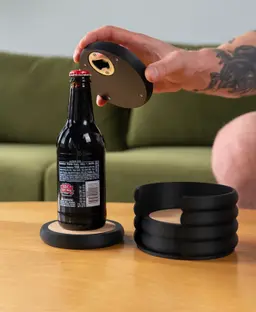
I got a ton of great feedback on my coasters that have a bottle opener built-in to the bottom, so here's version 2!

Updates include:

  • Recess in the top for a cork insert
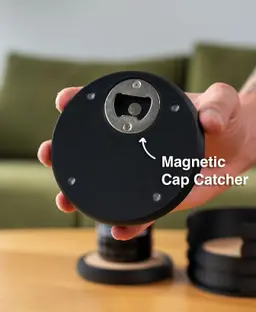
  • Recess in the bottom for a magnet that catches the bottle cap when used
  • Spots for adhesive bumpers to slightly lift the coaster off the table and keep it from sliding around

👇 Links to all hardware are at the bottom of this description

I've also included a version of the coaster that does not use the cork insert.

These work great as a set of 4 on your coffee table, or gifted as individual coasters.


Supports If using the coaster with the cork insert, you will need normal supports for the recess where the insert goes. Highly recommend using PETG as a support interface if you have an AMS or other multi material unit. I have included the support settings I used in the .3mf.

Scaling I wouldn't recommend scaling these since they perfectly fit the bottle opener inserts, magnet, adhesive bumpers, and cork insert.


Orientation

  • Coasters print upside down
  • Holders print upright

Print Settings

  • .2mm layer height
  • 15% grid infill
  • 2 walls

Filament

Bambu Lab Matte PLA

Colors I used:

  • Matte Charcoal Black

Hardware

Filament and non 3D printed items for this model can be found on my Amazon Storefront, linked here: https://linktr.ee/loftedgoods

Community Makes (9)
I highly recommend combining technologies if you have them! I used my xTool p2 to engrave on the cork for even more customization. Eventually when my UV printer comes in I'll be using that, too!
The cork inserts bulge upwards quite a lot; I specifically bought the ones described in the product description. Does anyone else have the same problem?
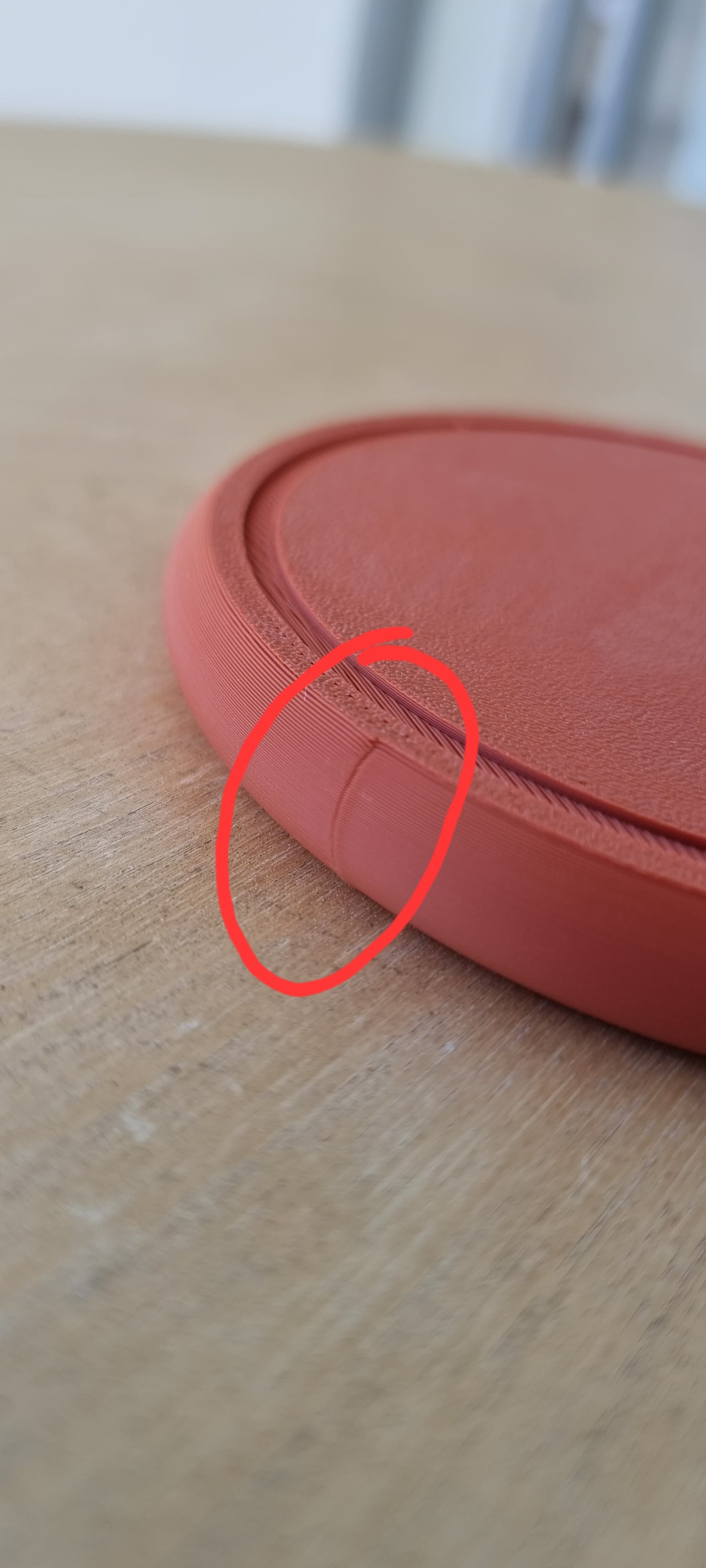
Hi! How can I eliminate this line the next time I print?
printed on P1S with support settings tree auto distance to Z 0,2255 and ironing set only top surfaces with speed 150 flow 26% and line spacing 0.12 
pla magic eSun , sunlu black and esun wood
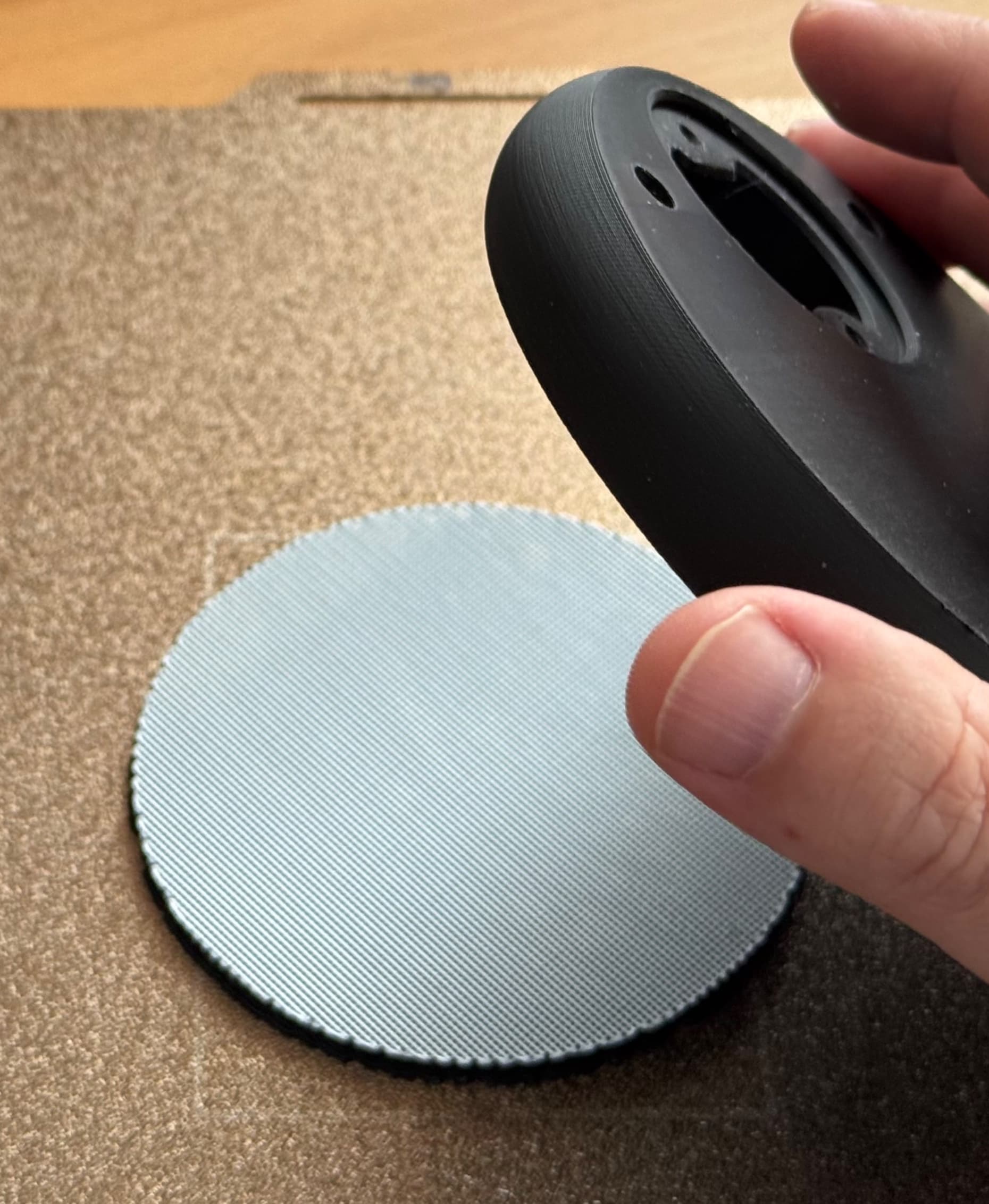
No idea whats going on with my print. I followed one of the instructions in the comments and it still managed to not work. theyre both off of different settings. Any idea whats going on? I dont have multiple feed so im only able to use Matte PLA; not PETG.
in addition to the changes below:  
Support/object xy distance:           1 mm
Tree Support Branch distance:      4 mm

Used Bambu Lab 'Support for PLA" filament as support interface. (PETG should work as well). 
When you bend the plate after printing to release the coaster, it comes off the support clean and easy (see photos). No tool required.
I’m not sure what’s going wrong here. I’m using the “Coaster for Cork Insert” model, but when I try to remove the center piece, it doesn’t come out cleanly like the images shared by carmaster65 in another review. Any idea what I might be doing wrong and how to fix it?
Printed using designer's instructions, stock settings for Elegoo PLA-CF. Purchased the accessories from the links and the project came out perfect!
Make by user
I highly recommend combining technologies if you have them! I used my xTool p2 to engrave on the cork for even more customization. Eventually when my UV printer comes in I'll be using that, too!
The cork inserts bulge upwards quite a lot; I specifically bought the ones described in the product description. Does anyone else have the same problem?
Hi! How can I eliminate this line the next time I print?
printed on P1S with support settings tree auto distance to Z 0,2255 and ironing set only top surfaces with speed 150 flow 26% and line spacing 0.12 
pla magic eSun , sunlu black and esun wood
No idea whats going on with my print. I followed one of the instructions in the comments and it still managed to not work. theyre both off of different settings. Any idea whats going on? I dont have multiple feed so im only able to use Matte PLA; not PETG.
in addition to the changes below:  
Support/object xy distance:           1 mm
Tree Support Branch distance:      4 mm

Used Bambu Lab 'Support for PLA" filament as support interface. (PETG should work as well). 
When you bend the plate after printing to release the coaster, it comes off the support clean and easy (see photos). No tool required.
I’m not sure what’s going wrong here. I’m using the “Coaster for Cork Insert” model, but when I try to remove the center piece, it doesn’t come out cleanly like the images shared by carmaster65 in another review. Any idea what I might be doing wrong and how to fix it?
Printed using designer's instructions, stock settings for Elegoo PLA-CF. Purchased the accessories from the links and the project came out perfect!
Make by user


Community Makes (9)
I highly recommend combining technologies if you have them! I used my xTool p2 to engrave on the cork for even more customization. Eventually when my UV printer comes in I'll be using that, too!
The cork inserts bulge upwards quite a lot; I specifically bought the ones described in the product description. Does anyone else have the same problem?
Hi! How can I eliminate this line the next time I print?
printed on P1S with support settings tree auto distance to Z 0,2255 and ironing set only top surfaces with speed 150 flow 26% and line spacing 0.12 
pla magic eSun , sunlu black and esun wood
No idea whats going on with my print. I followed one of the instructions in the comments and it still managed to not work. theyre both off of different settings. Any idea whats going on? I dont have multiple feed so im only able to use Matte PLA; not PETG.
in addition to the changes below:  
Support/object xy distance:           1 mm
Tree Support Branch distance:      4 mm

Used Bambu Lab 'Support for PLA" filament as support interface. (PETG should work as well). 
When you bend the plate after printing to release the coaster, it comes off the support clean and easy (see photos). No tool required.
I’m not sure what’s going wrong here. I’m using the “Coaster for Cork Insert” model, but when I try to remove the center piece, it doesn’t come out cleanly like the images shared by carmaster65 in another review. Any idea what I might be doing wrong and how to fix it?
Printed using designer's instructions, stock settings for Elegoo PLA-CF. Purchased the accessories from the links and the project came out perfect!
Make by user
I highly recommend combining technologies if you have them! I used my xTool p2 to engrave on the cork for even more customization. Eventually when my UV printer comes in I'll be using that, too!
The cork inserts bulge upwards quite a lot; I specifically bought the ones described in the product description. Does anyone else have the same problem?
Hi! How can I eliminate this line the next time I print?
printed on P1S with support settings tree auto distance to Z 0,2255 and ironing set only top surfaces with speed 150 flow 26% and line spacing 0.12 
pla magic eSun , sunlu black and esun wood
No idea whats going on with my print. I followed one of the instructions in the comments and it still managed to not work. theyre both off of different settings. Any idea whats going on? I dont have multiple feed so im only able to use Matte PLA; not PETG.
in addition to the changes below:  
Support/object xy distance:           1 mm
Tree Support Branch distance:      4 mm

Used Bambu Lab 'Support for PLA" filament as support interface. (PETG should work as well). 
When you bend the plate after printing to release the coaster, it comes off the support clean and easy (see photos). No tool required.
I’m not sure what’s going wrong here. I’m using the “Coaster for Cork Insert” model, but when I try to remove the center piece, it doesn’t come out cleanly like the images shared by carmaster65 in another review. Any idea what I might be doing wrong and how to fix it?
Printed using designer's instructions, stock settings for Elegoo PLA-CF. Purchased the accessories from the links and the project came out perfect!
Make by user

Discussions
RobertEC
RobertEC
in addition to the changes below: Support/object xy distance: 1 mm Tree Support Branch distance: 4 mm Used Bambu Lab 'Support for PLA" filament as support interface. (PETG should work as well). When you bend the plate after printing to release the coaster, it comes off the support clean and easy (see photos). No tool required.
in addition to the changes below:  
Support/object xy distance:           1 mm
Tree Support Branch distance:      4 mm

Used Bambu Lab 'Support for PLA" filament as support interface. (PETG should work as well). 
When you bend the plate after printing to release the coaster, it comes off the support clean and easy (see photos). No tool required.  3d model
 3d model
 3d model
 3d model
PrinterBambu Lab X1
MaterialPLA
Layer height0.2 mm
SupportsTree
Support styleTree - Slim
Bart S
bartek.wiewior
printed on P1S with support settings tree auto distance to Z 0,2255 and ironing set only top surfaces with speed 150 flow 26% and line spacing 0.12 pla magic eSun , sunlu black and esun wood
printed on P1S with support settings tree auto distance to Z 0,2255 and ironing set only top surfaces with speed 150 flow 26% and line spacing 0.12 
pla magic eSun , sunlu black and esun wood 3d model
 3d model
 3d model
PrinterBambu Lab P1S
MaterialPLA+
carmaster65
carmaster65
Printed using designer's instructions, stock settings for Elegoo PLA-CF. Purchased the accessories from the links and the project came out perfect!
Printed using designer's instructions, stock settings for Elegoo PLA-CF. Purchased the accessories from the links and the project came out perfect!  3d model
 3d model
 3d model
 3d model
PrinterOther
Printer modelElegoo Centauri Carb
MaterialPLA-CF
Layer height0.2 mm
Infill density15 %
Sean C
trinityeffect
I highly recommend combining technologies if you have them! I used my xTool p2 to engrave on the cork for even more customization. Eventually when my UV printer comes in I'll be using that, too!
I highly recommend combining technologies if you have them! I used my xTool p2 to engrave on the cork for even more customization. Eventually when my UV printer comes in I'll be using that, too! 3d model
 3d model
 3d model
 3d model
PrinterBambu Lab H2S
MaterialPLA
S
Swim
No idea whats going on with my print. I followed one of the instructions in the comments and it still managed to not work. theyre both off of different settings. Any idea whats going on? I dont have multiple feed so im only able to use Matte PLA; not PETG.
No idea whats going on with my print. I followed one of the instructions in the comments and it still managed to not work. theyre both off of different settings. Any idea whats going on? I dont have multiple feed so im only able to use Matte PLA; not PETG. 3d model
 3d model
 3d model
PrinterCreality K1 Max
MaterialPLA
Layer height2 mm
Infill density15 %
SupportsTree
C
cperryman21
 3d model
 3d model
RobertEC
RobertEC

Had exactly the same issue. Changed Support settings and used Bambu's "Support for PLA" filament for the interface. After printing, the coaster popped clean off with a perfectly smooth recess. Can't post a screenshot in this reply, text is also limited, so in short: Support Type: tree(auto) // Style: Tree Slim // Support/raft interface: 'Sup.PLA' // Top Z distance: 0.08 // Bottom Z distance: 0.16 // Top Interface spacing: 0.5 // Support/object xy distance: 1 // branch distance: 4

Tom c
xolopx

Can confirm I used these settings to great effect on a Bambu A1 Mini.

Let the coaster cool a little after printing and when you remove it from the print bed it will come away cleanly from the supports

S
Swim

Im using these settings now in hopes it comes out well enough! I had the same issue with mine. I have the K1Max so I dont have the option to use petg for support.

S
sfasdasdasd
The cork inserts bulge upwards quite a lot; I specifically bought the ones described in the product description. Does anyone else have the same problem?
The cork inserts bulge upwards quite a lot; I specifically bought the ones described in the product description. Does anyone else have the same problem?  3d model
 3d model
PrinterBambu Lab A1
MaterialPLA
JC
AmateurContendr

I printed it and it comes out great! The only issue is when printing upside-down like you recommend, the insert for the cork coaster is a tiny bit too small. Is there any recommendations for that?

Kai J
kaijasinski

Print everything scaled at +1-2%

Ryan W
theunbound01

On my AD5X the recess area is just a tiny bit smaller than the cork but it still fits. I put a bit of hide glue under the cork to keep it from going convex. The cork does not sit flush like the pictures show, but is raised about a third of the cork thickness. The recessed area is not 3.5mm deep.

View all 24 discussions

Bottle Opener Coasters v2

968 downloads · 11 months ago in 
Brian H
LoftedGoods27K followers
Follow