marcos w
Kraken.Decor7.7K followers
Follow
Kraken.Decor
Kraken.Decor
|
Image 1 of 8
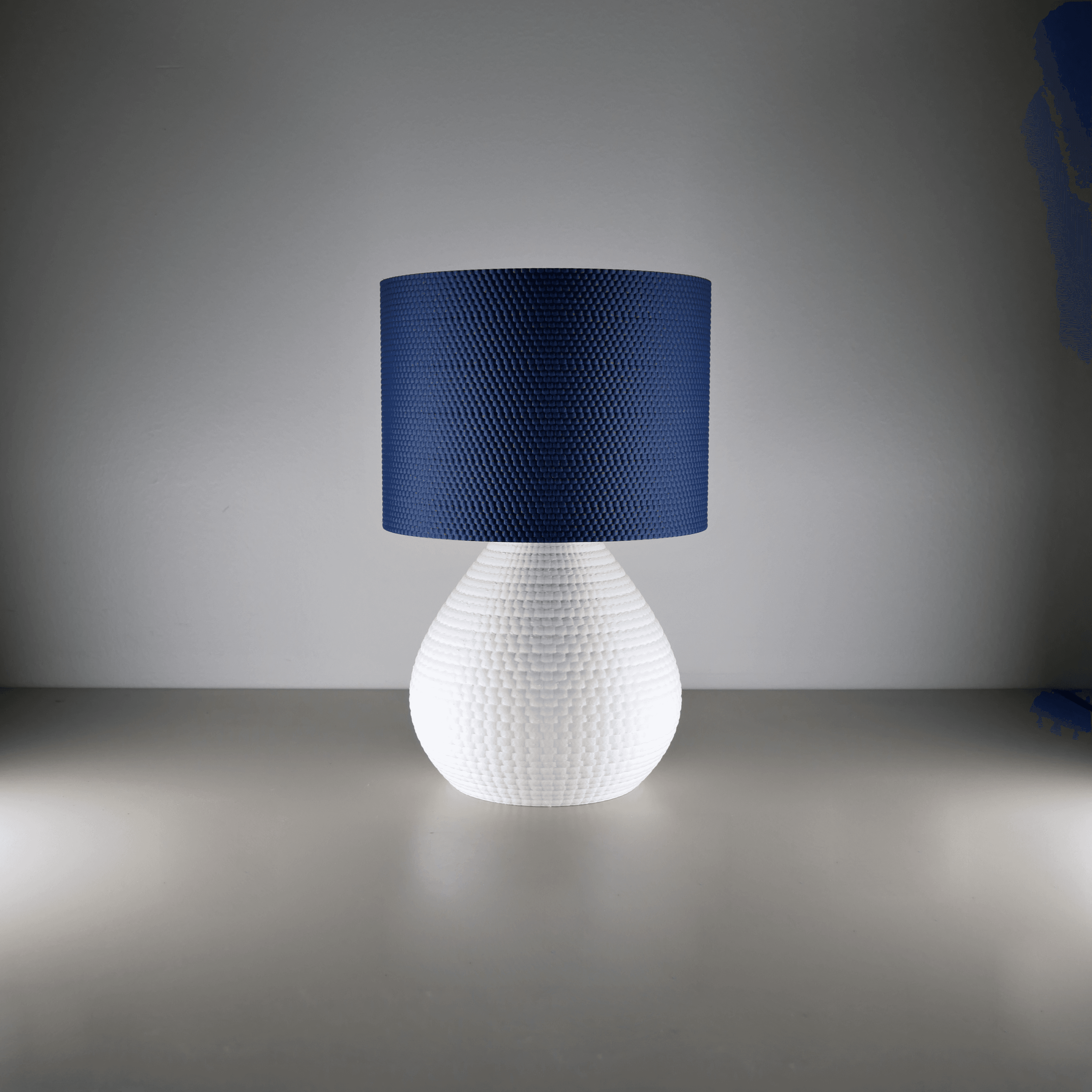
Lara Lamp 3d model
Kraken.Decor
Kraken.Decor
|
Image 1 of 8
Lara Lamp 3d model
Lara Lamp video thumbnail
Lara Lamp 3d model
Lara Lamp 3d model
Lara Lamp 3d model
Lara Lamp 3d model
Lara Lamp 3d model
Lara Lamp 3d model
Lara Lamp 3d model
Lara Lamp 3d model

Lara Lamp

Subscribe for access starting at $8 USD
Get access to this model and 161+ more

This model is included in the Advanced Membership Welcome Pack

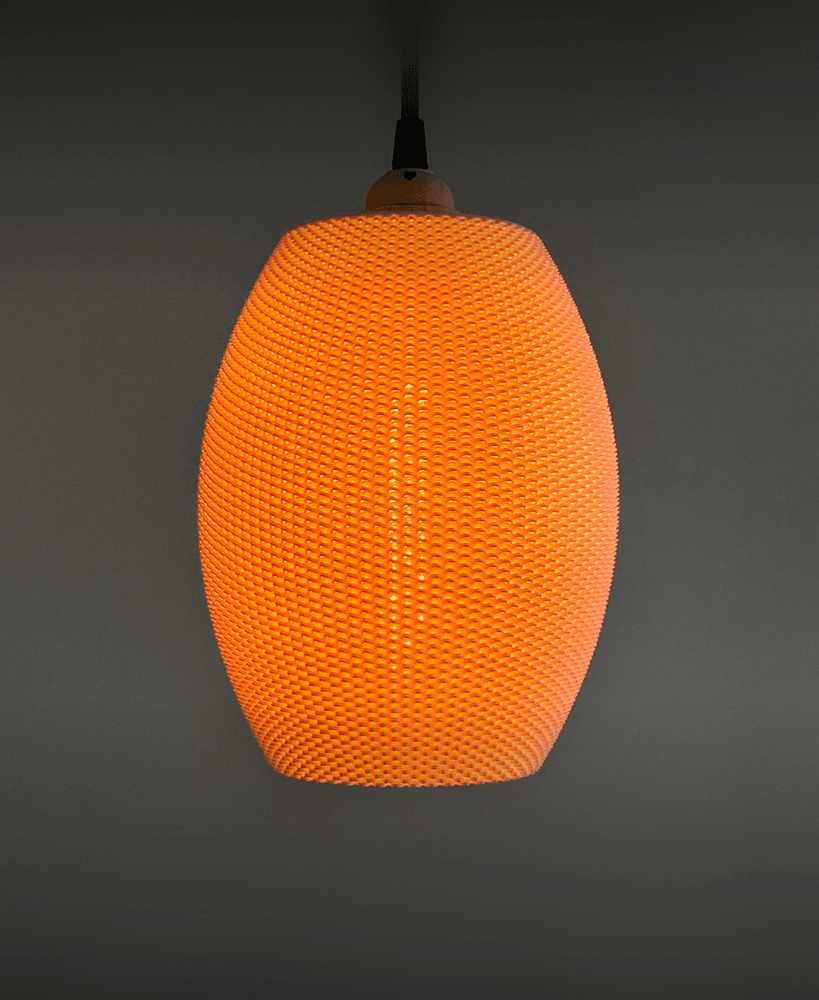
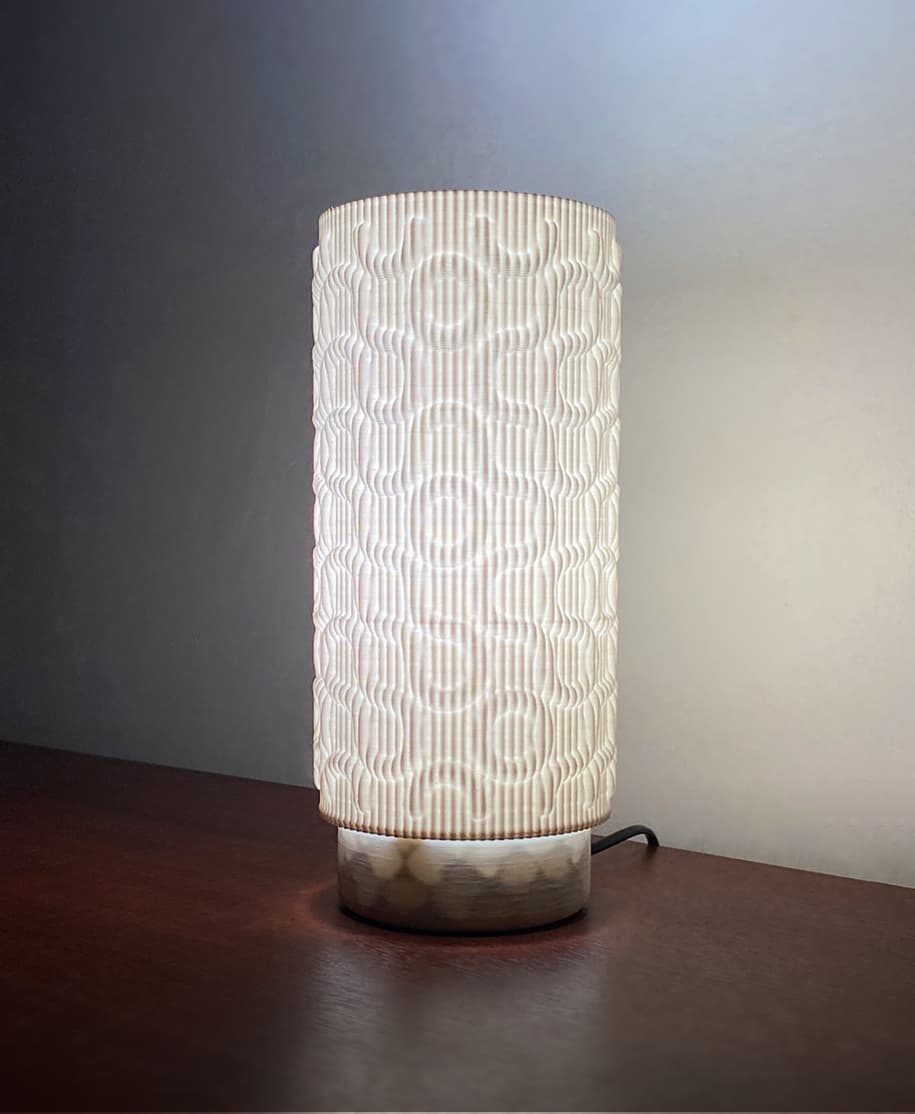
The Lamp Base, is the foundation of your customizable lighting experience. This sleek and sturdy lamp base is designed to seamlessly integrate with any of my Lampshade, allowing you to easily switch between different styles to match your decor and mood. Combine the Lamp Base with any of the interchangeable Lampshades to create the perfect ambiance for your home or office, making it easy to refresh your decor in an instant.

You can get a variety of Lampshades on my Profile

Key Features:

  • Easy to swap between models
  • Easy to assemble and use
  • Compatible with all my Lampshades
  • Sturdy and durable construction
  • Sleek, modern design

hole for M5 x 25mm nut & bolt

Community Makes (7)
I had an issue printing this model that I noticed others have experienced as well.

In the last few centimeters of the print, the lines separated and it ended up with this kind of finish.

I tried a few different settings (reduced the speed to 50% and lowered the temperature by 10°), but it didn’t help.

Does anyone know how I can fix this?
Make by user
HOW TO FIX THIS I AM NEW TO 3D PRINTING PLEASE HELP
what could be causing this ?
I tried many times this is the result
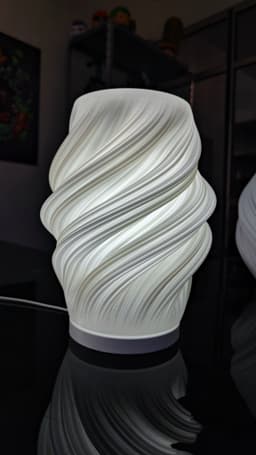
Tremendo diseño!
Love how this looks! Unfortunately my socket didn't fit well with the base - it'd be very helpful if the author provided a link/dimensions to the socket used.

Had to modify the base to be taller to accommodate the socket, and I also wanted the bulb to be centered within the lamp. Also updated the cutout for the cord.

I'm using a 40 watt A19 LED bulb.

Also created a simple lid so that this wasn't creating an upward spotlight. 

0.2 layer height with 0.8 layer width for structure/diffusion.
I had an issue printing this model that I noticed others have experienced as well.

In the last few centimeters of the print, the lines separated and it ended up with this kind of finish.

I tried a few different settings (reduced the speed to 50% and lowered the temperature by 10°), but it didn’t help.

Does anyone know how I can fix this?
Make by user
HOW TO FIX THIS I AM NEW TO 3D PRINTING PLEASE HELP
what could be causing this ?
I tried many times this is the result
Tremendo diseño!
Love how this looks! Unfortunately my socket didn't fit well with the base - it'd be very helpful if the author provided a link/dimensions to the socket used.

Had to modify the base to be taller to accommodate the socket, and I also wanted the bulb to be centered within the lamp. Also updated the cutout for the cord.

I'm using a 40 watt A19 LED bulb.

Also created a simple lid so that this wasn't creating an upward spotlight. 

0.2 layer height with 0.8 layer width for structure/diffusion.


Community Makes (7)
I had an issue printing this model that I noticed others have experienced as well.

In the last few centimeters of the print, the lines separated and it ended up with this kind of finish.

I tried a few different settings (reduced the speed to 50% and lowered the temperature by 10°), but it didn’t help.

Does anyone know how I can fix this?
Make by user
HOW TO FIX THIS I AM NEW TO 3D PRINTING PLEASE HELP
what could be causing this ?
I tried many times this is the result
Tremendo diseño!
Love how this looks! Unfortunately my socket didn't fit well with the base - it'd be very helpful if the author provided a link/dimensions to the socket used.

Had to modify the base to be taller to accommodate the socket, and I also wanted the bulb to be centered within the lamp. Also updated the cutout for the cord.

I'm using a 40 watt A19 LED bulb.

Also created a simple lid so that this wasn't creating an upward spotlight. 

0.2 layer height with 0.8 layer width for structure/diffusion.
I had an issue printing this model that I noticed others have experienced as well.

In the last few centimeters of the print, the lines separated and it ended up with this kind of finish.

I tried a few different settings (reduced the speed to 50% and lowered the temperature by 10°), but it didn’t help.

Does anyone know how I can fix this?
Make by user
HOW TO FIX THIS I AM NEW TO 3D PRINTING PLEASE HELP
what could be causing this ?
I tried many times this is the result
Tremendo diseño!
Love how this looks! Unfortunately my socket didn't fit well with the base - it'd be very helpful if the author provided a link/dimensions to the socket used.

Had to modify the base to be taller to accommodate the socket, and I also wanted the bulb to be centered within the lamp. Also updated the cutout for the cord.

I'm using a 40 watt A19 LED bulb.

Also created a simple lid so that this wasn't creating an upward spotlight. 

0.2 layer height with 0.8 layer width for structure/diffusion.

Discussions
Panagiotis T
Tsitman
 3d model
 3d model
 3d model
Software3ds Max
C
Crocodonkey
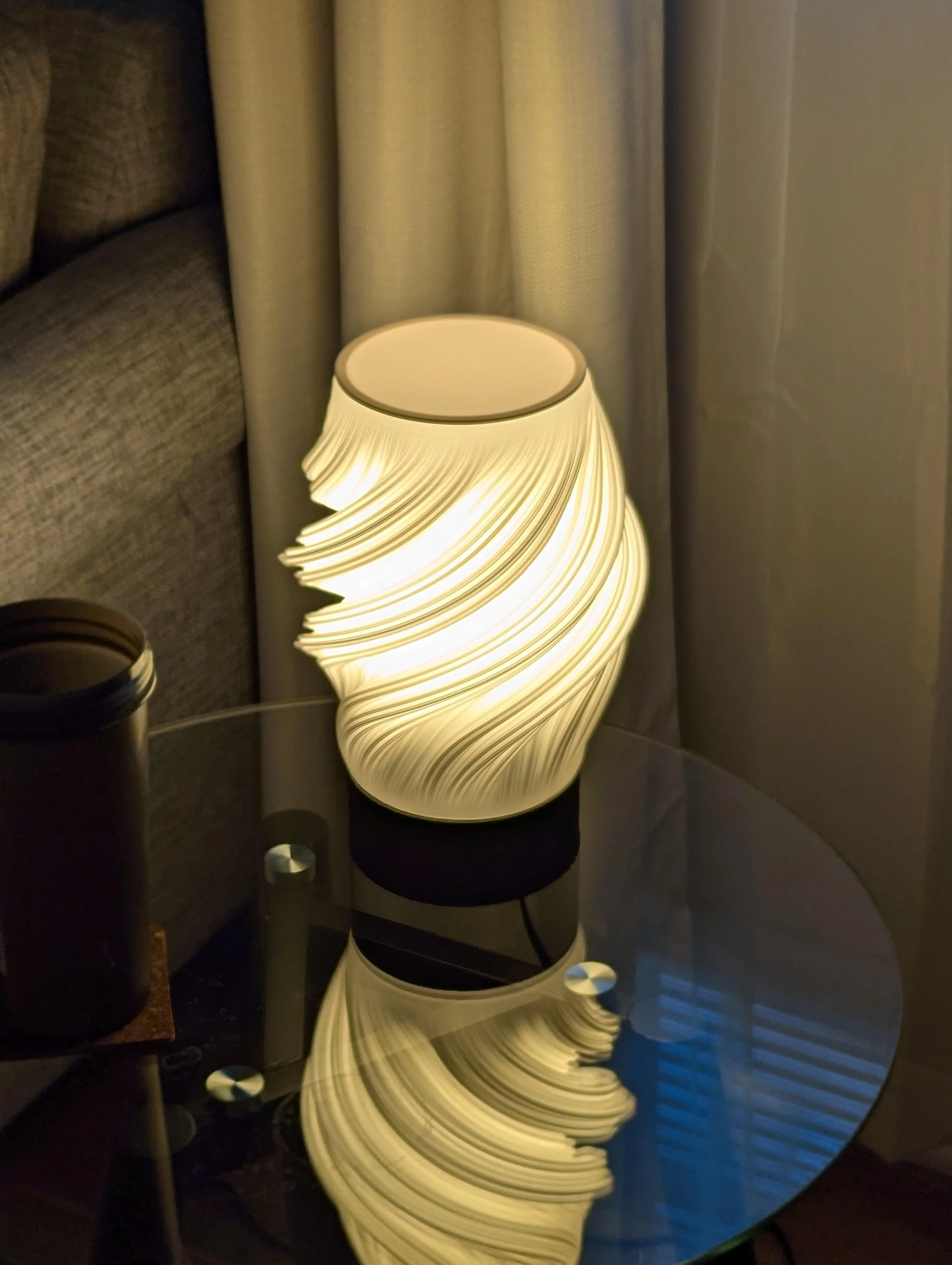
Love how this looks! Unfortunately my socket didn't fit well with the base - it'd be very helpful if the author provided a link/dimensions to the socket used. Had to modify the base to be taller to accommodate the socket, and I also wanted the bulb to be centered within the lamp. Also updated the cutout for the cord. I'm using a 40 watt A19 LED bulb. Also created a simple lid so that this wasn't creating an upward spotlight. 0.2 layer height with 0.8 layer width for structure/diffusion.
Love how this looks! Unfortunately my socket didn't fit well with the base - it'd be very helpful if the author provided a link/dimensions to the socket used.

Had to modify the base to be taller to accommodate the socket, and I also wanted the bulb to be centered within the lamp. Also updated the cutout for the cord.

I'm using a 40 watt A19 LED bulb.

Also created a simple lid so that this wasn't creating an upward spotlight. 

0.2 layer height with 0.8 layer width for structure/diffusion.  3d model
PrinterBambu Lab A1
MaterialPLA
Layer height0.2 mm
Material BrandsPolyterra, Overture
Material ColorsCotton White, Black
A
axelred

Hello, could you tell me what settings did you use?, like temperature, speed, vase mode or not, supports, perimeters, slicer, etc.

marcos w
Kraken.Decor

Thanks so much for such a detailed feedback, i´ll take all of it into account for the next version

Talha N
talhanevsehir
I tried many times this is the result
I tried many times this is the result 3d model
PrinterBambu Lab A1
MaterialPLA
A
applebutter

I have experienced this type of issues also on these and other spiral designs. What has resolved or reduced this for me is changing to a good quality filament PLA+ and use an filament dryer, I get the RH to around the 30%s or so. That with level bed and clean tip

O
onexfuture

Same problem. Has anyone solved it?

Panagiotis T
Tsitman

Yes, try using 0.8 line width or higher

Shyam P
itdood2.0

I'm also facing the same. @Kraken - Could you please help resolving this issue?

nicolas c
nico.carabajal
Tremendo diseño!
Tremendo diseño! 3d model
 3d model
PrinterArtillery Hornet
MaterialPLA+
Layer height0.24 mm
Raphael Turbay
raphael.turbay
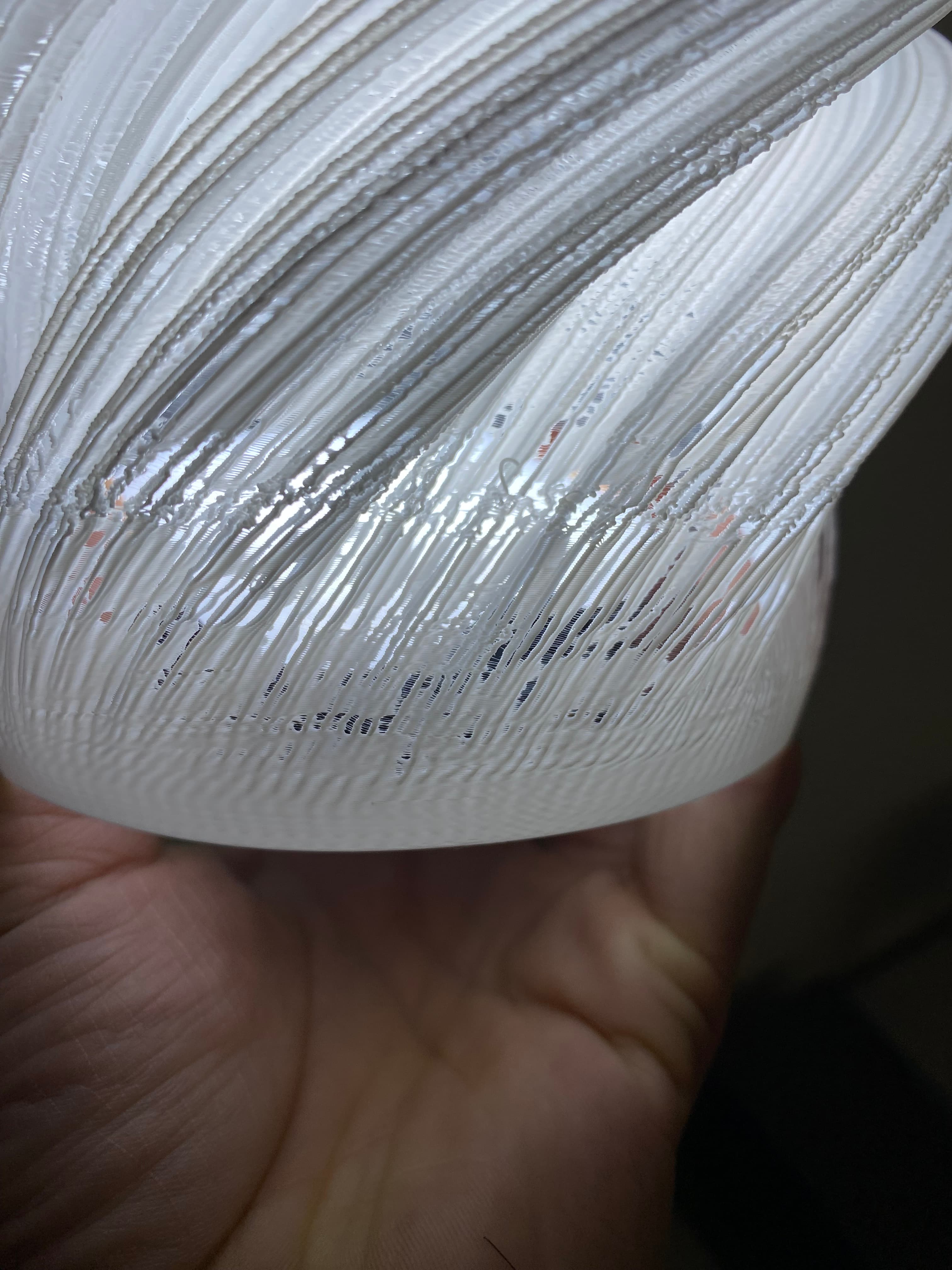
I had an issue printing this model that I noticed others have experienced as well. In the last few centimeters of the print, the lines separated and it ended up with this kind of finish. I tried a few different settings (reduced the speed to 50% and lowered the temperature by 10°), but it didn’t help. Does anyone know how I can fix this?
I had an issue printing this model that I noticed others have experienced as well.

In the last few centimeters of the print, the lines separated and it ended up with this kind of finish.

I tried a few different settings (reduced the speed to 50% and lowered the temperature by 10°), but it didn’t help.

Does anyone know how I can fix this?
 3d model
PrinterBambu Lab A1
MaterialPLA
Layer height0.28 mm
marcos w
Kraken.Decor

It must be printed in vasemode,if not it will just be a solid

Mariana C
mariana.caielli

Hi! where is the vase mode? when I download the file is only solid mode ! Thanks

marcos w
Kraken.Decor

vase mode is a parameter of the slicer "spiralize outer contour" in cura. If not u can print it with 0% infill, 0 top layers and 0 bottom layers

JD
john doe 567
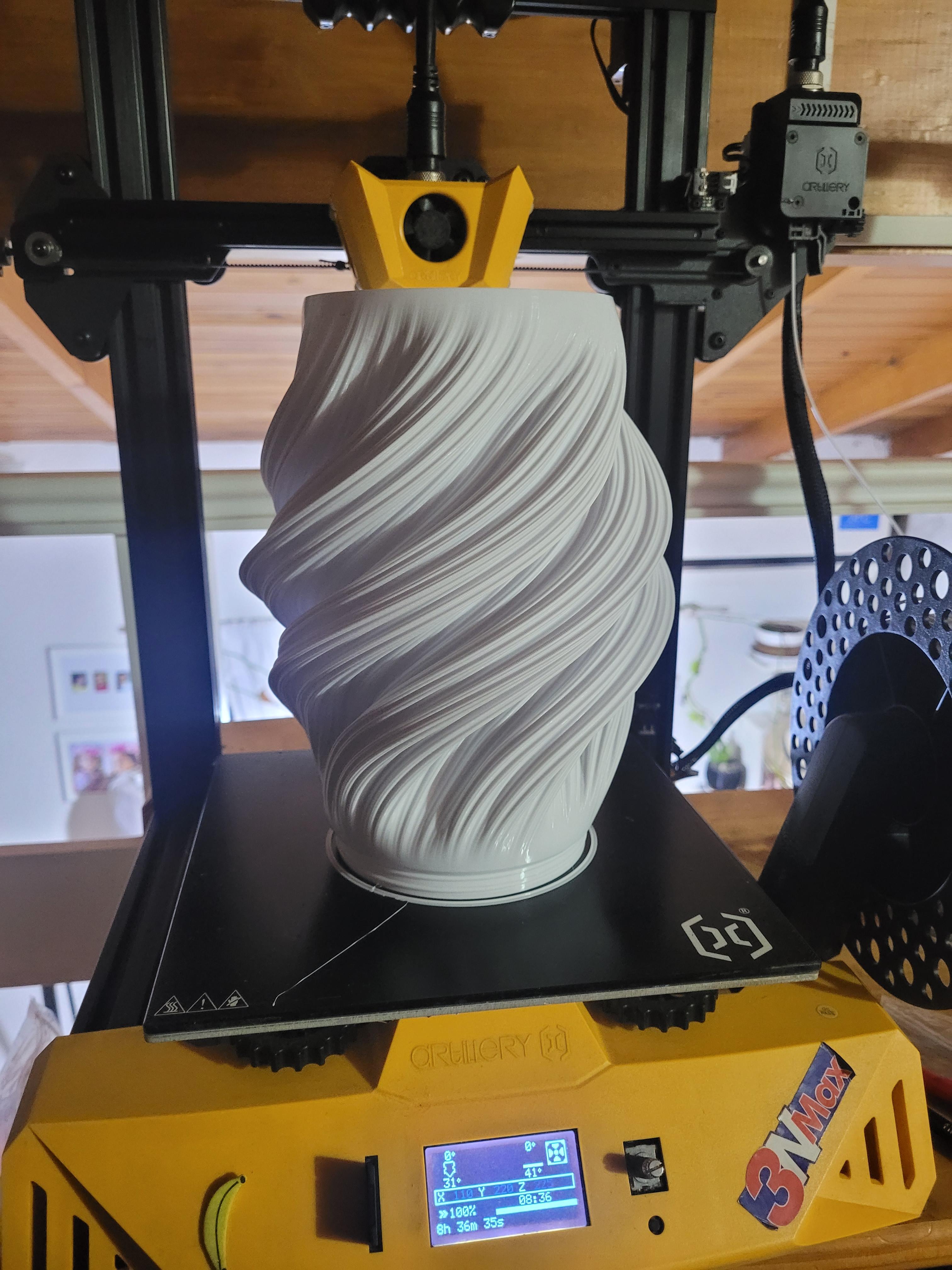
what could be causing this ?
what could be causing this ? 3d model
 3d model
PrinterCreality Ender 3 V3 KE
MaterialPLA
Panagiotis T
Tsitman

Try using 0.8 line width or higher

Shyam P
itdood2.0

I'm getting the same issue. If @Kraken would help fixing this, it'd be great!

Panagiotis T
Tsitman

Try using 0.8 line width or higher

N
NachoSau69

Tremendo diseño! Quiero un vídeo de cómo lo hiciste!

View all 47 discussions

Lara Lamp

5.9K downloads · 2 years ago in  and 
marcos w
Kraken.Decor7.7K followers
Follow
Subscribe for access starting at $8 USD
Get access to this model and 161+ more