
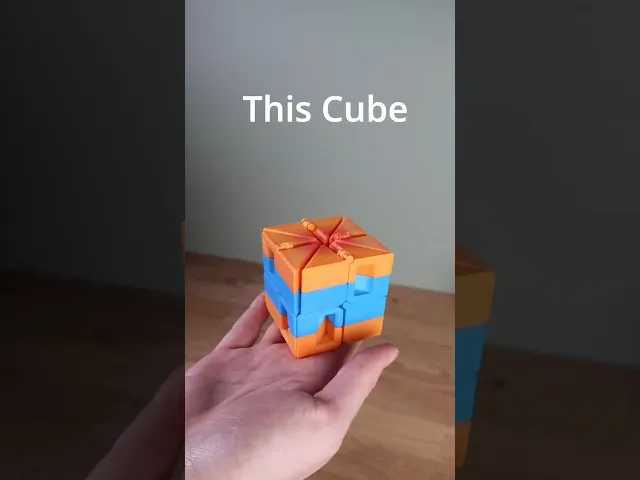


Magic Cube Auxetic Fidget Toy
Hey, this color-switching cube is a collaboration with Keishiro Ueki. He invented this mechanism. I made this physical version with his approval. The switching colors were discovered by me.
You need: First, choose if you want a single-color or a multicolor version. By the way, the multicolor version does not need a multicolor printer. The pictures above show the multicolor version.
For the Single-Color Version, you need: 4 Pieces 8 Connectors (or glue) Or print the "All" Plate; it has everything you need. The tool is optional.
For the Multicolor Version, you need: Just print the "All" File; it has everything you need. Print both plates in different colors. If something fails, you can see what you need for a full assembly here: 4 1-2 (2 in the first color and 2 in the second color) 4 1-4 (2 in the first color and 2 in the second color) 4 2-3 (2 in the first color and 2 in the second color) 4 3-4 (2 in the first color and 2 in the second color) 32 Connectors (or glue)
Print Settings: No supports. Standard settings. I don’t need a brim on my printer, but you may need one. The hinges are quite delicate. I print this on the slower side. If I go too fast, they are not printed properly and don’t move.
Assembly: I made a video on how to put it together: https://youtu.be/CzbLp9nvH0I Both versions are explained in there. If you use glue to put this together, just follow the video and glue all the faces together that are pinned together in the video.
Troubleshooting:
Connectors Break: You could just glue this together. You can also try to print the connectors solid. I usually use 2 walls for them. Some people had success printing them in PETG.
Technical Data: The Magic Cube takes around 100g of filament and 4 hours to print.
The filament I used in the pictures is: Orange is Protopasta Mango Medley. Blue is Protopasta Partly Cloudy Blue.
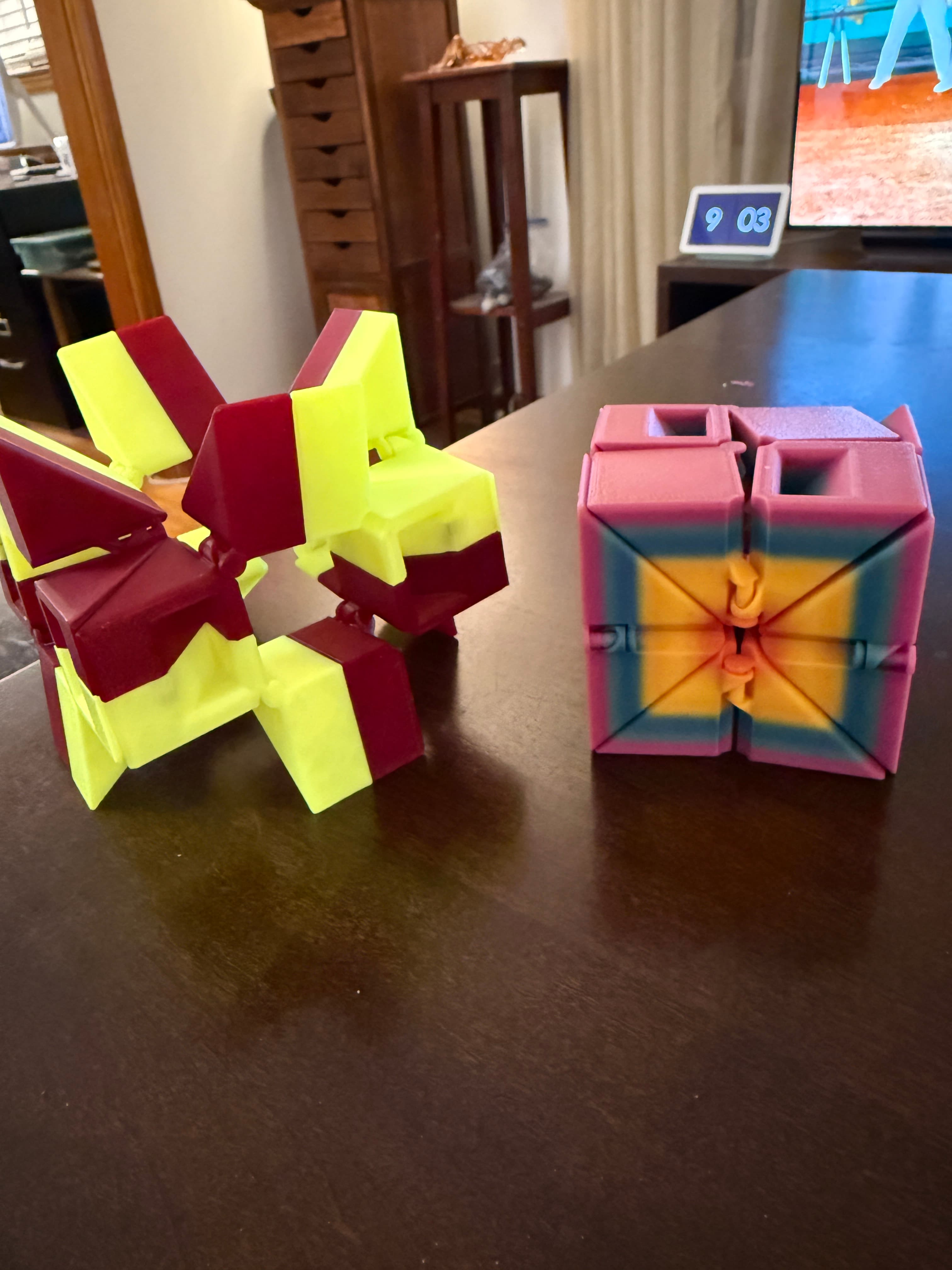

Magic Cube Auxetic Fidget Toy
Infinity cube - fidget toy

Fidget Cube Fidget Toy Workshop3D

Gingerbread Cookie Clickers SET

Set of 4 Halloween Cupcake Clikers

Titan Unicorn - Fidget Toy & Keychain Articulated- The Magical Creatures Collection

Santa Octopus

Scorix Manticore - Fidget Toy & Keychain Articulated- The Magical Creatures Collection

Mini Snow Dragon 2025

Ouch! Keychain Fidget EXTREME!

Karambit Fidget Toy

Pain Sensory Fidgets GEN 2

Cute Latte Fidget Toy

Gold Digger Pickaxe Fidget Toy

Pickaxe Fidget Toy

Mine Yearner Pickaxe Fidget Toy

Spring Fidget Toys: Bunny, Chick, and Piglet | 3D Printed Desk Hand Toy

The Flipper - Fidget Toy

Bitcoin Miner Fidget Toy
Jumping Man Fidget Toy
Oh, my Bad, ill fix that.
I've also had many problems with the hinges. For some reason the 1-2 hinge breaks easier than the rest. Seems to break at the outer hinge first rather than the hinge pin. Any way you could beef those up a bit, maybe 2 wall layers instead of 1? Thank you for all the wonderful creations!
I'm on it.
I just updated the Files, just redownload and try aging, please. The Hinges are stronger now.
I printed the new magic cube but when I try and put it together the printed hinges break. I printed another with same results. I also have trouble figuring what connects to what, could we have a printed version of the directions?
Hey, you can also glue it together. Or try printing the Connectors in PETG