


.png&w=256&q=75)
.png&w=256&q=75)
.png&w=256&q=75)
.png&w=256&q=75)





Wood Frames | Snap-Together
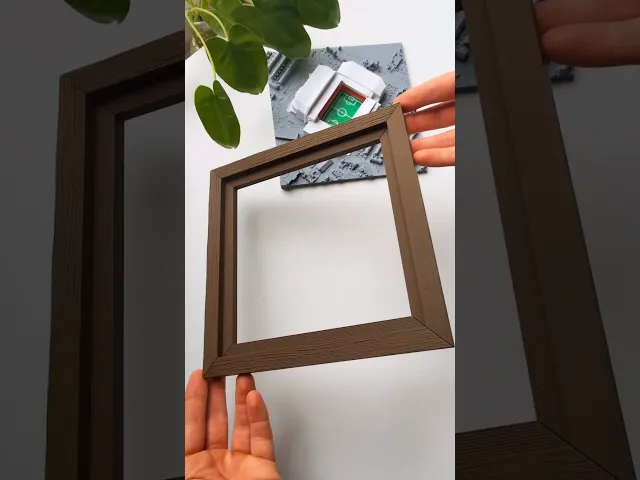
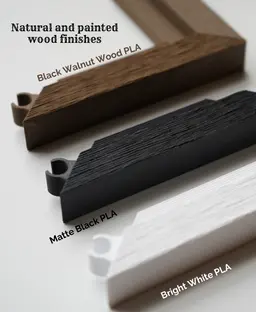
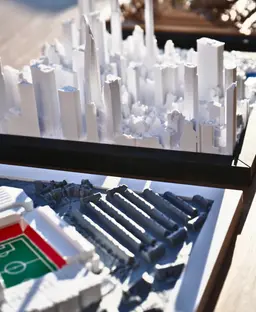
Print wood textured frames, designed for our 3D Map Collection! Printed as four edges that snap together with the printed inserts. Features:
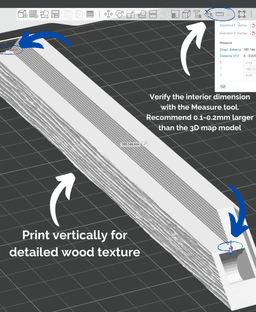
- Detailed wod texture face by printing vertically on the edge.
- Built-in nail holes for wall hanging.
- Fast prints using minimal material.
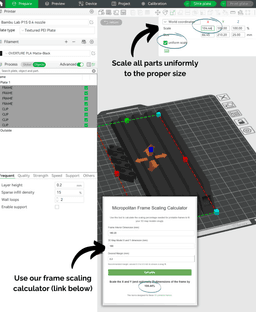
- Larger possible sizes. Scale all pieces uniformly. Orient diagonally on the build plate for max size.
- More profiles and textures coming soon!
All Models
- Models Master List
- Commecial licenses available now! Use code SAVE20 for 20% off your first month.
- Also try our Smooth Texture Frames
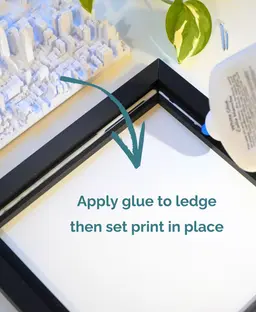
Steps 1. Identify your 3D Map size (X and Y dimension) 2. Scale the frame. The frames can be scaled to a custom size in the slicer using our Online Frame Scaling Calculator For example, the default frame for 180mm models is 180.2mm. To accomodate a 188mm model with a 0.2mm margin for fit, the scaling factor is 104.44%. 3. Slice, print and snap together! Add a small bead of glue to the ledge of the frame and set the 3D map inside to cure in place.
About our models Our models are designed for 3D printing, starting from detailed geospatial layouts and refined using aerial data and digital sculpting tools. We capture fine-resolution features while keeping model sizes optimized for efficient slicing and printing. Compatible with most printers and build plate sizes, our models print well with a 0.4mm nozzle and mostly default settings. Explore our growing collection of cities, stadiums, terrains, and more!
This 3D model was developed with reference data sources and satellite imagery from OpenStreetMap contributors and USGS 3DEP.

Snap-Fit Photo Frame Bloom for 90x90mm Images
Christmas Village Cozy Cottage, Mulit Part Model

broken brick Zelda
.jpg&w=3840&q=75)
SkinFig Wolverine

Cat Scratcher Bed – DIY Refillable Cardboard Inserts

Elf Door

Knitting Counter - Commercial Version

GEN2 PlateStack Case – Prusa – 240-3W-1H

Allay
PARALLETTES

Hanging Mini Vase set

Easy Print Photo Frame Kumo for 50x70mm Images

Roof carrier for VW T1 camper

Beginner-Friendly 3D Printable Picture Frame Bloom for 105x150mm Photos, Din A6, Postcards
Japanese Torii Dresser

Modern Desk & Wall Photo Frame Kumo for 90x90mm Pictures

MDO - 4-Way Connector

Modern 3D Printable Photo Frame Bloom for 50x70mm Images
Parabellum Luger P08 Gun Display Stand

Awesome! only printed in matte black so far, but the texture gives a really realistic wood look & feel :)
Hello Amazing, but how to print the sea? is that possible?
Hello there, can I scale the wood style frame to be 50 cm by 1.50 m