INDIRECT SHAPES
INDIRECT SHAPES2.4K followers
INDIRECT SHAPES
INDIRECT SHAPES
|
Image 1 of 7
Vase mode box 3d model
INDIRECT SHAPES
INDIRECT SHAPES
|
Image 1 of 7
Vase mode box 3d model

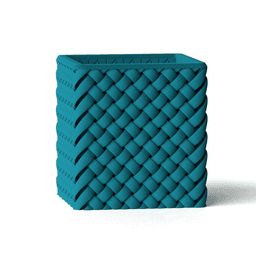
Vase mode box

This model is restricted by licensing terms. 

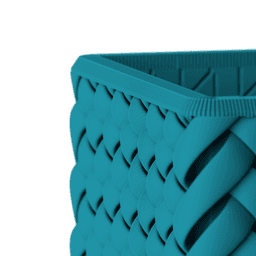
Pen holder / planter / a box - you name it! Wire mesh pattern is overengineered just for smooth printing in vase mode.

The model is available under a Private Use License. To unlock commercial rights, you need to be an active subscriber to a membership plan.

Community Makes (2)
Just saw everyone saying that they could not get this file to print, so I figured I would put forth minimal effort and actually print it. Seems like its an end user issue. I sliced it and sent it to the printer, left all settings on default, didnt even use vase mode
Sliced in Cura with Spiralize Outer Contour("Vase Mode"). This model will not slice.
Just saw everyone saying that they could not get this file to print, so I figured I would put forth minimal effort and actually print it. Seems like its an end user issue. I sliced it and sent it to the printer, left all settings on default, didnt even use vase mode
Sliced in Cura with Spiralize Outer Contour("Vase Mode"). This model will not slice.


Community Makes (2)
Just saw everyone saying that they could not get this file to print, so I figured I would put forth minimal effort and actually print it. Seems like its an end user issue. I sliced it and sent it to the printer, left all settings on default, didnt even use vase mode
Sliced in Cura with Spiralize Outer Contour("Vase Mode"). This model will not slice.
Just saw everyone saying that they could not get this file to print, so I figured I would put forth minimal effort and actually print it. Seems like its an end user issue. I sliced it and sent it to the printer, left all settings on default, didnt even use vase mode
Sliced in Cura with Spiralize Outer Contour("Vase Mode"). This model will not slice.

Discussions
Taylor B
taylorbennett365
Just saw everyone saying that they could not get this file to print, so I figured I would put forth minimal effort and actually print it. Seems like its an end user issue. I sliced it and sent it to the printer, left all settings on default, didnt even use vase mode
Just saw everyone saying that they could not get this file to print, so I figured I would put forth minimal effort and actually print it. Seems like its an end user issue. I sliced it and sent it to the printer, left all settings on default, didnt even use vase mode 3d model
Dan S
minitaz80

Printed great using Cura and Ender 3 V3 SE using Jayo Matte Clay filament :)

C L
connorlangdon451
Sliced in Cura with Spiralize Outer Contour("Vase Mode"). This model will not slice.
Sliced in Cura with Spiralize Outer Contour("Vase Mode"). This model will not slice. 3d model
INDIRECT SHAPES
INDIRECT SHAPES

Please change "slice gap closing radius" to 0.01 mm

Logan
logansikorski39

no help, fake model.

INDIRECT SHAPES
INDIRECT SHAPES

And why do you think the model is fake?

INDIRECT SHAPES
INDIRECT SHAPES

Please specify first what kind of help you need and I'm here to assist.

J
jbj1307

another bs printing idea. when using the vase mode, spiral, the top wont close/seal. these should be banned if no real print is being shown. wasted time

INDIRECT SHAPES
INDIRECT SHAPES

Hello, real print is on the ig video that is linked on the model page. If you need assistance for print setup just ask, before throwing offensive comments

Zacarias M
zmoscon

Now i can make work, in 0.8 nozzle = problem. on 0.4 ALL GOOD thx

Zacarias M
zmoscon

Love the desing, but even with radius gap with 0.01 i cant make to top be good.

Vase mode box

857 downloads · 1 year ago in  and 
INDIRECT SHAPES
INDIRECT SHAPES2.4K followers
This model is restricted by licensing terms.Â